
MSI Pro MP161 E2
Deep Assessment
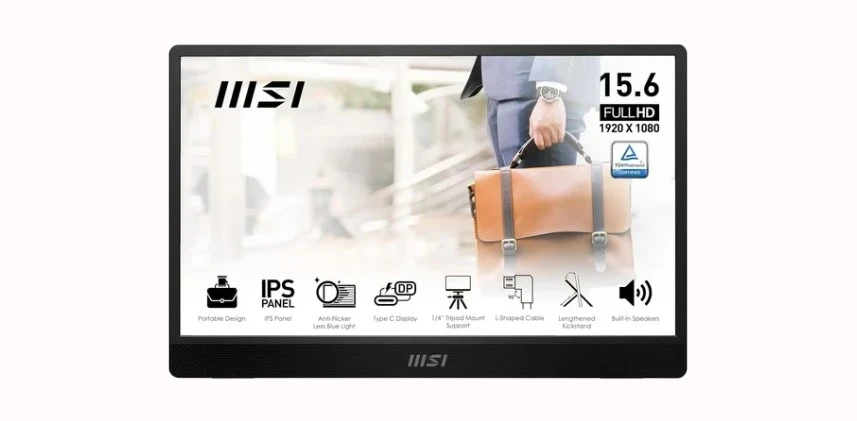
Business-grade portability at 0.9 kg with 4ms response — but 53% NTSC color gamut and glossy panel create real trade-offs most reviewers ignore. Here's the complete picture.
ScreenExtendersHub is a participant in the Amazon Services LLC Associates Program. As an Amazon Associate, we earn from qualifying purchases at no extra cost to you. Editorial decisions are independent. Full disclosure →
Read Before You Buy — Constraints Disclosed First
- 53% NTSC (~73% sRGB) color gamut — inadequate for photo editing, graphic design, or color-critical work. The ARZOPA Z1RC at 123% sRGB is a meaningful step up in color accuracy.
- Glossy panel finish — significant reflections in bright environments and offices with overhead lighting.
- No VESA mounting — tripod only. The VESA-compatible MP165 E6 adds 75mm VESA — check current pricing on Amazon.
- 250 nits brightness — sufficient indoor, insufficient for sunlit environments.
- No battery, no PD passthrough — requires constant USB-C power from host device.
Six-Axis Performance Breakdown
Each metric scored independently. Expand for rationale. Methodology.
MSI EyesErgo & Night Vision — Interactive Demo
Drag the slider to compare standard vs Night Vision. MSI's key differentiator in budget portables.
Night Vision Before / After

Night Vision boosts dark-region gamma without blowing highlights. With EyesErgo low blue-light tuning, reduces eye strain during extended sessions. See FAQ for details.
250 Nits in Context — Interactive Visualizer
How MP161 E2 brightness performs across four lighting conditions.
~250 nits vs ~50 lux ambient — comfortable viewing, no strain
Port Matrix & Signal Path Diagram
Every cable included. Understanding USB-C DP Alt Mode is critical for single-cable operation.
| Port | Type | Signal | Power | Included | Notes |
|---|---|---|---|---|---|
| USB-C | DP Alt Mode | Video + Audio | Bus powered (10W) | L-shaped C-to-C | Single-cable — preferred |
| Mini-HDMI | HDMI 1.4 | Video + Audio | Needs USB power | L-shaped Mini-HDMI | Requires separate power |
Where the MP161 E2 Sits — Price vs. Capability
Three monitors, three tiers. "Best" depends on your constraints.
Price ↔ Display Capability Matrix
Five MSI MP161 E2 Myths — Debunked
Click to reveal reality. Sources linked to our glossary.
MP161 E2 vs. MP165 E6 — Which MSI?
MP165 E6 is the newer model on the same Amazon listing.
- Panel15.6" FHD IPS
- Weight0.9 kg (1.98 lbs)
- MountingTripod only
- VESANo
- Response4ms GTG
- PortsUSB-C + Mini-HDMI

- Panel15.6" FHD IPS
- Weight0.78 kg (1.72 lbs)
- MountingTripod + VESA 75mm
- VESAYes (75mm)
- Response— (not confirmed)
- PortsUSB-C + Mini-HDMI
MSI MP161 E2 vs. The Competition
Two competitors at different tiers. Full reviews in our comparison database.
vs ARZOPA Z1RC 16" 2.5K

vs ViewSonic VX1655-4K-OLED

MSI MP161 E2 Compatibility Checker
Check USB-C compatibility or HDMI fallback. FAQ for edge cases.
Who Should — and Should NOT — Buy
Buy the MSI MP161 E2 if you…
- Need a budget second screen for documents, email, Slack, spreadsheets
- Travel frequently and want sub-1kg portability with included case
- Have a USB-C DP Alt Mode laptop and want single-cable simplicity
- Value MSI warranty and EyesErgo eye-care technology
- Use the monitor primarily in dimmed or standard indoor lighting
- Need a secondary display for console gaming via HDMI
Do NOT buy if you…
- Do any color-sensitive work — photo editing, graphic design, video grading
- Work outdoors or in bright environments — 250 nits + glossy = unreadable
- Need VESA mounting — get the MP165 E6 instead
- Want competitive gaming refresh — 60Hz isn't enough
- Expect speakers to replace headphones — they won't
- Have slightly more budget flexibility — the ARZOPA Z1RC offers objectively better display specs
Personal Fit Assessment Tool
Answer three questions. Get a personalized recommendation.
Frequently Asked Questions
MSI Pro MP161 E2 — Your Verdict?
Budget portability king at 0.9 kg with EyesErgo technology. Best for indoor document work.