
FOPO 15.6” Triple Screen Extender S10
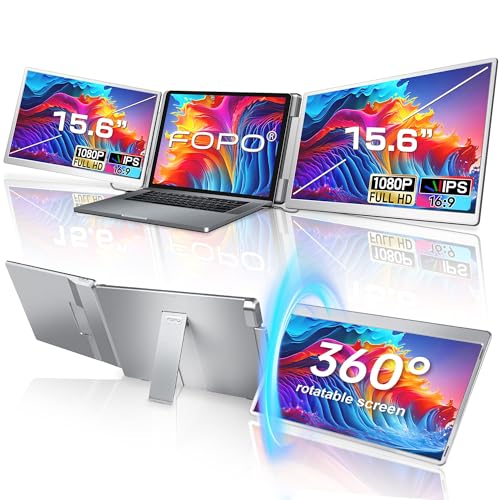
A triple-display workstation clamped to your lid. Fits 12–18.5” laptops if your laptop can handle it.
If you already know this is your product
Check Current Price on Amazon →Not sure yet? Every section below is a checkpoint. Start the dossier ↓
As an Amazon Associate, ScreenExtendersHub earns from qualifying purchases. Disclosure.
The FOPO S10 delivers what it promises: two additional 15.6” FHD IPS displays clamped to your laptop lid, creating a genuine triple-screen workstation. Setup is plug-and-play. The 360° left-screen rotation enables face-to-face presentations without repositioning. Build quality is adequate for the price point. At approximately $399, this is the most feature-complete triple extender in FOPO’s lineup.
The risks are non-trivial. Base M1/M2/M3 MacBooks cannot drive triple displays — an Apple silicon limitation with no software workaround. Your laptop’s physical dimensions must fit the bracket; screen diagonal is irrelevant, chassis measurements are mandatory. The combined weight (~3.5 lbs) creates meaningful hinge stress on ultrabooks. The glossy panel reflects overhead lighting. And 60Hz at 1080P is strictly productivity-grade.
Every section below is a checkpoint. Pass all of them before purchasing. See our scoring methodology for how we arrived at 8.3/10.
Walk the decision tree. Green nodes advance toward purchase. Red nodes are disqualifiers. Click to expand. Framework follows our buying guide.
Each strip includes quality gradient. See methodology for criteria.
#1 return reason. The S10 clamps to your lid. Drag sliders to your laptop’s body measurements. See buying guide.
Base M-series = one external display max. Hardware limit. Click your chip. Details in FAQ.
Every laptop screen extender adds lateral hinge stress. Select your laptop weight class.
Compare models side by side. Cross-brand at comparison hub.

S10 — 15.6”
Flagship. Largest screens, widest range.
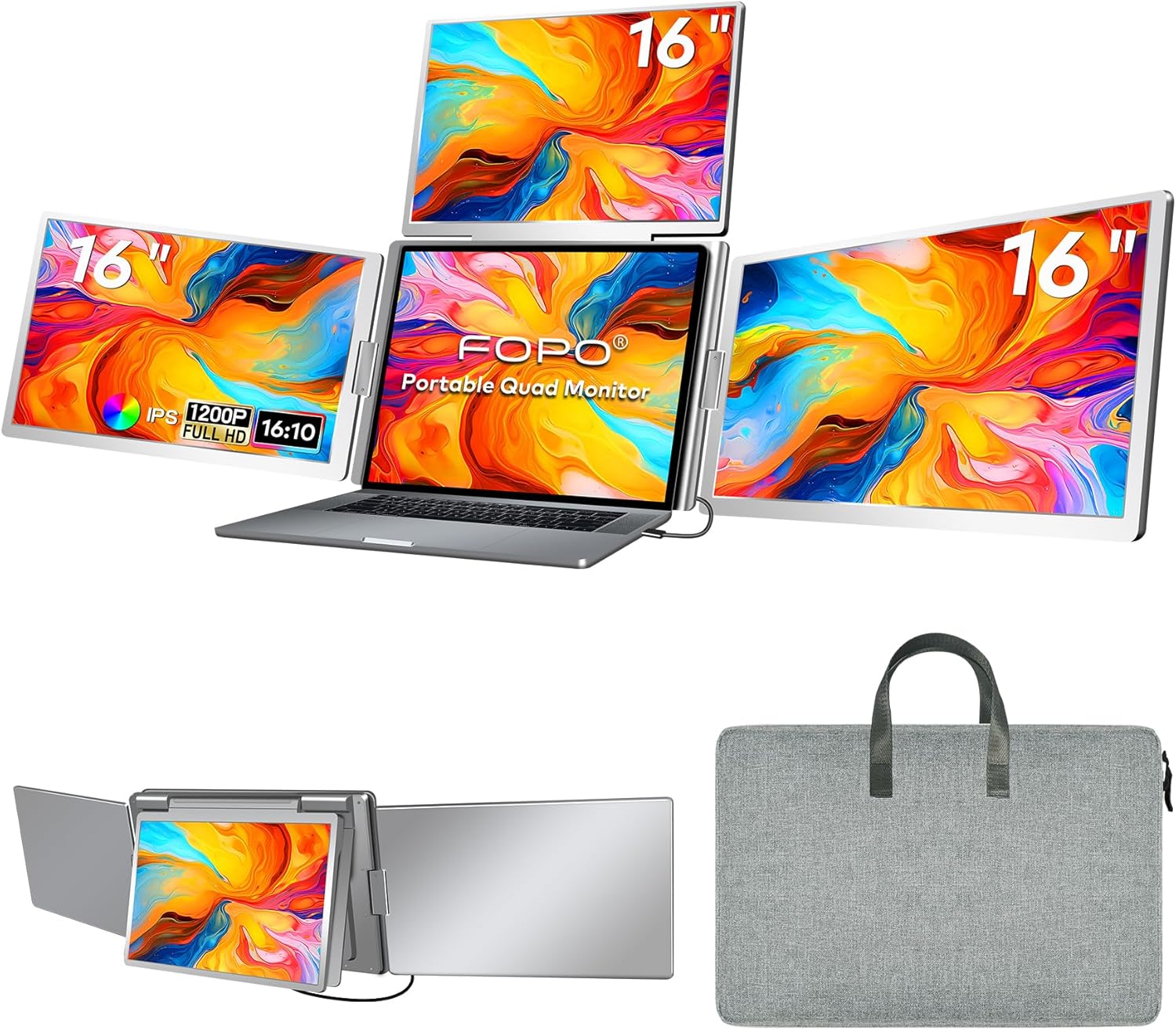
S7 — 14”
Higher res, wider aspect. Narrower range.

Portable Triple
No 360° flip. Lower price.
How the S10 behaves in real daily workflows across productivity, presentation, and extended use.
~141 PPI. Comfortable for docs, spreadsheets, code at arm’s length. Sub-10pt fonts blur. 7.5/10
72% NTSC. Vibrant for productivity. Not calibrated for design. 7/10
Est. 200–250 nits. Adequate indoors. Fails in bright rooms. 6.5/10
Plug-and-play Windows. Under 60s to triple display. No drivers. 9/10
Kickstand essential. Without it: tipping. With it: solid. 7/10
~3.5 lbs in carry bag. 8–10 lbs total with laptop + charger. 7/10
360° left flip smooth. Auto-sensing orientation. Right: 205°. 8.5/10
Diagnostic complete. Overall assessment: 8.3/10. 8.3
Pick an app, then click a screen to place it. See if triple-screen genuinely benefits your workflow. Based on our buying guide.
then place it here
then place it here
then place it here
Every real alternative — including the ones where the S10 doesn’t win. Cross-brand data at comparison hub.
| Product | Extra Screens | Screen Size | vs S10 |
|---|---|---|---|
| FOPO S10 — this review | +2 screens | 2×15.6” FHD | — |
| Teamgee P1 Plus | +2 screens | 2×13.3” FHD | S10 Wins |
| KYY Extender | +2 screens | 2×15.6” FHD | S10 Wins |
| Single Portable Monitor | +1 screen | up to 15.6” | Context |
| Dual Portable Monitors | +2 screens | 2×15.6” | S10 Loses |
| Desk Monitor Setup | +2 screens | 24–32” each | Context |
- 2×15.6” screens — 38% more area than 13.3”
- 360° flip — portrait or landscape modes
- Fits 12–18.5” laptops, widest range
- Heavier at ~3.52 lbs
- ~2.65 lbs — noticeably lighter to carry
- More compact travel footprint
- 2×13.3” — significantly smaller screens
- No rotation feature
- Fits 12–18.5” — widest laptop compatibility
- 360° screen rotation (portrait + landscape)
- Plastic hinge construction
- Alloy frame — premium build feel
- Better hinge rigidity under daily use
- Fits only 13–17” laptops
- No rotation feature
- Adds 2 screens in one unit
- Single attachment, faster setup
- More total workspace area
- Heavier total package
- Significantly cheaper option
- Works standalone with any device
- No hinge-attachment pressure on laptop
- Only one extra screen
- Still requires cable management
- Single-unit — no extra stands or positioning
- Faster setup for frequent travellers
- Fixed angle — no independent screen positioning
- Often costs more than two standalone monitors
- One failure point for both screens
- Same screen count, often cheaper overall
- Position each screen independently
- Better individual panel quality options
- Each screen usable standalone
- More cables, longer setup time
- Works anywhere — café, hotel, airport, client site
- Single-bag travel with a full triple-screen workspace
- Often cheaper than a quality desk monitor setup
- 15.6” vs 24–27” desk monitors
- 60Hz vs 144Hz+ desk options
- Lower colour accuracy ceiling
- Larger panels (24–32”) — more comfortable long-term
- Higher refresh rates and colour accuracy
- Full ergonomic height & angle adjustment
- Zero portability
- Requires a fixed, dedicated workspace
- Higher total investment for quality setup
From verified buyers. Each includes root cause, resolution, severity. More at FAQ.
"Doesn’t fit my laptop"
Fix: Measure width × depth × thickness. Use Fit Interrogator above.
Verdict: Dealbreaker if mismatched.
"Won’t work with my MacBook"
Fix: None for base chips. Need Pro/Max.
Verdict: Dealbreaker for base M-chip.
"One screen: No Signal"
Fix: Connect 5V2A adapter. Verify DP Alt Mode. Use Mini HDMI fallback.
Verdict: Fixable.
"Laptop tips backward"
Fix: Deploy kickstand. Non-slip pad on smooth surfaces.
Verdict: Fixable but annoying.
"Too dim in bright rooms"
Fix: Reposition. Reduce ambient light. Or consider higher-nit portable monitor.
Verdict: Inherent limitation.
Common misconceptions about laptop screen extenders. Toggle the switch to interrogate each claim.
As an Amazon Associate, ScreenExtendersHub earns from qualifying purchases. Editorial decisions are independent. Full disclosure.
ScreenExtendersHub is a participant in the Amazon Services LLC Associates Program, an affiliate advertising program designed to provide a means for sites to earn advertising fees by advertising and linking to Amazon.com.
Boniface Musembi evaluates laptop screen extenders by what they demand of the hardware they clamp to — hinge load, power draw, and the OS limits that decide whether a triple-display rig works at all — rather than by spec sheets. His assessments draw on independent, published research and a documented review methodology.