Cocopar Portable Travel Monitor Review
May 13, 2025
Discover the Cocopar Portable Monitor—a lightweight, stylish savior for your travel tech woes. Dive into our quirky review of its dazzling visuals and seamless portability!
The Cocopar 15.6-inch Portable Travel Monitor (Y156FH7XD) is a 1080P FHD IPS display with a matte finish, 178-degree viewing angle, 1000:1 contrast ratio, 300 nits brightness, 60Hz refresh rate, FreeSync, HDR, and Low Blue Light technology. It weighs 2.4 lbs, measures 14 x 8.9 x 0.23 inches, and connects via dual full-function USB-C ports and HDMI. It includes built-in speakers, a 3.5mm audio jack, a magnetic leather smart cover that doubles as an adjustable stand, and is VESA wall mountable. A single USB-C cable handles both power and display signal on compatible devices (Thunderbolt 3.0 or DP Alt-Mode required). The monitor supports Extend and Mirror modes and is compatible with MacBook, Surface Pro, Surface Laptop, Lenovo, HP, Dell, ASUS laptops, PS4/PS5, Xbox, Nintendo Switch, and Raspberry Pi. Cocopar backs it with a 2-year manufacturer warranty.
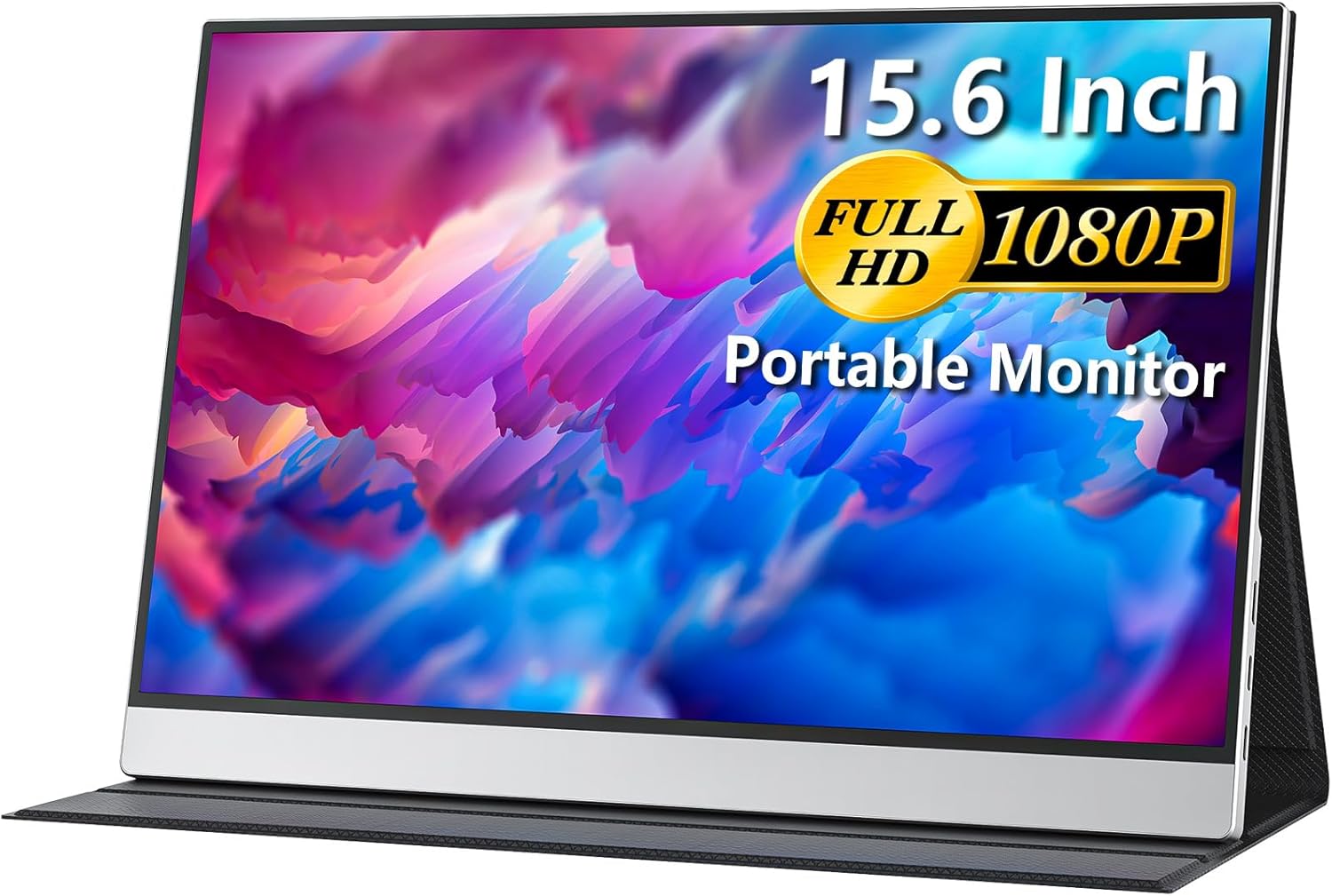

Display: 15.6-Inch 1080P IPS with HDR and FreeSync
The 15.6-inch IPS A-grade matte panel runs at 1920×1080 FHD resolution with a 60Hz refresh rate. The IPS technology delivers consistent color reproduction across a 178-degree viewing angle, meaning colors and brightness remain accurate when viewed from the side. For shared viewing, presentations, or when the monitor sits at an angle on a desk, the wide viewing angle keeps the image reliable from virtually any position.
300 nits brightness handles standard indoor environments comfortably, including offices, co-working spaces, and cafes with overhead lighting. The 1000:1 contrast ratio provides standard separation between dark and light content. The matte finish reduces reflections from ambient light sources, making the display usable near windows and under fluorescent lights without distracting glare.
HDR support adds improved contrast in compatible content with brighter highlights and deeper shadows. FreeSync eliminates screen tearing during video playback, scrolling, and casual gaming. Low Blue Light technology and flicker-free design reduce eye strain during extended use, which matters for users who spend long hours working or watching content.
The frameless design maximizes the visible display area relative to the physical frame size, giving the 15.6-inch panel a compact footprint.
Portability: 2.4 lbs, 0.23 Inches Thin
At 2.4 lbs and just 0.23 inches thin (14 x 8.9 inches), the Cocopar is one of the thinnest portable monitors available. The 0.23-inch profile is slimmer than most smartphones. It slides into a laptop bag alongside a notebook computer without adding noticeable thickness or weight.
The included magnetic leather smart cover protects the screen during transport and folds into an adjustable stand for desk use. The cover provides scratch protection and multiple viewing angles without requiring a separate stand or case. The silver color and slim profile give the monitor a clean, professional appearance.
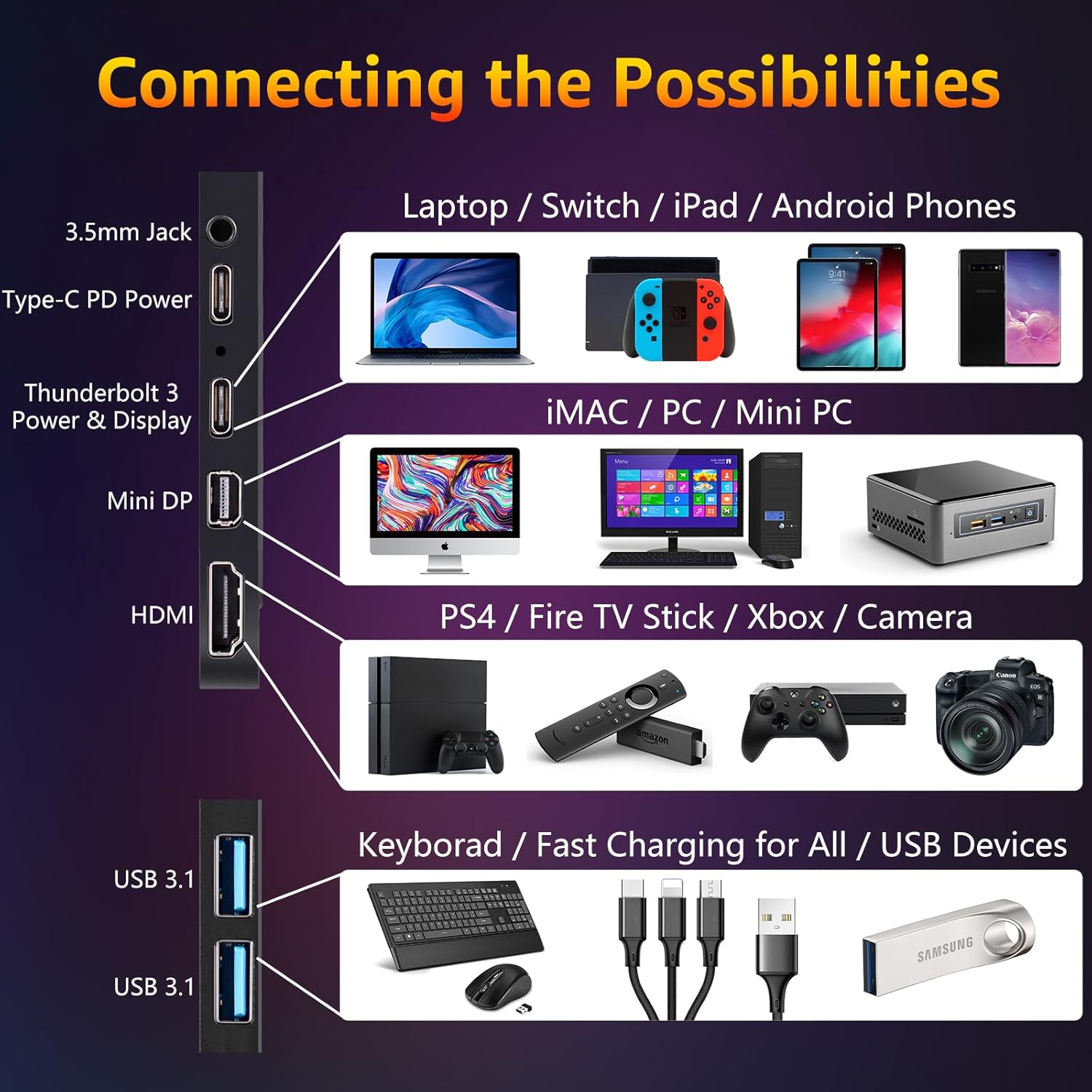
Connectivity: Dual USB-C, HDMI, and 3.5mm Audio
Two full-function USB-C ports provide the primary connection method. A single USB-C cable handles both power supply and display signal transmission, keeping the setup to one cable with no external adapter needed. The USB-C connection requires Thunderbolt 3.0 or DP Alt-Mode on the connected device.
The HDMI port extends compatibility to gaming consoles (PS4/PS5, Xbox, Nintendo Switch), desktop PCs, Raspberry Pi, and laptops without USB-C video output. A 3.5mm audio jack allows private listening through headphones or connection to external speakers.
The monitor is plug-and-play with no drivers required. Connect via USB-C or HDMI and the display activates immediately.
Display Modes
The monitor supports Extend mode (add an independent second desktop) and Mirror mode (duplicate your laptop screen). Extend mode is the primary productivity use case, providing additional screen space for email, reference materials, spreadsheets, or video calls while keeping main work on the laptop display. Mirror mode is useful for presentations and shared viewing.
Device Compatibility
Cocopar specifically lists compatibility with MacBook, Surface Pro, Surface Laptop, Lenovo Laptop, HP Laptop, Dell Laptop, ASUS Laptop, PS4/PS5, Xbox, Nintendo Switch, and Raspberry Pi. This is one of the more detailed compatibility lists in the portable monitor category, covering the most popular laptop brands by name and the major gaming consoles plus Raspberry Pi for hobbyist and development use.
Audio: Built-in Speakers and 3.5mm Jack
Built-in speakers provide audio for video calls, system sounds, and casual media playback without external accessories. The 3.5mm audio jack allows connection to headphones or external speakers for private listening or improved sound quality. Having both built-in and external audio options means the monitor handles audio independently regardless of the setup.
VESA Wall Mount
The monitor supports VESA wall mounting, allowing it to be attached to a wall mount or desk arm for a more permanent installation. This gives the Cocopar dual-use capability: portable with the magnetic leather cover for travel, and wall-mounted at a fixed desk for a clean, space-saving setup.

What’s in the Box
The package includes the 15.6-inch portable monitor, an HDMI to HDMI cable, a USB to USB-C cable (for power only), a USB-C to USB-C cable (full-featured for power and display), and a user manual. Both HDMI and USB-C connection methods are covered out of the box. The USB to USB-C cable provides a power-only option for setups where the connected device doesn’t supply enough power through USB-C.
| Feature |
Details |
| Screen Size |
15.6 inches (frameless) |
| Resolution |
1920×1080 FHD |
| Panel Type |
IPS A-grade, matte finish |
| Refresh Rate |
60Hz |
| Contrast Ratio |
1000:1 |
| Brightness |
300 nits |
| Viewing Angle |
178 degrees |
| HDR |
Supported |
| Adaptive Sync |
FreeSync |
| Eye Care |
Low Blue Light, flicker-free |
| Speakers |
Built-in |
| Audio |
3.5mm audio jack |
| Ports |
2x USB-C (full function), HDMI |
| VESA |
Wall mount supported |
| Smart Cover |
Magnetic leather (included, doubles as stand) |
| Weight |
2.4 lbs |
| Dimensions |
14 x 8.9 x 0.23 inches |
| Display Modes |
Extend, Mirror |
| Compatible Devices |
MacBook, Surface Pro/Laptop, Lenovo, HP, Dell, ASUS, PS4/5, Xbox, Switch, Raspberry Pi |
| In the Box |
Monitor, HDMI cable, USB to USB-C cable, USB-C to USB-C cable, user manual |
| Model |
Y156FH7XD |
| Color |
Silver |
| Warranty |
2 years manufacturer |
Pros and Cons
What Stands Out
- 0.23 inches thin, one of the slimmest portable monitors available
- 2.4 lbs with IPS matte panel and 300 nits brightness
- Dual full-function USB-C ports for single-cable power and display
- 178-degree IPS viewing angle for consistent colors from any position
- HDR and FreeSync for enhanced visuals and tear-free scrolling
- Built-in speakers plus 3.5mm audio jack
- Magnetic leather smart cover included (protection and stand)
- VESA wall mount for permanent desk installation option
- Broad named device compatibility including Raspberry Pi
- Low Blue Light and flicker-free for eye comfort
- All cables included (HDMI, USB-C full-featured, USB power)
- 2-year manufacturer warranty
- Frameless design maximizes display area
What Could Be Better
- 60Hz refresh rate is standard, not suited for competitive gaming
- No color gamut percentage specified in the listing
- No response time specified in the listing
- USB-C requires Thunderbolt 3.0 or DP Alt-Mode (not all USB-C ports qualify)
- 1000:1 contrast ratio is standard, not above average
- No VESA mount size specified in the listing
- Mini HDMI not mentioned but HDMI cable is full-size HDMI to HDMI
Who Is This Monitor For?
Remote workers and business travelers who need the thinnest, lightest possible second screen. At 0.23 inches thin and 2.4 lbs, the Cocopar adds virtually no bulk to a laptop bag. The single USB-C cable setup, magnetic leather cover, and all-inclusive cable package mean the monitor deploys quickly at any hotel, cafe, or co-working space.
MacBook and Surface users who want a plug-and-play second monitor with confirmed compatibility. Cocopar specifically names MacBook and Surface Pro/Laptop in their compatibility list, which provides confidence for buyers of those devices. The USB-C single-cable operation works seamlessly with Thunderbolt 3-equipped Macs and Surface devices.
Console gamers who want a portable display for PS4/PS5, Xbox, or Nintendo Switch. The HDMI connection, built-in speakers, and 300 nits brightness make the Cocopar a practical portable gaming screen. HDR and FreeSync improve the visual experience for compatible content.
Raspberry Pi users and hobbyists who need a compact display for projects. Cocopar specifically lists Raspberry Pi compatibility, which not all portable monitor manufacturers do. The HDMI connection and 5V power make it straightforward to connect to Pi boards.
This monitor is not the right choice if you need a high refresh rate for competitive gaming (60Hz is standard), if you need specified color gamut for professional color work, or if your laptop’s USB-C port doesn’t support video output (Thunderbolt 3.0 or DP Alt-Mode required).
Final Verdict
The Cocopar 15.6-inch Portable Travel Monitor delivers a well-rounded portable display package at 0.23 inches thin and 2.4 lbs. The IPS matte panel, 300 nits brightness, HDR, FreeSync, dual USB-C, HDMI, built-in speakers, magnetic leather cover, VESA mount support, and 2-year warranty create a comprehensive feature set for a portable monitor. The broad named compatibility list covering major laptop brands, gaming consoles, and Raspberry Pi demonstrates confidence in cross-device support.
The 60Hz refresh rate and unspecified color gamut are the practical limitations that keep this in the mainstream productivity and casual gaming tier. For buyers who prioritize ultra-slim portability, reliable cross-device compatibility, and a complete out-of-box package with all cables included, the Cocopar is a proven option with strong buyer confidence backed by over 2,300 reviews and a 2-year warranty.
Disclosure: As an Amazon Associate, I earn from qualifying purchases.
