
Portable Monitor 11.6 Inch HDMI USB-C IPS External Screen review
A wry, humane review of a featherweight 11.6" IPS portable monitor with HDMI/USB-C, plug-and-play setup, and a heroically tiny stand - multitask without tears.
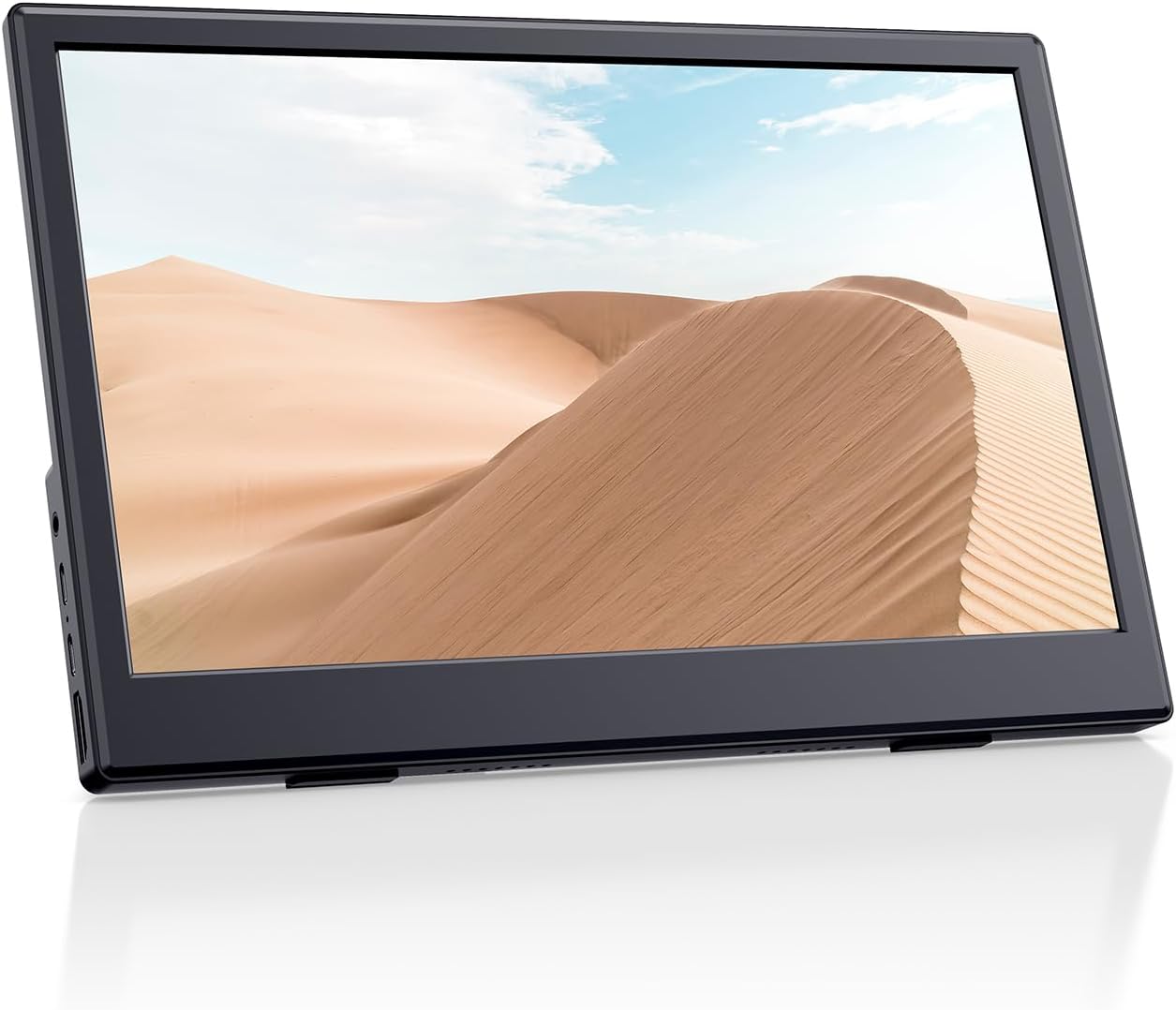
At 11.6 inches and 1366 x 768 resolution, PONKLOIE’s portable monitor is one of the smallest and lightest in the category. It runs at 60Hz with 2ms response time on an IPS panel with 250 nits brightness, matte finish, 178° viewing angles, and built-in dual speakers. Two USB-C ports plus one HDMI provide Plug & Play connectivity with no drivers. Compatible with laptops, PCs, Steam Deck, Switch, Xbox, PS5, and MacBooks. A separate portable stand is included. At this size, it serves as a dedicated companion screen for a single task rather than a multi-window workspace.

Key Specifications at a Glance
| Specification | Detail |
|---|---|
| Screen Size | 11.6 inches |
| Resolution | 1366 x 768 (HD) |
| Panel Type | IPS (LCD) |
| Refresh Rate | 60Hz |
| Response Time | 2ms |
| Color Gamut | 45 (unit not specified) |
| Contrast Ratio | 800:1 or 1000:1 |
| Brightness | 250 nits |
| Viewing Angle | 178° |
| Aspect Ratio | 16:9 |
| Screen Finish | Matte |
| Speakers | Built-in dual speakers |
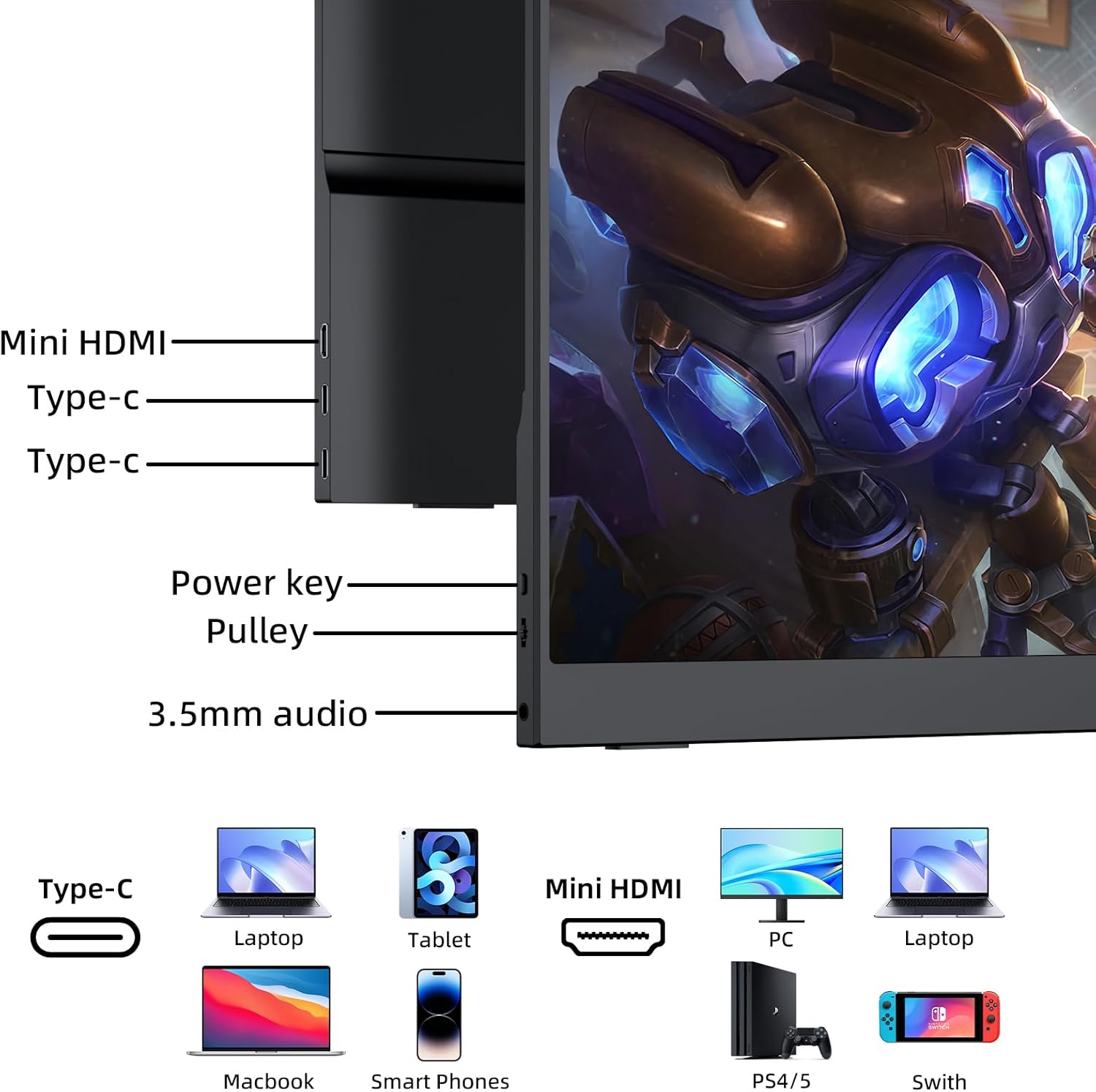
| Ports | 2x USB-C (USB 2.0), 1x HDMI |
| Stand | Separate portable stand included |
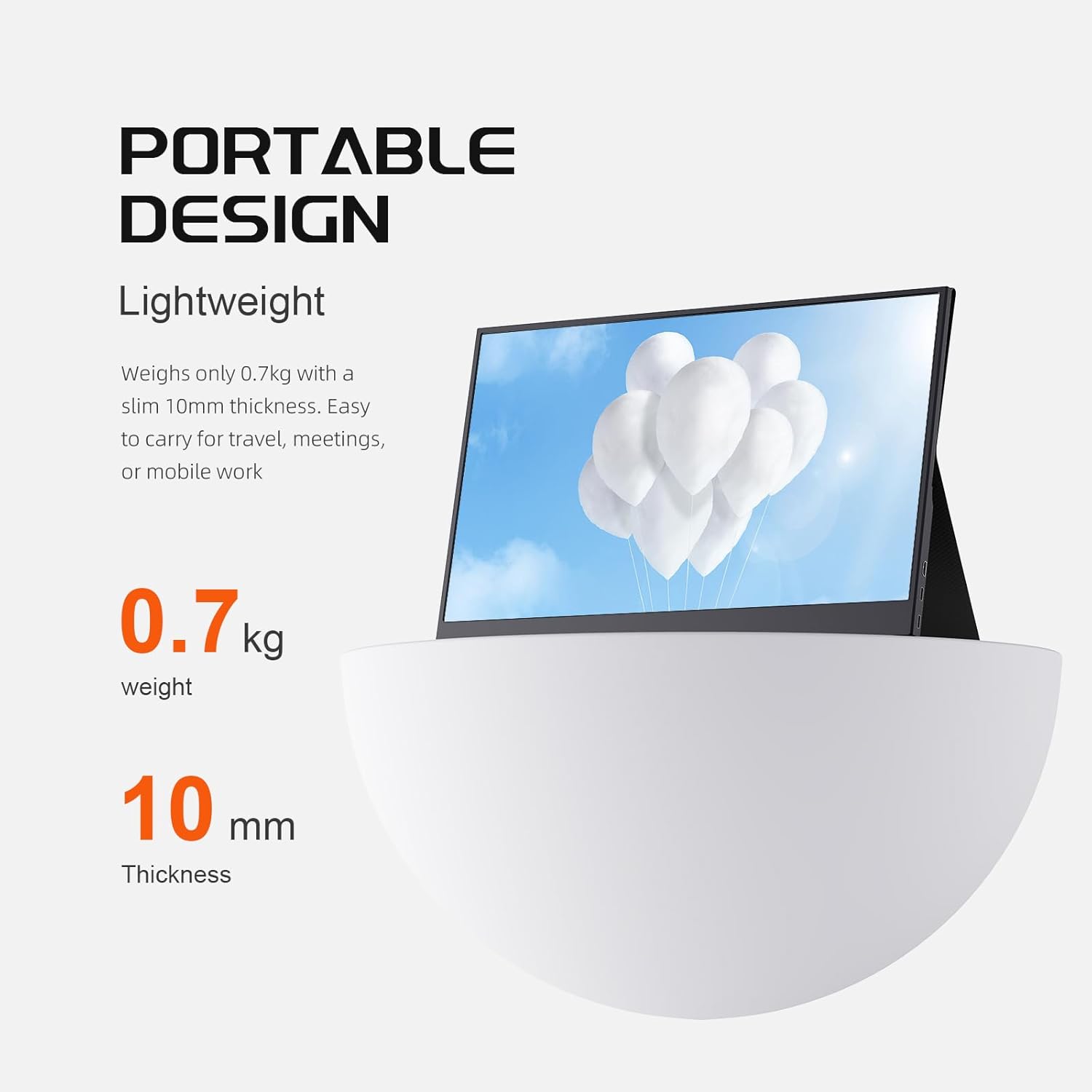
| Weight | 1.42 lbs (Amazon specs) / 1.1 lbs (product bullets) |
| Dimensions | 11″ D x 7″ W x 0.3″ H |
| Power | 5V |
| Compatible Devices | Laptop, PC, MacBook, Steam Deck, Switch, Xbox, PS5, Phone |
| iPhone | Temporarily incompatible |
| Warranty | 2 (unit not specified, presumably years) |

PONKLOIE Portable Monitor with Stand, 11.6" HDMI USB-C IPS External Monitor Small, Built-in Dual Speakers Gaming for Laptop PC, Black
Display Performance
1366 x 768 on an 11.6-inch panel produces approximately 135 PPI. At this screen size and typical viewing distance, HD resolution provides readable text and clear visuals for productivity, video calls, and casual media. The pixel density is comparable to a 15.6-inch 1080P display (141 PPI), so sharpness per inch is similar despite the lower absolute resolution.
The IPS panel delivers 178° viewing angles for consistent color at wide positions and a matte finish that reduces glare. 250 nits brightness is at the lower end, adequate for dim-to-moderate indoor environments. In bright offices or near windows, the screen may appear dim.
The color gamut is listed as 45 without a specified unit. If 45% NTSC, this is approximately 63% sRGB, which is a narrower color range than the 100% sRGB found on many competitors. Colors will appear less vivid and less saturated than on monitors with wider gamut coverage. For general productivity (documents, email, web browsing, video calls), this is functional. For any color-dependent work, it is a limitation.
The contrast ratio is listed as a range: 800:1 or 1000:1. At the lower end, this is below the 1000:1 IPS standard. The 2ms response time is fast for this price tier, providing clean motion during scrolling and casual gaming at 60Hz.
The 11.6-Inch Size Advantage
11.6 inches is not a multi-window display. It is a single-task companion screen. The practical value is dedicating this screen to one application while your laptop handles the primary work: video call on the portable, notes on the laptop. Reference document on the portable, writing on the laptop. Chat window on the portable, spreadsheet on the laptop.
This focused approach works because the screen does not try to be a workspace. It tries to be an extension. At 1366 x 768, one full-width application window fits comfortably without scaling adjustments. The small footprint means it fits on airplane tray tables, café placemats, and cramped hotel desks where a 15.6-inch monitor would not.
Design and Portability
The Amazon specs list 1.42 lbs while the product bullets say 1.1 lbs. At either weight, this is among the lightest portable monitors available. The 0.3-inch thickness and 11″ x 7″ footprint allow it to slide into a laptop bag alongside a notebook computer without adding noticeable bulk. The matte black finish resists fingerprints.
A separate portable stand is included. The stand folds flat for transport and positions the monitor at practical viewing angles on flat surfaces.
Connectivity
| Port | Count | Function |
|---|---|---|
| USB-C (USB 2.0) | 2 | Video + power (single cable for DP Alt Mode devices) |
| HDMI | 1 | Video input (requires separate USB-C power) |
Plug & Play with no drivers. USB-C handles single-cable video and power from compatible devices. HDMI covers consoles and older laptops with separate USB-C power. Compatible with laptops, PCs, MacBooks, Steam Deck, Switch, Xbox, PS5, and phones with USB-C video output. iPhone is listed as temporarily incompatible. For USB-C video requirements, see our USB-C portable monitor guide.
Audio
Built-in dual speakers handle video calls, system sounds, and casual media. For music, movies, or gaming audio, headphones or an external speaker provide better quality.
What’s in the Box
| Item | Quantity |
|---|---|
| 11.6″ Portable Monitor | 1 |
| USB-C to USB-C Cable | 1 |
| Portable Stand | 1 |
| User Guide | 1 |
No HDMI cable is included. If you plan to connect via HDMI (consoles, older laptops), you will need to purchase an HDMI cable separately.
Potential Drawbacks to Consider
| Consideration | Detail |
|---|---|
| 1366 x 768 Resolution | HD, not Full HD. Lower absolute resolution than 1080P monitors. |
| 45% Color Gamut | Narrower than the 100% sRGB standard. Colors less vivid. |
| 250 Nits | Dim in bright environments. |
| 800:1 to 1000:1 Contrast | At the lower end, below the IPS standard. |
| No HDMI Cable Included | Console users need to purchase separately. |
| USB 2.0 Ports | Slower data transfer than USB 3.0/3.1. |
| iPhone Incompatible | Listed as temporarily incompatible. |
Who This Monitor Is Best For
Ultra-light travelers who need the smallest possible second screen: At 11.6 inches and under 1.5 lbs, this is the most portable option for users who carry a second screen every day. It fits on airplane trays, tiny café tables, and cramped hotel desks where larger monitors physically cannot. The matte finish, built-in speakers, and included stand make it self-contained.
Students who need lecture on one screen and notes on the other: The single-task companion approach works well for study workflows. Video lecture on the portable, notes or textbook on the laptop. The low weight means it travels to libraries, classrooms, and study sessions without adding bag strain.
Casual console gamers who want a portable screen for Switch, Steam Deck, or PS5: HDMI and USB-C connectivity covers all major consoles. 60Hz with 2ms response provides smooth casual gameplay. The compact size makes it a practical travel gaming screen. For more portable gaming options, see our comparison pages.
Who Should Look Elsewhere
Users who need multi-window workspace: 1366 x 768 on 11.6 inches fits one application comfortably. Side-by-side windows will be cramped. For multi-window productivity, 15.6-inch 1080P monitors provide significantly more usable space.
Users who need accurate color: The 45% color gamut is well below the 100% sRGB standard. For any work where color matters (design, photo editing, content creation), monitors with confirmed 100% sRGB serve better. Our buying guide covers color gamut considerations.
Users who work in bright environments: 250 nits with potentially 800:1 contrast limits visibility in bright offices and near windows.
Pros and Cons
| Pros | Cons |
|---|---|
| Ultra-compact: 11.6 inches, under 1.5 lbs, 0.3″ thin | 1366 x 768, lower resolution than 1080P |
| IPS panel with 178° viewing angles and matte finish | 45% color gamut, narrower than 100% sRGB |
| 2ms response time, fast for budget tier | 250 nits, dim in bright environments |
| Plug & Play, no drivers, USB-C and HDMI | 800:1 to 1000:1 contrast range |
| Built-in dual speakers | No HDMI cable included |
| Portable stand included | USB 2.0 ports |
| Compatible with Steam Deck, Switch, Xbox, PS5 | iPhone temporarily incompatible |
Final Verdict
PONKLOIE’s 11.6-inch portable monitor is built for one purpose: the smallest, lightest second screen you can carry every day. At under 1.5 lbs with a matte IPS panel, built-in speakers, included stand, and Plug & Play USB-C/HDMI connectivity, it delivers that purpose with minimal friction. The 2ms response time and broad console compatibility add value for casual gamers who travel.
The trade-offs are clear: 1366 x 768 resolution, 45% color gamut, 250 nits brightness, and potentially 800:1 contrast place this well below the display quality of 15.6-inch 1080P monitors. For users who prioritize portability above all else and use the screen as a single-task companion (video calls, chat, reference documents, casual gaming), the small size is the feature, not the limitation. For users who need workspace, color accuracy, or brightness, larger monitors with stronger specs serve better across our comparison hub.
Frequently Asked Questions
Is 1366 x 768 sharp enough to use?
On an 11.6-inch screen at typical viewing distances, 1366 x 768 produces approximately 135 PPI. Text is readable and images are clear for everyday tasks. The pixel density is comparable to a 15.6-inch 1080P display. For multi-window layouts or detailed creative work, the lower absolute resolution is limiting. For single-task use (video calls, chat, documents, gaming), it is functional.
Does it work with a Nintendo Switch?
Yes. Connect via HDMI and supply power through USB-C. The 60Hz refresh and 2ms response provide smooth casual gameplay. An HDMI cable is not included and needs to be purchased separately.
Can I use this with an iPhone?
iPhone is listed as temporarily incompatible. The monitor works with Android phones that support USB-C video output, MacBooks, and all major consoles.
Why is this better than a larger portable monitor?
It is not “better” in display quality. It is smaller and lighter. If you carry a second screen daily and space/weight matter more than screen size, the 11.6-inch form factor fits where 15.6-inch monitors physically cannot: airplane trays, tiny tables, minimal bag space. The best monitor is the one you actually bring with you.
What does the 45% color gamut mean?
The Amazon listing shows 45 without specifying the unit (NTSC or sRGB). If 45% NTSC, this is approximately 63% sRGB, meaning the monitor displays a narrower range of colors than the 100% sRGB standard. Colors appear less vivid and saturated. For documents, email, video calls, and casual media, this is adequate. For color-dependent work, monitors with higher gamut coverage are more suitable.
Disclosure: As an Amazon Associate, I earn from qualifying purchases.
End of editorial review · Interactive tools below
FIELD TOOLSFIELD TOOLS
These six tools address the critical decisions every laptop screen extender buyer faces — physical fit, hinge safety, OS display limits, setup complexity, form factor selection, and travel readiness. Each tool is category-level: they work for any extender, not just the one reviewed above. Full buying guide →