
Setclod 14 Inch 1080P Ultra-Thin Screen Extender Review
2025 Upgraded Laptop Screen Extender Portable review: a wry, hands-on look at this 14" 1080p plug-and-play extra screen that tames rabbity tabs and boosts work.
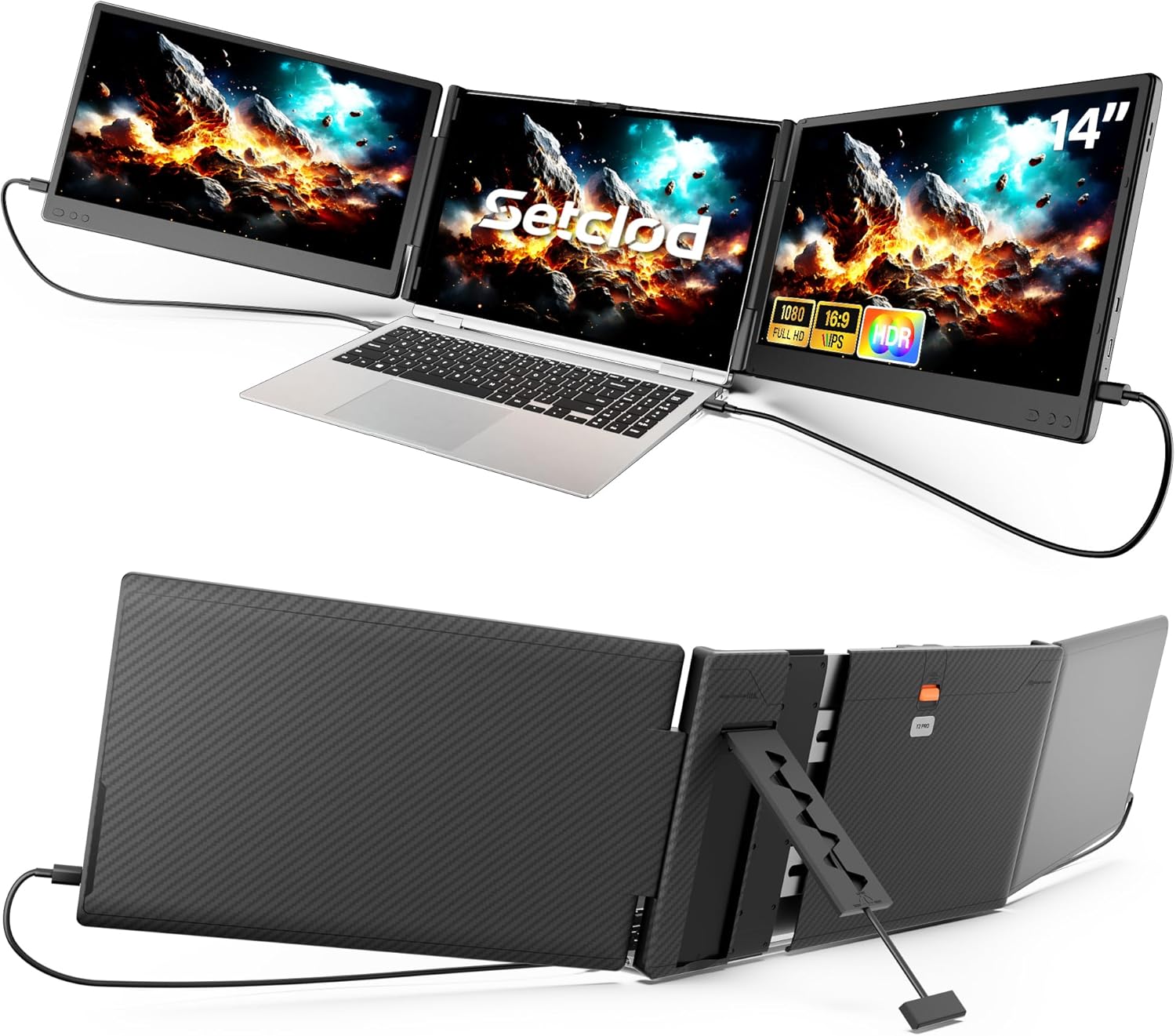
Setclod’s T2 Pro is a single-panel 14-inch laptop screen extender that clips onto your laptop or stands independently beside it, adding one 1080P IPS display to your setup. The product bullets describe it as a “triple screen” solution, but the box contains one screen. Combined with your laptop’s built-in display, this creates a dual-screen workspace. A true triple-screen setup would require a second extender or external monitor.
The Amazon structured data for this product is sparse. Several common specs (refresh rate, brightness, response time, color gamut, screen finish, warranty) are not listed. Below, we cover what the available data confirms and where the gaps are.

Key Specifications at a Glance
| Specification | Detail |
|---|---|
| Screen Configuration | Single 14-inch panel |
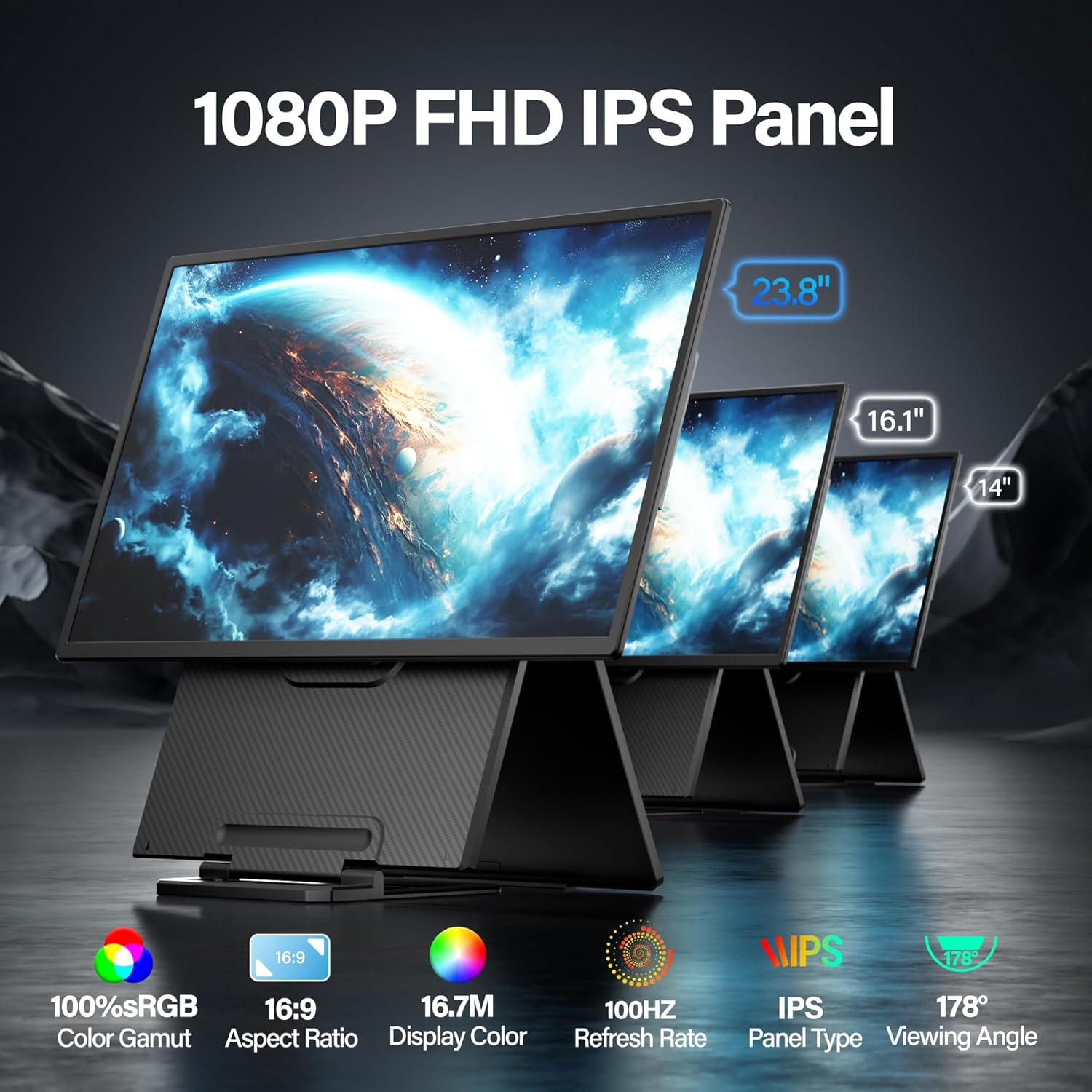
| Resolution | 1920 x 1080 (Full HD) |
| Panel Type | IPS |
| Aspect Ratio | 1.78:1 (16:9) |
| Contrast Ratio | 2000:1 |
| Refresh Rate | Not specified |
| Response Time | Not specified |
| Brightness | Not specified |
| Color Gamut | Not specified |
| Screen Finish | Not specified |
| Adaptive Sync | Not listed |
| Controls | On-screen brightness, contrast, volume adjustment |
| Ports | Mini-HDMI, USB Type-C |
| Stand | Upgraded one-button stretch base, curved shell |
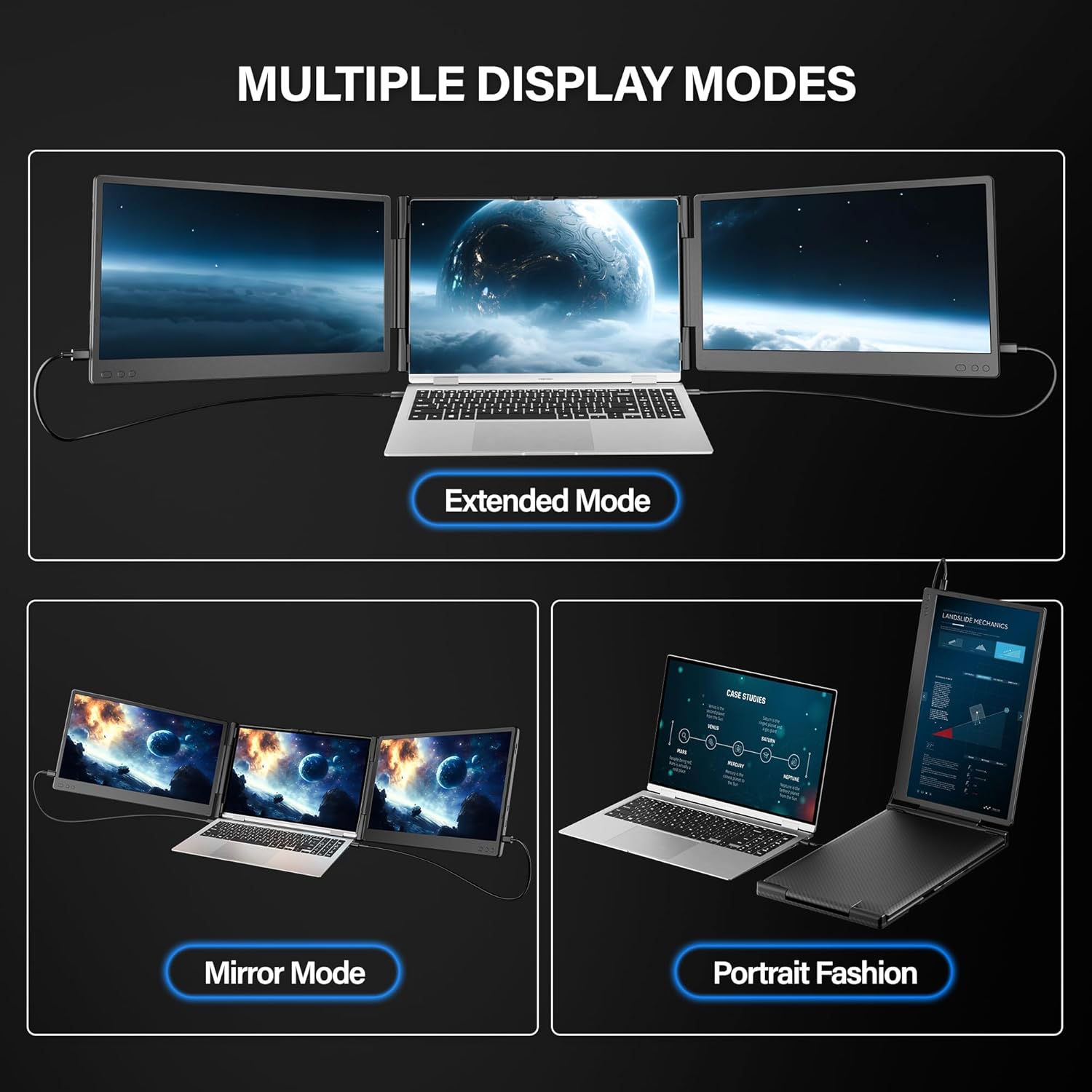
| Usage Modes | Attached to laptop OR freestanding |
| Laptop Fit | 13″ to 17″ |
| Weight | 2.87 kg / 6.3 lbs |
| OS Compatibility | Windows, macOS (M1/M2/M3 limited), ChromeOS, Android, Linux, DeX, Switch |
| Warranty | Not specified |
Setclod 2025 Upgraded Laptop Screen Extender Portable, 14" 1080P FHD IPS Screen, Monitor Extender for Laptop, Fit for 13-17", Plug & Play Compatiable with Windows/Mac/Chrome/Android/Switch
Single Screen, Not Triple
The product bullets and title use “triple screen” language, but the box contains one screen. With this extender attached to your laptop, you have your laptop’s built-in display plus one additional display, creating a dual-screen workspace. To achieve an actual triple-screen setup, you would need a second extender or a separate external monitor. This is an important distinction from dual-panel extenders like the Wixzet T2Pro or the Asani Tri-Screen Extender, which include two screens and genuinely deliver triple-display setups from a single unit.
Design and Build
The T2 Pro features an upgraded one-button stretch base that adjusts to fit laptops from 13 to 17 inches. Press the button, slide the base out, and the unit locks into position. The curved shell design improves grip and reduces scuffing during transport.
The extender can attach to the laptop’s back panel or stand independently beside it on a desk. This dual-use flexibility means you can angle it as a laptop-mounted side screen or position it freely on a table surface. The stand is described as bigger and more stable than previous versions.
At 2.87 kg (6.3 lbs), this is heavy for a single-panel extender. Most standalone 14-inch portable monitors weigh 1.0 to 1.5 lbs. The 6.3 lb figure likely includes the full mounting mechanism and stand hardware, but it is significantly heavier than a standard portable monitor of the same screen size.
Display Performance
1920 x 1080 on 14 inches produces approximately 157 PPI. The IPS panel provides wide viewing angles for consistent color at off-center positions, which matters when the screen sits at an angle beside a laptop.
The 2000:1 contrast ratio is double the 1000:1 IPS standard, delivering deeper blacks and more visible separation between dark and light elements. This is a strong spec for an extender panel.
Refresh rate, brightness, response time, and color gamut are not specified on the Amazon listing. Without these values, motion clarity, visibility in different lighting, and color accuracy for creative work cannot be assessed. On-screen controls allow manual adjustment of brightness, contrast, and volume.
Connectivity
| Port | Function |
|---|---|
| USB Type-C | Video + power (single cable, requires DP Alt Mode) |
| Mini-HDMI | Video input (requires separate USB power cable) |
Plug & Play with no drivers. If your laptop has a full-function USB-C port (DP Alt Mode + power delivery), a single cable handles video and power. When using Mini-HDMI for video, you must connect a separate USB-A to USB-C cable for power to the same extender. For USB-C video requirements, see our USB-C portable monitor guide.
Compatible with Windows, ChromeOS, Android (DP Alt Mode, DeX), Linux, and Nintendo Switch. Mac M1/M2/M3 is listed as “not directly supported” for multiple external displays. On M-series Macs, the extender works as a single extended or mirrored display. A third-party DisplayLink adapter may enable additional displays but is not included.
What’s in the Box
| Item | Quantity |
|---|---|
| 14″ Screen Extender | 1 |
| USB-C to USB-C Cable | 2 |
| HDMI to Mini-HDMI Cable | 1 |
| USB-A to USB-C Power Cable | 2 |
| Quick Guide | 1 |
| Instruction Manual | 1 |
Five cables covering USB-C and HDMI connection scenarios. Both video and power configurations are covered without additional purchases.
Potential Drawbacks to Consider
| Consideration | Detail |
|---|---|
| Single Screen, Not Triple | Box contains 1 screen despite “triple screen” language in the listing. Creates a dual-screen setup with your laptop, not triple. |
| Many Specs Missing | Refresh rate, brightness, response time, color gamut, screen finish, and warranty are not listed on Amazon. |
| 6.3 lbs | Very heavy for a single-panel extender. Most 14-inch portable monitors weigh 1.0-1.5 lbs. |
| Mac M1/M2/M3 Limited | Not directly supported for multiple external displays. Works as single extended/mirrored only. |
| No Warranty Listed | Warranty terms are not specified in the Amazon data. |
| Older Laptops | Manufacturer warns that some older laptops (including older Surface models) may not be compatible. |
Who This Monitor Is Best For
Users who want a laptop-attached or freestanding second screen with a secure mount: The one-button stretch base and clip-on design provide stable attachment to laptops from 13 to 17 inches. The freestanding option adds flexibility for desk setups where you prefer the screen beside your laptop rather than mounted on it. The 2000:1 contrast ratio provides above-average visual depth for an extender panel.
Windows, ChromeOS, and Android/DeX users with USB-C video: Single-cable setup via USB-C provides the simplest configuration. Broad OS compatibility (Windows, ChromeOS, Android, Linux, DeX, Switch) covers most non-Apple devices.
Who Should Look Elsewhere
Users who expect a triple-screen setup from one device: This is a single screen. For true triple-screen (laptop + two external panels from one unit), the Wixzet T2Pro, Asani Tri-Screen, or Hyangin S8 Pro include two screens in one unit.
Weight-sensitive users: At 6.3 lbs for a single-panel extender, this is among the heaviest in the category. Standalone portable monitors at 14 inches weigh a fraction of this.
Users who need complete specs before purchasing: With no refresh rate, brightness, response time, color gamut, screen finish, or warranty listed, buyers cannot fully compare this against competitors with complete listings. Our comparison pages feature monitors with verified specs.
Mac M-series users who need multiple external displays: The extender does not directly support dual external displays on M1/M2/M3 MacBooks. Our buying guide covers Mac multi-display options.
Pros and Cons
| Pros | Cons |
|---|---|
| 2000:1 contrast ratio, above average | Single screen despite “triple screen” marketing |
| Attaches to laptop OR stands independently | Many key specs not listed (brightness, refresh, response, gamut) |
| One-button stretch base fits 13-17 inch laptops | 6.3 lbs, very heavy for a single-panel extender |
| On-screen brightness/contrast/volume controls | Mac M1/M2/M3 not directly supported for multi-display |
| Five cables included covering USB-C and HDMI | No warranty listed |
| Plug & Play, no drivers | Older laptop compatibility may be limited |
| Broad OS support (Windows, Chrome, Android, Linux, DeX, Switch) |
Final Verdict
Setclod’s T2 Pro is a single-panel 14-inch IPS laptop screen extender with a flexible mounting design (attached or freestanding) and a strong 2000:1 contrast ratio. The one-button stretch base and five included cables make setup straightforward across most laptop sizes and connection types.
The “triple screen” marketing is misleading. The box contains one screen. With your laptop, this creates a dual-screen workspace, not triple. The 6.3 lb weight is also a concern for a single-panel device. Multiple key specs (refresh rate, brightness, response time, color gamut, screen finish, warranty) are absent from the Amazon listing, making it difficult to compare directly against competitors with complete data.
For users who specifically want a laptop-mounted or freestanding second screen with a secure attachment mechanism and above-average contrast, the T2 Pro delivers on that specific use case. For users who need a true triple-screen setup, lighter weight, or complete specs for comparison, dual-panel extenders and standalone portable monitors offer more transparent options across our comparison hub.
Frequently Asked Questions
Is this really a triple-screen setup?
No. The box contains one screen. Combined with your laptop’s built-in display, you get a dual-screen workspace. The “triple screen” language in the product listing refers to using additional external monitors alongside this extender, not to what the product delivers on its own.
Why is it 6.3 lbs for one screen?
The weight includes the full mounting mechanism, one-button stretch base, stand hardware, and the 14-inch panel. Most standalone 14-inch portable monitors weigh 1.0 to 1.5 lbs because they use simpler kickstands or covers. The extender’s clip-on attachment and reinforced stand add significant weight.
Does it work with MacBook M1/M2/M3?
Partially. M-series MacBooks are limited by Apple to one external display natively. The extender works as a single extended or mirrored display on these devices. For full multi-display support on M-series Macs, a third-party DisplayLink adapter is needed (not included).
Can I use it without attaching it to my laptop?
Yes. The extender can stand independently beside your laptop using its built-in stand. This gives you the flexibility to position it like a traditional portable monitor rather than mounting it on your laptop’s back panel.
Why are so many specs missing?
The Amazon listing does not include refresh rate, brightness, response time, color gamut, screen finish, or warranty information. Contact Setclod’s customer support for the full spec sheet before purchasing if these values are important to your decision.
Disclosure: As an Amazon Associate, I earn from qualifying purchases.
End of editorial review · Interactive tools below
FIELD TOOLSFIELD TOOLS
These six tools address the critical decisions every laptop screen extender buyer faces — physical fit, hinge safety, OS display limits, setup complexity, form factor selection, and travel readiness. Each tool is category-level: they work for any extender, not just the one reviewed above. Full buying guide →