
Wixzet Laptop Screen Extender, 14″ FHD 1080P Portable Laptop Monitor review
Triple-screen sanity saver: our review of a 14" FHD 1080p portable monitor that clamps on, plugs in, and tames tabs—lighter, travel-ready, and shockingly useful
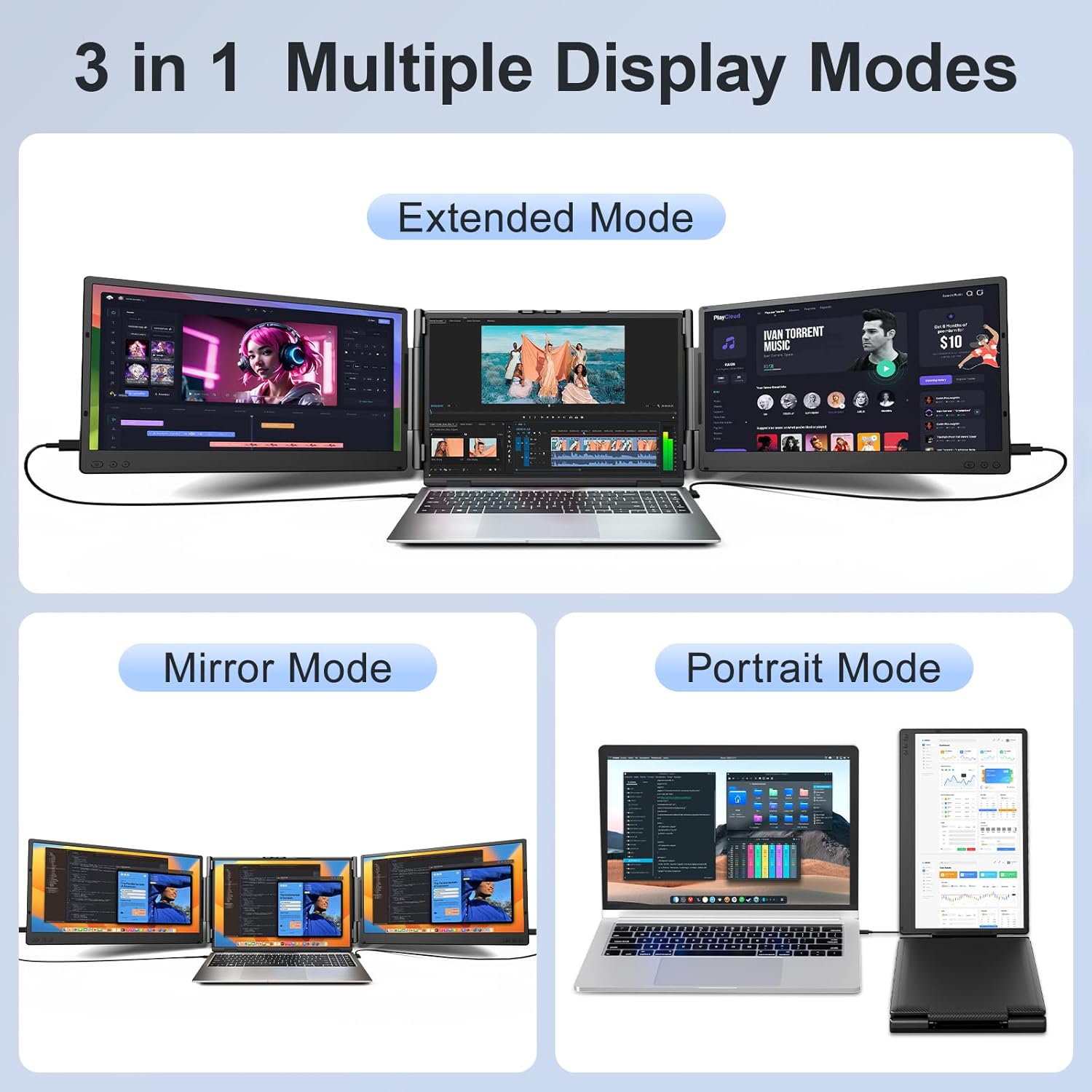
Wixzet’s T2Pro is a dual-panel laptop screen extender that adds two 14-inch 1080P IPS displays to either side of your laptop, creating a triple-screen workstation. Each panel delivers 100% sRGB, 300 nits brightness, 1000:1 contrast, 2ms response time, HDR, anti-glare coating, and low blue light technology at 60Hz. The auto-stretch back panel adjusts to 13″ to 17″ laptops with a one-button mechanism, and a reinforced top hook with widened back stand keeps the unit stable. Connects via USB-C and HDMI with Plug & Play operation, no drivers required.
Compatibility is the critical factor before purchasing. The T2Pro is not compatible with Mac devices using M1/M2/M3 chips, MacBook Pro 2012 and earlier, or MacBook Air 2017 and earlier. Below, we cover compatibility, display quality, design, and connectivity based on the manufacturer’s specifications.
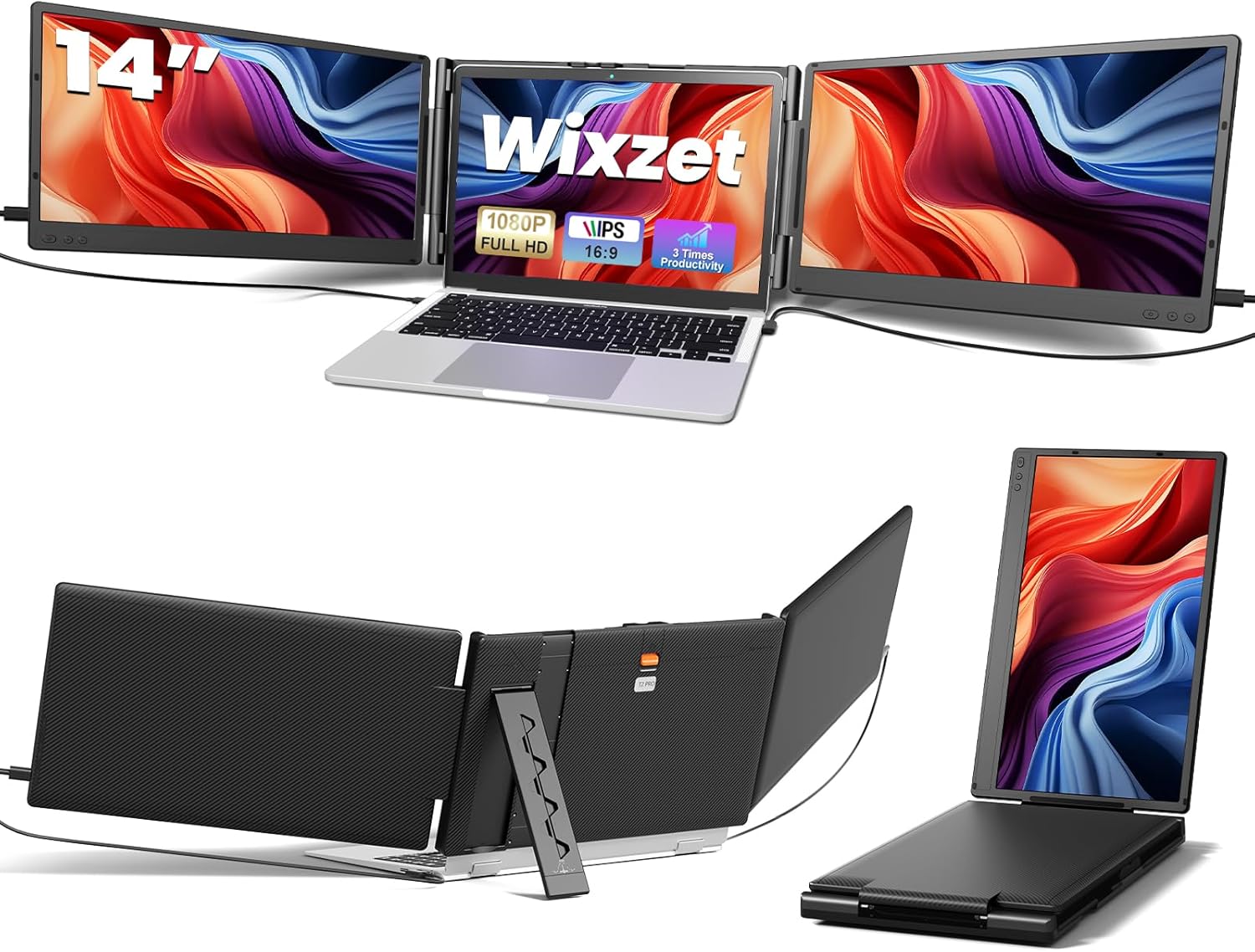

Key Specifications at a Glance
| Specification | Detail |
|---|---|
| Screen Configuration | Dual 14-inch panels (left + right of laptop) |
| Resolution (per screen) | 1920 x 1080 (Full HD) |
| Panel Type | IPS (LCD) |
| Refresh Rate | 60Hz |
| Response Time | 2ms |
| Color Gamut | 100% sRGB |
| Contrast Ratio | 1000:1 |
| Brightness | 300 nits |
| Viewing Angle | 180° |
| Aspect Ratio | 16:9 |
| Screen Finish | Glossy (Amazon specs) / Anti-glare coating (product bullets) |
| HDR | Yes |
| Eye Care | Anti-glare + low blue light |
| Speakers | Built-in |
| Controls | Independent brightness and volume per screen |
| Laptop Compatibility | 13″ to 17″ (auto-stretch one-button adjustment) |
| Ports | 4x USB (USB 3.0), 2x HDMI |
| Connectivity | USB-C, USB-A, HDMI |
| Fold Range | 180° |
| Weight | 2.87 kg / 6.3 lbs (Amazon specs) vs 4.1 lbs (product bullets) |
| Dimensions | 14.17″ W x 8.18″ D x 1.4″ H |
| OS Compatibility | Windows, macOS (see exclusions), ChromeOS, Android, Linux, Dex, Switch |
| Mac Exclusions | M1/M2/M3, MacBook Pro 2012 and earlier, MacBook Air 2017 and earlier |
| Warranty | 12 months |

Wixzet Laptop Screen Extender, 14" FHD 1080P Portable Laptop Monitor, Plug and Play Triple Screen Extender, Auto-Adjust Width Dual Monitor for 13–17" Laptops, Compatible with macOS, Wins, Chrome, Dex
Compatibility: Check Before Buying
This is the most important section. The T2Pro requires your laptop to support external display output via USB-C (with DisplayPort Alt Mode) or HDMI. Not all USB-C ports carry video signal.
| Your Laptop Ports | How to Connect |
|---|---|
| Two full-featured USB-C ports (DP Alt Mode + power) | One USB-C cable per screen. Cleanest setup. |
| One full-featured USB-C + HDMI + USB-A | USB-C to one screen, HDMI for video + USB-A for power to the other. |
| No USB-C with video | HDMI for video + USB-A for power. May need a hub depending on available ports. |
Mac Exclusions
The T2Pro is NOT compatible with:
| Excluded Device | Reason |
|---|---|
| MacBooks with M1/M2/M3 chips | Apple restricts these to one external display natively |
| MacBook Pro 2012 and earlier | Port/hardware limitations |
| MacBook Air 2017 and earlier | Port/hardware limitations |
The manufacturer is transparent about these exclusions. Intel Macs within the compatibility window work as expected. For more on USB-C video compatibility, see our USB-C portable monitor guide.
Display Performance
Each panel is a 14-inch 1080P IPS display with 100% sRGB, 300 nits brightness, 1000:1 contrast, 2ms response time, and HDR. These are strong specs for a tri-screen extender. The 100% sRGB and 300 nits provide accurate, bright visuals for productivity and casual creative work. The 2ms response time is fast enough to eliminate ghosting during scrolling, video playback, and casual gaming.
Each screen has independent brightness and volume controls. This allows adjusting each panel separately to match different lighting on each side of your workspace or to set different brightness levels for reading versus visual tasks.
The screen finish shows a conflict in the Amazon data: the specs table says “Glossy” while the product bullets describe “anti-glare” coating. Both may be partially accurate if the panel uses a glossy IPS surface with an anti-glare coating applied. Verify with the latest listing if glare is a concern for your environment.
Low blue light technology is included for reduced eye strain during extended sessions.
Auto-Stretch Design and Build
The T2Pro uses a one-button auto-stretch back panel to fit laptops from 13 to 17 inches. Press the button, slide the panel to match your laptop width, and the mechanism locks in place. No screws, tools, or manual adjustment needed. This is a meaningful usability improvement over extenders that require manual fitting.
A reinforced top hook secures the extender to the laptop and prevents slipping during use. The widened back stand extends to the desk surface and redistributes weight, reducing strain on the laptop’s hinges. Both features address common complaints about tri-screen extenders: instability and hinge damage.
Each side panel folds 180°, providing flexible viewing angles. Panels can be angled inward for privacy or swung outward for shared viewing.
Weight Conflict
The Amazon specs table lists the weight as 2.87 kg (approximately 6.3 lbs). The product bullets state 4.1 lbs. This is a significant discrepancy. The 4.1 lb figure may refer to the extender unit alone, while the 2.87 kg figure may include packaging or accessories. Verify with the latest listing if weight is a deciding factor.
Connectivity
| Port | Count | Function |
|---|---|---|
| USB-C | Included in 4 USB total | Video + power (single cable per screen) |
| HDMI (Mini-HDMI) | 2 | Video input |
| USB-A | Included in 4 USB total | Power supply for HDMI connections |
Plug & Play with no driver installation on Windows, macOS (compatible models), ChromeOS, Android (Dex), Linux, and Switch. When using HDMI for video, a separate USB-A connection provides power to the screen.
What’s in the Box
| Item | Quantity |
|---|---|
| T2Pro Laptop Screen Extender | 1 |
| USB-C to USB-C Cable | 2 |
| USB-A to USB-C Cable | 2 |
| HDMI to Mini-HDMI Cable | 1 |
| User Manual | 1 |
Five cables covering USB-C, USB-A, and HDMI connection scenarios. Most laptop configurations are covered without additional purchases.
Potential Drawbacks to Consider
| Consideration | Detail |
|---|---|
| Mac M1/M2/M3 Incompatible | Apple restricts these chips to one external display natively. The T2Pro cannot drive both screens. |
| Weight Conflicting | Amazon specs say 2.87 kg (6.3 lbs); bullets say 4.1 lbs. Either way, heavier than a single portable monitor. |
| Screen Finish Conflicting | Specs say glossy; bullets say anti-glare. Actual finish uncertain. |
| Port Requirements | Requires USB-C with DP Alt Mode or HDMI + USB-A. Not all laptops qualify. |
| Battery Impact | Driving two external displays increases power draw. Laptop battery drains faster. |
| 60Hz | Productivity-focused. Not suited for competitive gaming. |
| No Carry Sleeve Included | A padded sleeve is recommended for transport but not in the box. |
Who This Monitor Is Best For
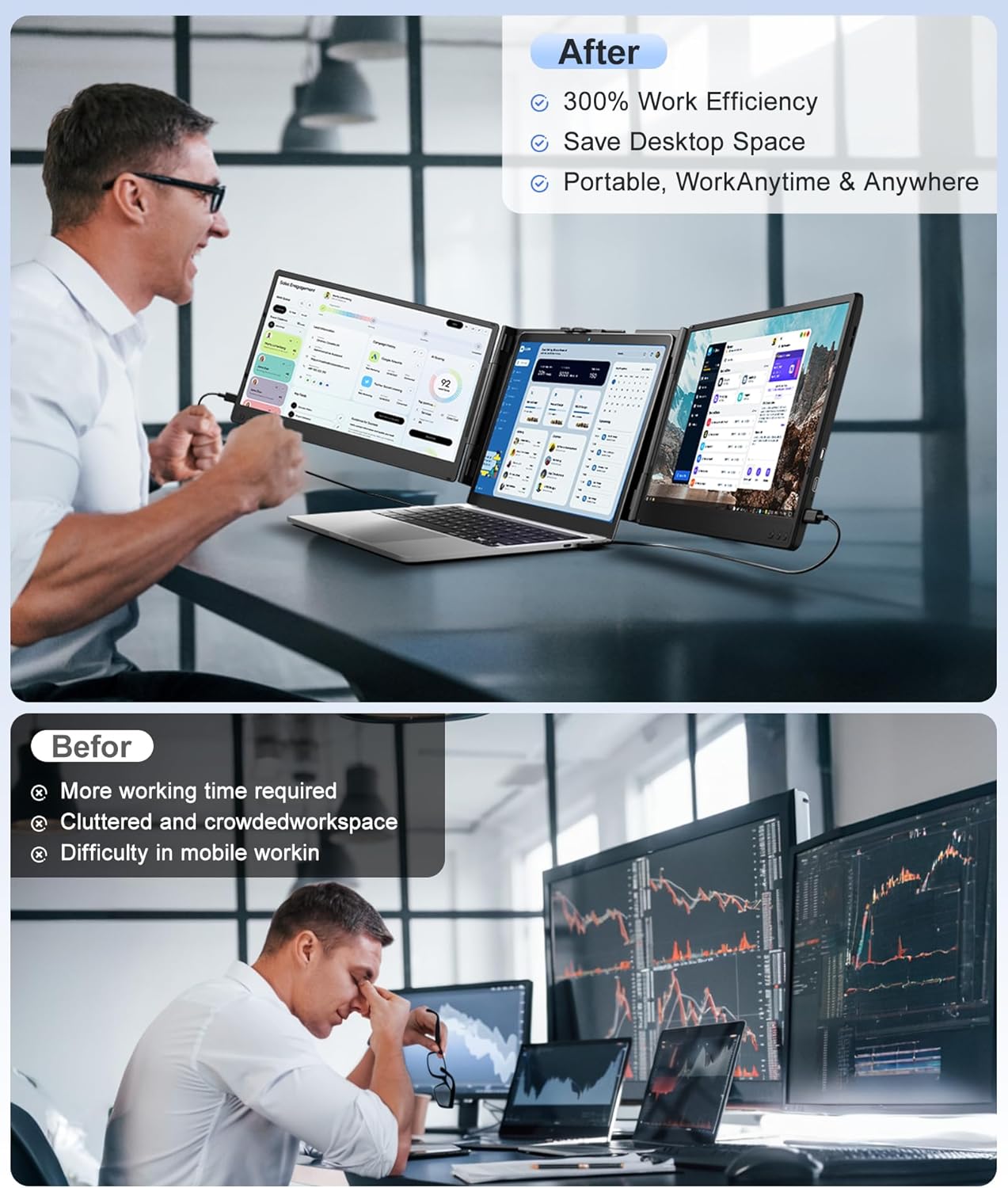
Multi-taskers who run 3+ applications simultaneously: The triple-screen setup eliminates tab switching. Email on the left, primary work in the center, reference material or communications on the right. The independent brightness controls per screen allow customizing each panel for its role. The productivity benefit is most immediate for data analysts, developers, project managers, writers, and financial professionals.
Business travelers who need a portable multi-monitor workstation: The auto-stretch mechanism and reinforced stand make setup fast across different laptops and desk surfaces. Five included cables cover most connection scenarios. For other tri-screen options, see our review of the Asani 14″ Tri-Screen Extender for comparison.
Windows, ChromeOS, and Linux users with compatible ports: Plug & Play across all three operating systems with no drivers. Android (Dex) and Switch are also supported. The broadest OS compatibility of any tri-screen extender reviewed on ScreenExtendersHub.
Who Should Look Elsewhere
MacBook M1/M2/M3 users: The T2Pro cannot drive both screens on these devices due to Apple’s native external display limitation. The manufacturer is transparent about this. Do not purchase for M-series MacBooks without a confirmed third-party workaround.
Weight-sensitive daily commuters: Whether the unit weighs 4.1 lbs or 6.3 lbs, it is heavier than a single portable monitor (typically 1.4 to 2.0 lbs). For daily carry where weight matters, a single portable display serves better. Our buying guide covers weight considerations.
Users with limited ports: If your laptop has only one USB-A port and no HDMI or USB-C with video, the T2Pro may not function properly. Check your port configuration before purchasing.
Pros and Cons
| Pros | Cons |
|---|---|
| 100% sRGB, 300 nits, 2ms per panel | Not compatible with Mac M1/M2/M3 |
| One-button auto-stretch fits 13″ to 17″ laptops | Weight conflicting (4.1 lbs vs 6.3 lbs) |
| Reinforced top hook + widened back stand | Screen finish conflicting (glossy vs anti-glare) |
| Independent brightness/volume per screen | Port requirements may exclude some laptops |
| 180° fold for privacy and flexible angles | Battery drain from two external panels |
| Five cables included covering USB-C, USB-A, HDMI | No carry sleeve included |
| Plug & Play, no drivers, broad OS support | 60Hz, productivity only |
| HDR + low blue light + anti-glare coating | |
| Built-in speakers | |
| 12-month warranty + 24-hour support response |
Final Verdict
Wixzet’s T2Pro delivers a well-specified triple-screen laptop extender with stronger confirmed specs than most competitors in the category: 100% sRGB, 300 nits, 2ms response, HDR, and independent controls per screen. The auto-stretch one-button mechanism and reinforced stand design address the practical concerns that make tri-screen extenders difficult to use in the real world. Five included cables and broad OS support (Windows, ChromeOS, Linux, Android/Dex, Switch, and compatible Macs) make setup straightforward across most devices.
The Mac M-series incompatibility is the primary gatekeeper. The weight discrepancy between Amazon specs and product bullets deserves clarification from the manufacturer. The screen finish conflict (glossy vs anti-glare) is a minor data gap.
For multi-taskers, business travelers, and professionals who need a portable triple-screen workstation with confirmed display quality and thoughtful build improvements, the T2Pro is one of the more complete options in the tri-screen category. For Mac M-series users, lighter single-screen portability, or gaming, alternatives are available across our comparison hub.
Frequently Asked Questions
Will this work with my MacBook?
Intel Macs within the compatibility window work as expected. MacBooks with M1, M2, or M3 chips cannot drive both external screens natively due to Apple’s limitation on external display count. MacBook Pro 2012 and earlier and MacBook Air 2017 and earlier are also excluded. The manufacturer lists these exclusions explicitly.
How does the auto-stretch mechanism work?
Press a single button on the back panel, slide the extender to match your laptop’s width (13″ to 17″), and release. The mechanism locks in place without screws or tools. The reinforced top hook then secures the extender to the laptop lid.
How does the T2Pro compare to the Asani Tri-Screen Extender?
Both are dual-panel 14-inch 1080P tri-screen extenders. The T2Pro has confirmed 100% sRGB, 300 nits, and 2ms response time; the Asani’s color gamut and brightness (in nits) are not confirmed. The T2Pro adds an auto-stretch mechanism and independent brightness/volume controls per screen. The Asani includes a carrying case. Both have Mac M-series limitations. See our Asani review for the full comparison.
Why do the Amazon specs and bullets show different weights?
The specs table lists 2.87 kg (approximately 6.3 lbs) while the product bullets state 4.1 lbs. This discrepancy may reflect the difference between the extender alone and the full package with cables and accessories, or it may be a listing error. Contact Wixzet for the actual unit weight if portability is a primary concern.
Can I use this for gaming?
For casual gaming at 60Hz with 2ms response time, it is functional. The 1080P IPS panels provide clean visuals for Nintendo Switch and casual PC gaming. For competitive gaming, dedicated gaming monitors with higher refresh rates serve better.
Do I need to install drivers?
No. The T2Pro is Plug & Play on all supported operating systems. Connect the cables and the screens activate. No software download required.
Disclosure: As an Amazon Associate, I earn from qualifying purchases.
End of editorial review · Interactive tools below
FIELD TOOLSFIELD TOOLS
These six tools address the critical decisions every laptop screen extender buyer faces — physical fit, hinge safety, OS display limits, setup complexity, form factor selection, and travel readiness. Each tool is category-level: they work for any extender, not just the one reviewed above. Full buying guide →