
WGK Triple Portable Monitor Review
Unleash your laptop's potential with WGK's Triple Portable Monitor! Enjoy stunning visuals and up to 300% productivity boost. A must-have for on-the-go efficiency!
WGK’s W140F1 is a 14-inch portable monitor with 1920 x 1200 (16:10) IPS resolution, 400 nits brightness, 100% sRGB, 2ms response time, HDR mode, matte finish, and flicker-free eye care at 60Hz. At 1.15 lbs and 0.19 inches thin, it is notably light and slim. Dual full-function USB-C ports and a Mini-HDMI port provide connectivity via Thunderbolt 3.0 or USB 3.1 Type-C DP Alt Mode. Dual built-in speakers. Compatible with laptops, PCs, phones, MacBooks, PS5/PS4, Switch, and Xbox. 2-year warranty.

WGK 14 inch Portable Monitor 1200P FHD+ 100% sRGB Travel Display HDMI/USB-C Compatible with Laptops, Desktops, Phones, PS, Mac, Xbox, Switch, and Other Gaming Devices Includes Stand and Speakers VESA
Key Specifications at a Glance
| Specification | Detail |
|---|---|
| Screen Size | 14 inches |
| Resolution | 1920 x 1200 (16:10) |
| Panel Type | IPS (LCD) |
| Refresh Rate | 60Hz |
| Response Time | 2ms |
| Color Gamut | 100% sRGB |
| Contrast Ratio | 1000:1 |
| Brightness | 400 nits |
| Viewing Angle | 178° |
| Aspect Ratio | 16:10 |
| Screen Finish | Matte |
| HDR | Yes (HDR mode) |
| Eye Care | Flicker-free |
| Speakers | Dual built-in |
| Ports | 2x full-function USB-C, 1x Mini-HDMI |
| Connection Requirement | Thunderbolt 3.0 or USB 3.1 Type-C DP Alt Mode |
| Display Modes | Clone, extended, second screen, landscape, portrait, HDR |
| Weight | 1.15 lbs |
| Thickness | 0.19 inches |
| Dimensions | 15.51″ D x 10.24″ W x 1.85″ H |
| Compatible Devices | Laptops, PC, phones, MacBooks, PS5/PS4, Switch, Xbox |
| Warranty | 2 years |
Display Performance
1920 x 1200 on 14 inches produces approximately 162 PPI in a 16:10 aspect ratio. The extra 120 vertical pixels compared to 1080P provide more visible content in documents, code, and spreadsheets without scrolling. IPS is confirmed in the Amazon display type field.

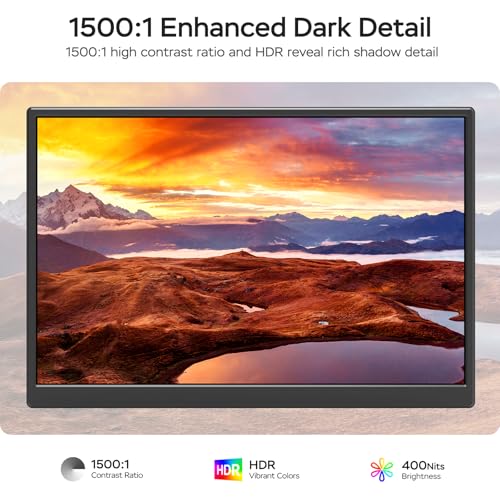
400 nits brightness exceeds the 300 nit standard, providing comfortable visibility in brighter indoor environments and mixed lighting. 100% sRGB delivers accurate color for productivity, web content, and casual creative work. The 2ms response time provides clean motion at 60Hz. HDR mode enhances brightness and image quality for compatible content. The matte finish reduces glare. Flicker-free eye care reduces strain during long sessions. For more on display specs, see our buying guide.
Portability
At 1.15 lbs and 0.19 inches thin per the Amazon data, the W140F1 is very light and slim for a 14-inch 1200P monitor. The weight is confirmed in both the product bullets and the Amazon specs. This makes it practical for daily carry in a laptop bag alongside a notebook computer. Dual built-in speakers handle calls and casual media without external audio. For more portable options, browse our portable monitors category.
Connectivity
| Port | Count | Function |
|---|---|---|
| Full-function USB-C | 2 | Video + power (single cable, requires Thunderbolt 3 or USB 3.1 DP Alt Mode) |
| Mini-HDMI | 1 | Video input |
Plug & Play. A single USB-C cable handles video and power from compatible devices. The product bullets specify that your device must support Thunderbolt 3.0 or USB 3.1 Type-C DP Alt Mode. Mini-HDMI covers consoles and devices without USB-C video output. For USB-C video requirements, see our USB-C portable monitor guide.

Potential Drawbacks to Consider
| Consideration | Detail |
|---|---|
| 1000:1 Contrast | Standard IPS baseline. |
| 60Hz | Productivity-focused. Not suited for competitive gaming. |
| Box Contents Not Listed | Amazon built-in media field does not specify included cables or accessories. |
| USB-C Requirement | Requires Thunderbolt 3 or USB 3.1 DP Alt Mode. Not all USB-C ports qualify. |
| Single Panel | One screen. Combined with laptop, creates dual-screen setup. |
Who This Monitor Is Best For
Users who need a lightweight 16:10 portable with above-standard brightness: 1.15 lbs, 0.19″ thin, 400 nits, 100% sRGB, 1920 x 1200 IPS, matte finish, and dual speakers provide a well-rounded portable display for daily carry. The 400 nit brightness handles environments where 300 nit panels appear dim. For docking station setups, this pairs well as a portable companion to a desk dock.
Console gamers who want a portable 1200P screen: PS5/PS4, Switch, and Xbox connect via Mini-HDMI. 2ms response with 400 nits and 100% sRGB provides a responsive, bright gaming display. HDR mode adds enhanced image quality for supported titles. For related products, see the FOPO 15.6″ Triple Extender review.
Users who value warranty coverage: 2-year warranty is above the 1-year standard in the portable monitor category. Read more on our blog.
Who Should Look Elsewhere
Users who need dual panels from one unit: This is a single-screen portable. For dual-panel extenders, our comparison hub covers options.
Users whose USB-C ports do not support video: Thunderbolt 3 or USB 3.1 DP Alt Mode is required. Data-only or charging-only USB-C ports will not work.

Pros and Cons
| Pros | Cons |
|---|---|
| 1920 x 1200 (16:10) IPS, confirmed | 1000:1 contrast, standard |
| 400 nits, above standard | 60Hz, productivity only |
| 100% sRGB, HDR mode | Box contents not listed |
| 2ms response time | Requires Thunderbolt 3 or USB 3.1 DP Alt Mode |
| Matte finish, flicker-free eye care | Single panel only |
| 1.15 lbs, 0.19″ thin | |
| Dual built-in speakers | |
| 2x full-function USB-C + Mini-HDMI | |
| 2-year warranty | |
| 178° viewing angles |
Final Verdict
WGK’s W140F1 provides a strong combination: 1920 x 1200 IPS at 400 nits, 100% sRGB, 2ms, HDR, matte finish, flicker-free eye care, and dual speakers in a 1.15 lb, 0.19-inch-thin package. The 400 nit brightness and 100% sRGB with HDR mode place it above the 300 nit / unspecified gamut standard. Dual full-function USB-C ports and Mini-HDMI cover broad connectivity, and the 2-year warranty provides above-average coverage.
The 1000:1 contrast is the standard baseline, and the 60Hz refresh rate is productivity-focused. Box contents are not listed in the Amazon data. For users who want a lightweight, bright, color-accurate 16:10 portable with matte finish and 2-year warranty, the W140F1 delivers well-rounded specs at a confirmed low weight. For users who need dual panels, higher contrast, or faster refresh rates, alternatives serve those needs across our comparison hub.
Frequently Asked Questions
What does “full-function USB-C” mean?
The monitor requires a USB-C port that supports video output (Thunderbolt 3.0 or USB 3.1 Type-C DP Alt Mode). A single cable handles both video and power through these ports. USB-C ports that only support charging or data will not work.
Why 400 nits instead of 300?
400 nits provides approximately 33% more brightness than the 300 nit standard. This means better visibility in bright indoor environments, near windows, and under overhead lighting where 300 nit panels may appear dim.
Does HDR mode make a difference?
HDR mode adjusts brightness and color rendering for compatible content. On a 1000:1 contrast panel, the effect is subtle compared to displays with higher contrast ratios. It provides improved brightness range and richer image quality for supported media and games.
Is this a dual-panel extender?
No. This is a single 14-inch portable monitor. Combined with your laptop’s built-in display, it creates a dual-screen workspace.
Disclosure: As an Amazon Associate, I earn from qualifying purchases.
End of editorial review · Interactive tools below
FIELD TOOLSFIELD TOOLS
These six tools address the critical decisions every laptop screen extender buyer faces — physical fit, hinge safety, OS display limits, setup complexity, form factor selection, and travel readiness. Each tool is category-level: they work for any extender, not just the one reviewed above. Full buying guide →