
ADREAMER 13.3 inch Triple Screen Laptop Monitor Extender review
Wry, hands-on review of the ADREAMER 13.3" triple-screen extender: 1920x1200 IPS, 16:10, one-cable setup, Mac/Windows support, portable and surprisingly sturdy.
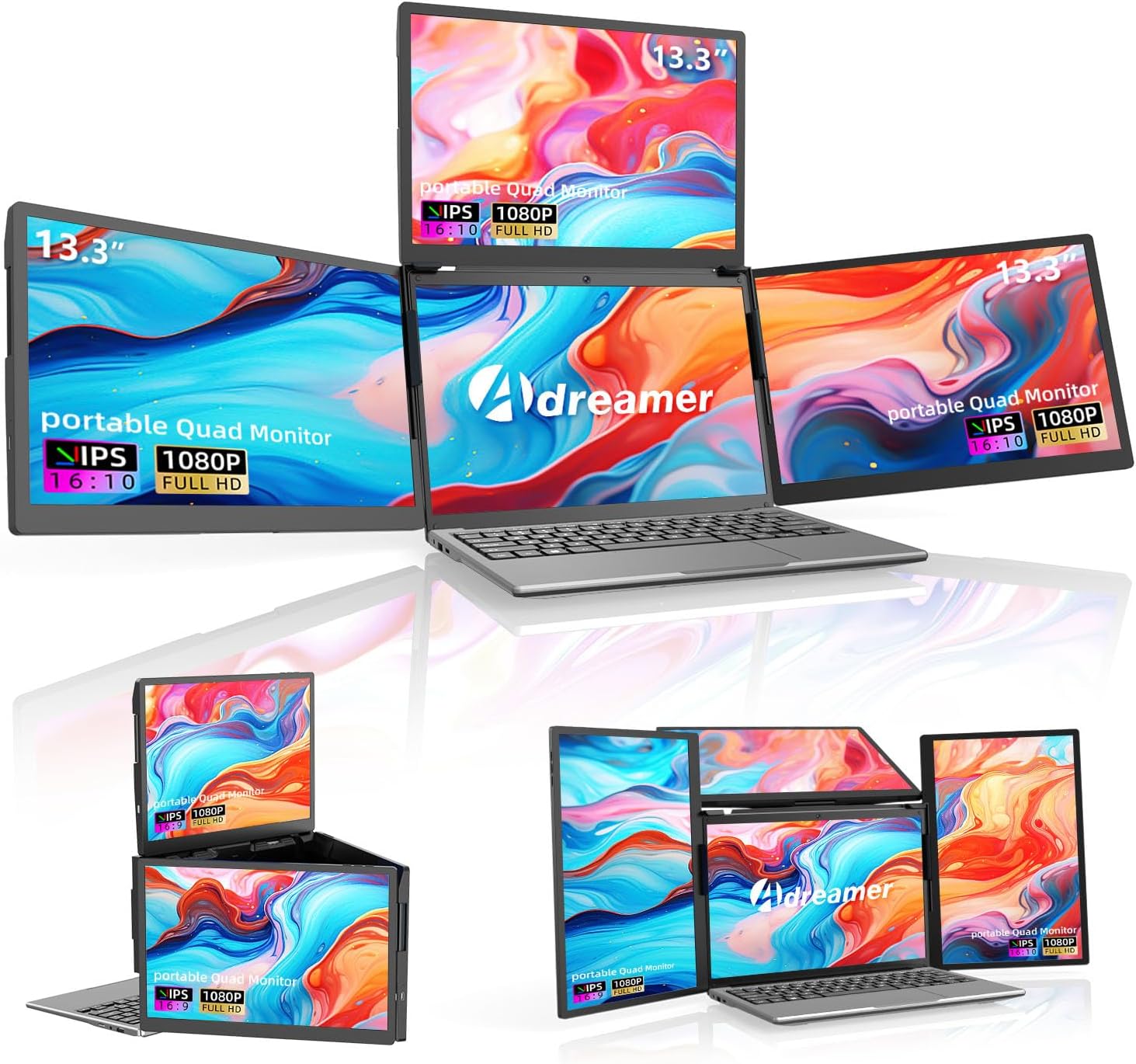
Most triple-screen laptop extenders run at 1920 x 1080 in a 16:9 aspect ratio. ADREAMER’s Aire13S runs at 1920 x 1200 in 16:10. That extra vertical resolution provides approximately 11% more screen height per panel, which adds up across three 13.3-inch IPS displays. More visible lines of code, more rows in spreadsheets, less scrolling in documents. The detachable design lets you carry all three panels or just one, connecting everything through a single USB-C cable. Compatible with Windows 10+ and macOS including M1/M2/M3 via included driver.

Why 1920 x 1200 Matters on a Triple Extender
On a single 13.3-inch panel, the jump from 1080 to 1200 vertical pixels adds modest extra space. Across three panels simultaneously, the cumulative effect is significant. Each panel shows more content without scrolling, and workflows that rely on visible vertical space (coding, document editing, spreadsheet analysis, timeline viewing) benefit from the 16:10 ratio on every screen in the setup.
At 13.3 inches, 1920 x 1200 produces approximately 170 PPI. Text is sharper than on a 15.6-inch 1080P display (141 PPI), and the higher resolution pairs well with the smaller screen size to maintain readability at default scaling. For comparison with 16:9 extenders at 1080P, see our comparison pages.
Key Specifications at a Glance
| Specification | Detail |
|---|---|
| Screen Configuration | Three 13.3-inch panels (detachable) |
| Resolution (per screen) | 1920 x 1200 (WUXGA) |
| Panel Type | IPS (LCD) |
| Aspect Ratio | 16:10 |
| Refresh Rate | 60Hz |
| Response Time | 2ms |
| Color Gamut | 75 (unit not specified) |
| Contrast Ratio | 1000:1 |
| Brightness | Not specified |
| Viewing Angle | Not specified |
| Screen Finish | Glossy |
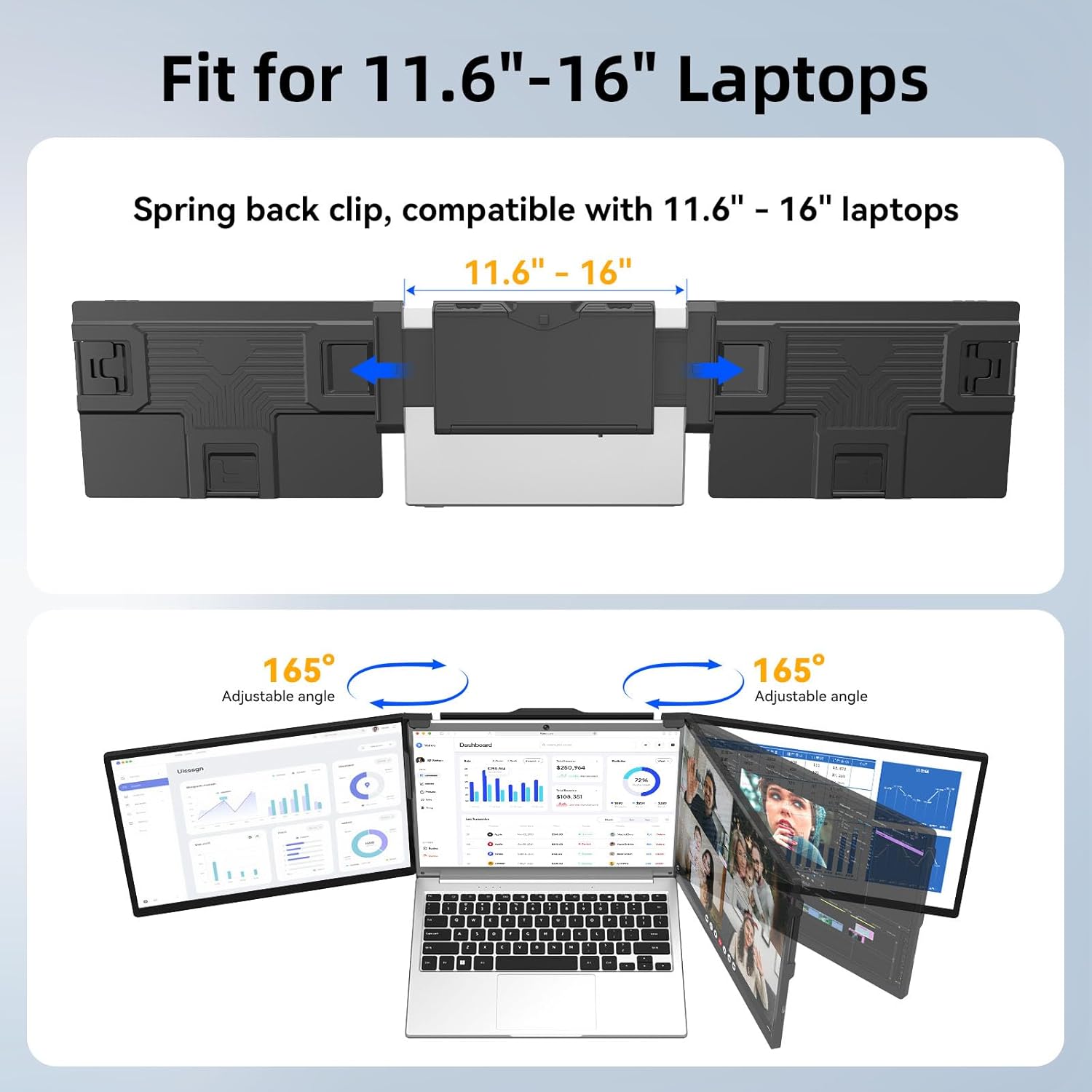
| Rotation | Up to 165° (side and upper screens) |
| Stabilization | Adjustable back bracket |
| Connectivity | Single USB-C cable for all 3 displays (USB 3.0) |
| Driver | Required (USB flash drive included) |
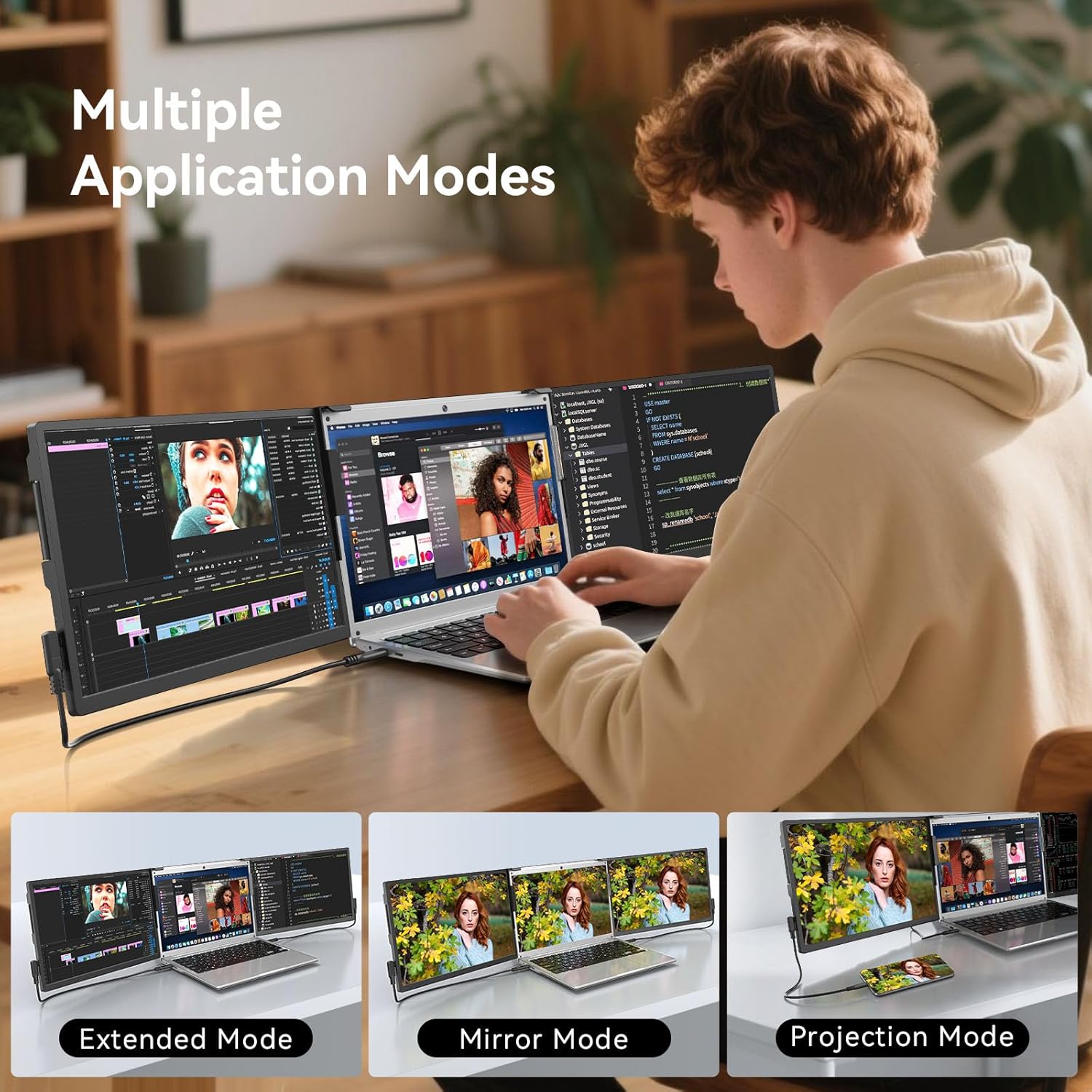
| Display Modes | Extended, mirrored |
| Laptop Fit | 11.6″ to 16″ |
| OS Compatibility | Windows 10+, macOS (M1/M2/M3 via driver) |
| Weight | 5 lbs |
| Dimensions | 12″ W x 8″ H x 0.54″ D |
| Power Consumption | 15W |
| Warranty | 1 year + 24/7 support |
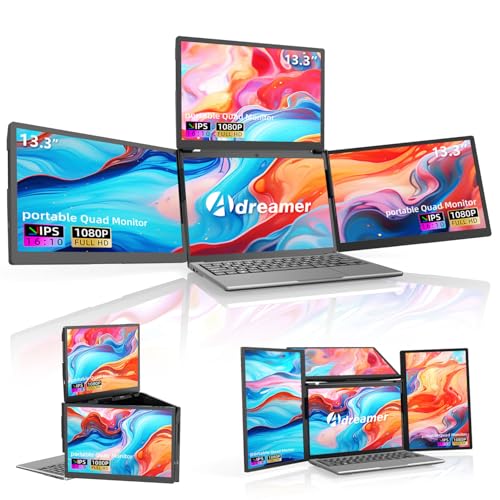
ADREAMER 13.3" Triple Screen Laptop Monitor Extender, Detachable 3 Screen Monitor for Laptop 13"-16", 1920x1200 IPS 16:10, 1 Cable for 3 Displays, Compatible with Wins/Mac.
Detachable Design
The three panels detach from each other, allowing you to carry one, two, or all three depending on the situation. For a quick meeting where only one extra screen is needed, detach the others and travel lighter. For a full workstation setup, attach all three. This flexibility is a practical advantage over fixed triple-panel units that must be carried as a complete set regardless of need.
Display Performance
Each panel is a 13.3-inch 1920 x 1200 IPS display at 60Hz with 2ms response time and 1000:1 contrast. The 2ms response ensures clean scrolling and window movement across all three screens. The 1000:1 contrast is the standard IPS baseline.
Color gamut is listed as 75 without a specified unit. If 75% NTSC, this is approximately 100% sRGB. If 75% sRGB, the color range is narrower than the full sRGB spectrum. Without clarification, color accuracy for creative work cannot be confidently assessed.
Brightness and viewing angle are not listed in the Amazon structured data. The glossy finish enhances perceived color vibrancy in controlled lighting but produces reflections in bright environments.
Single-Cable Connectivity
All three displays connect through a single USB-C cable. The box includes three USB 3.0 Type-C cables and a Type-C converter to cover different laptop configurations. Driver installation is required on first use (USB flash drive included). A 30W power adapter is included for stable operation.
Mac M1/M2/M3 compatibility is enabled through the included driver. Apple Silicon base chips natively restrict external display count, so the driver enables multi-display output via software-based rendering. For USB-C video requirements, see our USB-C portable monitor guide.
What’s in the Box
| Item | Quantity |
|---|---|
| Triple Screen Extender (detachable) | 1 |
| USB 3.0 Type-C Cable | 3 |
| Type-C Converter | 1 |
| 30W Power Adapter | 1 |
| USB Storage (with driver) | 1 |
| User Manual | 1 |
Potential Drawbacks to Consider
| Consideration | Detail |
|---|---|
| Driver Required | Not Plug & Play. Driver installation needed, especially for Mac M-series. Corporate laptops may need IT approval. |
| Brightness Not Specified | Visibility in different lighting cannot be compared against competitors. |
| Viewing Angle Not Specified | Off-center color consistency cannot be assessed from the listing data. |
| 75% Color Gamut (Unit Unknown) | Color range depends on whether this is 75% NTSC or 75% sRGB. |
| Glossy Finish | Three glossy panels amplify reflections in bright environments. |
| 5 lbs | Moderate weight for a triple-panel extender. Lighter than some, heavier than single-screen portables. |
| 60Hz | Productivity-focused. Not suited for competitive gaming. |
| Power Draw | 15W consumption plus three external displays will reduce laptop battery life. |
Who This Monitor Is Best For
Professionals who need vertical screen space across multiple displays: The 1920 x 1200 resolution at 16:10 on each of three panels provides more visible content per screen than 1080P 16:9 extenders. For coding, spreadsheet analysis, document editing, and data review, the extra vertical pixels reduce scrolling across every panel in the setup.
Mac M1/M2/M3 users who need triple external displays: The included driver enables multi-display output on Apple Silicon MacBooks. Combined with the detachable design and single-cable connectivity, this provides a Mac-compatible triple-screen portable workstation. ADREAMER has 11 years of experience in monitor extender production per their listing. For other Mac-compatible extenders, see the 14″ Triple Laptop Screen Extender review.
Travelers who need flexibility in how many screens they carry: The detachable design means you bring one, two, or three panels depending on the day. Other triple extenders require carrying the full unit even when only one extra screen is needed. Our buying guide covers travel considerations.
Who Should Look Elsewhere
Users who need Plug & Play with no driver: Driver installation is required. The USB flash drive is included, but the process adds a step that driver-free monitors skip.
Users who need verified brightness and viewing angles: Neither is specified in the Amazon data. Our comparison pages feature monitors with confirmed brightness specs.
Users who work in bright environments: Three glossy panels amplify reflections from windows and overhead lighting.
Pros and Cons
| Pros | Cons |
|---|---|
| 1920 x 1200 (16:10) per panel, more vertical space than 1080P | Driver required, not Plug & Play |
| Three detachable 13.3-inch IPS screens | Brightness not specified |
| Single USB-C cable for all 3 displays | Viewing angle not specified |
| Mac M1/M2/M3 compatible via driver | 75% color gamut, unit unknown |
| 2ms response time | Glossy finish on all three panels |
| 165° rotation, adjustable back bracket | 5 lbs total weight |
| 30W power adapter + 3 USB-C cables included | 15W power draw reduces laptop battery life |
| Fits 11.6″ to 16″ laptops | 60Hz, productivity only |
| 1-year warranty + 24/7 support (11 years brand experience) |
Final Verdict
ADREAMER’s Aire13S stands out in the triple-screen extender category with 1920 x 1200 resolution at 16:10 on each of its three 13.3-inch IPS panels. The extra vertical pixels provide a genuine productivity advantage over 1080P 16:9 extenders, particularly in workflows that benefit from visible vertical space. The detachable design adds carry flexibility that fixed-unit extenders cannot match, and the single USB-C cable keeps setup clean.
The missing brightness and viewing angle data, combined with the unspecified color gamut unit and glossy finish, are the data gaps. The driver requirement adds a setup step that Plug & Play monitors avoid. For users who prioritize vertical resolution, Mac M-series compatibility, and the ability to carry only the screens they need, the Aire13S delivers a unique combination in the category. For users who need verified display specs, matte finish, or driver-free operation, alternatives with more complete listings serve those priorities. Our comparison hub can help match your resolution and portability needs to the right multi-screen solution.
Frequently Asked Questions
Does this work with MacBook M1/M2/M3?
Yes. Install the included driver from the USB flash drive and follow any permission prompts in macOS System Settings. The driver enables multi-display output on Apple Silicon MacBooks, which natively restrict external display count on base chip models.
Is one cable really enough for three displays?
Yes, per the manufacturer. A single USB-C cable handles all three displays. The box includes three USB 3.0 Type-C cables and a Type-C converter for different laptop configurations. Plug directly into your laptop’s primary USB-C port for best results.
What does 1920 x 1200 give me over 1920 x 1080?
120 extra vertical pixels per screen (1200 vs 1080). At 16:10 aspect ratio, this provides approximately 11% more vertical space. Across three panels, the cumulative effect is noticeable: more visible rows in spreadsheets, more lines of code, and less scrolling in documents and web pages.
Can I detach panels and carry fewer?
Yes. The panels detach for flexible portability. Carry one, two, or all three depending on what your workday requires. This is unique to detachable designs and not possible with fixed triple-panel units.
Does it need a driver?
Yes. Driver installation is required on first use. The driver is provided on a USB flash drive in the box. Install before your first working session. After initial installation, subsequent connections are faster.
Disclosure: As an Amazon Associate, I earn from qualifying purchases.
End of editorial review · Interactive tools below
FIELD TOOLSFIELD TOOLS
These six tools address the critical decisions every laptop screen extender buyer faces — physical fit, hinge safety, OS display limits, setup complexity, form factor selection, and travel readiness. Each tool is category-level: they work for any extender, not just the one reviewed above. Full buying guide →