
FOPO 15.6″ Laptop Screen Extender Monitor Portable review
Our FOPO 15.6-inch screen extender review: jump from one display to three with one cable. FHD IPS, portable, Mac/Windows friendly—great for work, travel, focus.
FOPO’s S888 is a 15.6-inch single-panel laptop screen extender that clips onto laptops from 13.6 to 17.3 inches. It connects via a single USB-C cable for video and power on compatible devices, or USB-A with included driver. The 1080P IPS panel delivers 72% NTSC color gamut (~100% sRGB), 1000:1 contrast, 178° viewing angles, and eye care technology at 60Hz. The unit rotates 0 to 360° with an auto-sensitive design. At 3.98 kg (8.77 lbs), it is one of the heavier single-panel extenders in the category. Compatible with Windows 10+, macOS 2019+ (including M1/M2/M3). Not compatible with Microsoft Surface series or Chromebook. 1-year warranty.
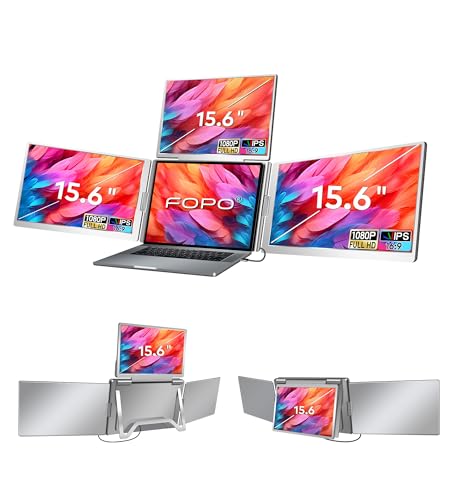
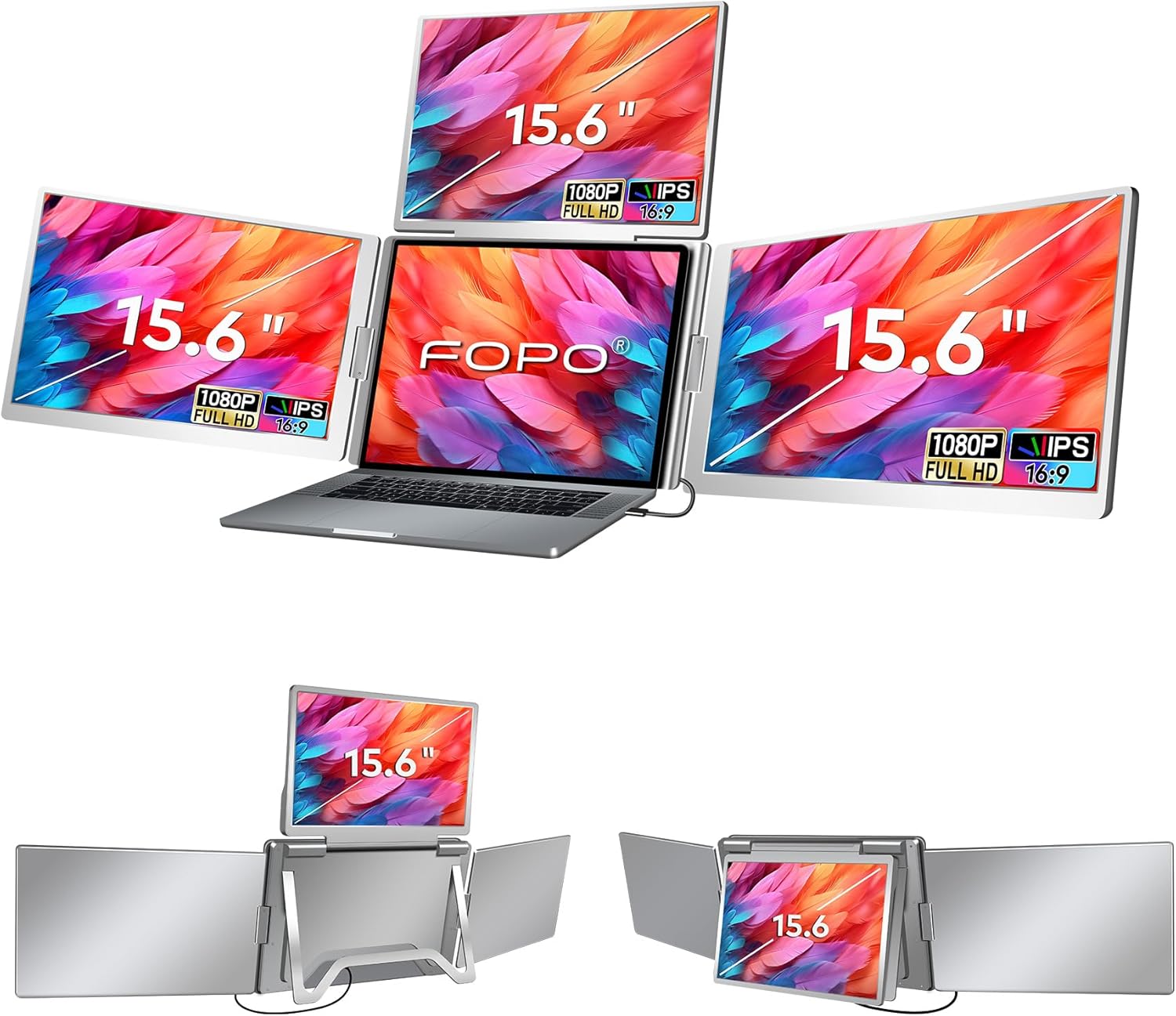
FOPO 15.6" Laptop Screen Extender Monitor Portable, Quad Monitor, Just 1 Cable for 3 Screens, FHD 1080P IPS Laptop Extender Compatible with Wins/Mac for 13.6" - 17.3" Laptops
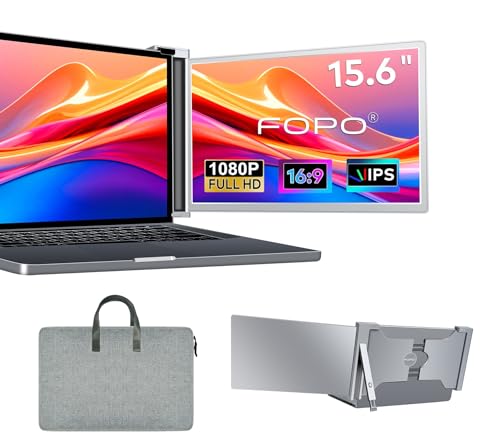

Key Specifications at a Glance
| Specification | Detail |
|---|---|
| Screen Size | 15.6 inches (listed as 15.59″) |
| Resolution | 1920 x 1080 (Full HD) |
| Panel Type | IPS (LCD) |
| Refresh Rate | 60Hz |
| Response Time | 25ms |
| Color Gamut | 72% NTSC (~100% sRGB) |
| Contrast Ratio | 1000:1 |
| Brightness | Not specified |
| Viewing Angle | 178° |
| Aspect Ratio | 16:9 |
| Screen Finish | LCD (not specified as matte or glossy) |
| Eye Care | Yes |
| Rotation | 0° to 360° (auto-sensitive) |
| Connectivity | USB Type-C (Thunderbolt 3/4, DP Alt Mode), USB-A (with driver) |
| Reverse Charging | Up to 60W pass-through (30W PD adapter included) |
| PD Power Required | For quad-monitor setups |
| Laptop Fit | 13.6″ to 17.3″ |
| OS Compatibility | Windows 10+, macOS 2019+ (M1/M2/M3) |
| Not Compatible | Microsoft Surface series, Chromebook |
| Weight | 3.98 kg / 8.77 lbs |
| Dimensions | 15.5″ W x 9.6″ H x 1.6″ D |
| Warranty | 1 year |
Display Performance
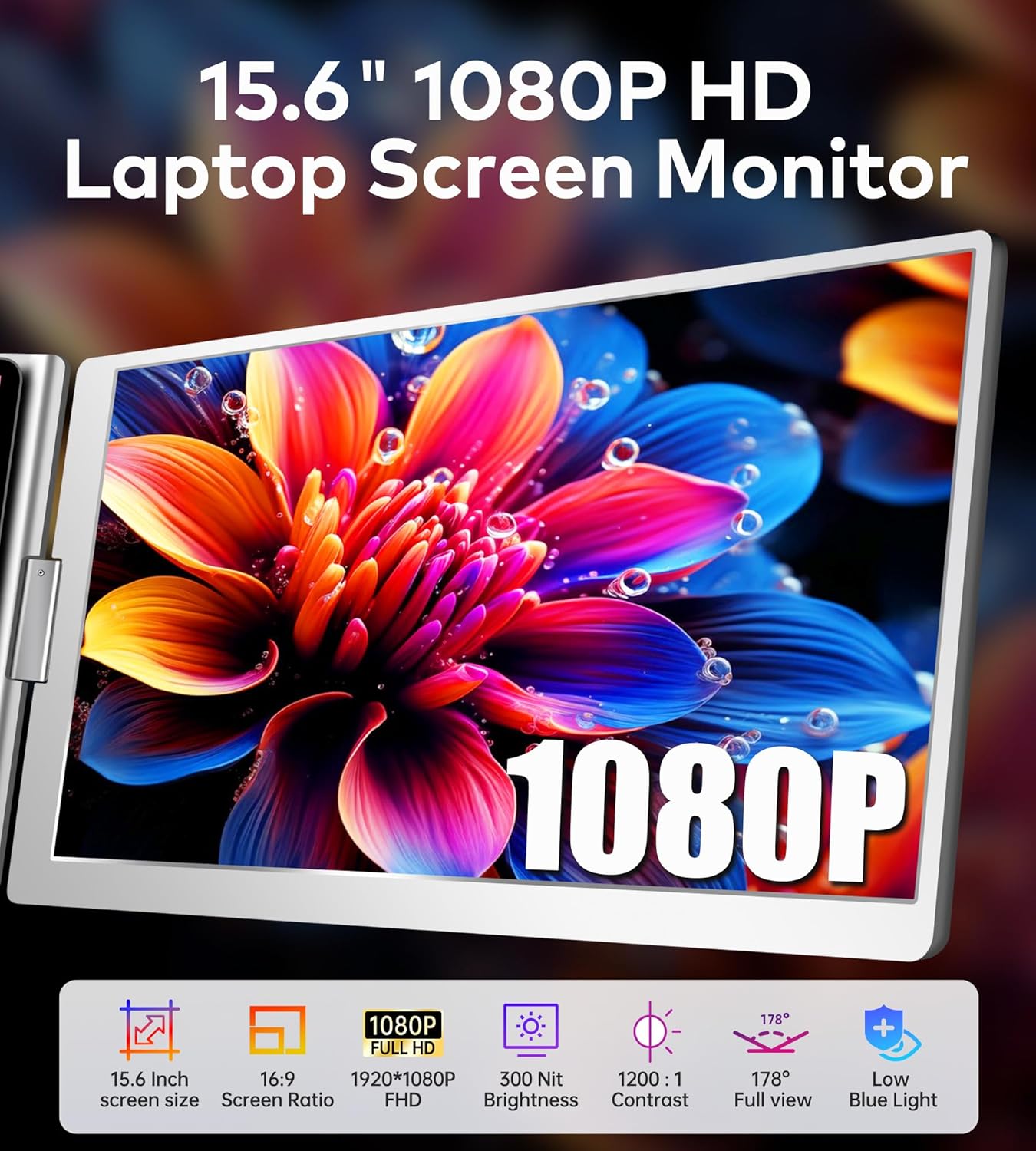
1920 x 1080 on 15.6 inches produces 141 PPI, the standard for this size class. The IPS panel delivers 178° viewing angles, 72% NTSC color gamut (approximately 100% sRGB), and 1000:1 contrast with eye care technology. 72% NTSC provides accurate color across the standard web color space for productivity, web content, and casual creative work.

The 25ms response time is notably slow. Most competing portable monitors offer 1-5ms. At 25ms, fast-scrolling content, cursor movement during rapid input, and video playback may show visible motion blur or ghosting. For static productivity work (documents, spreadsheets, email, web browsing), the slower response time is less noticeable. For gaming or any motion-heavy content, 25ms is a significant limitation.
Brightness is not specified in the Amazon data. The screen finish is listed as “LCD” without clarifying matte or glossy.
Single-Cable Connectivity
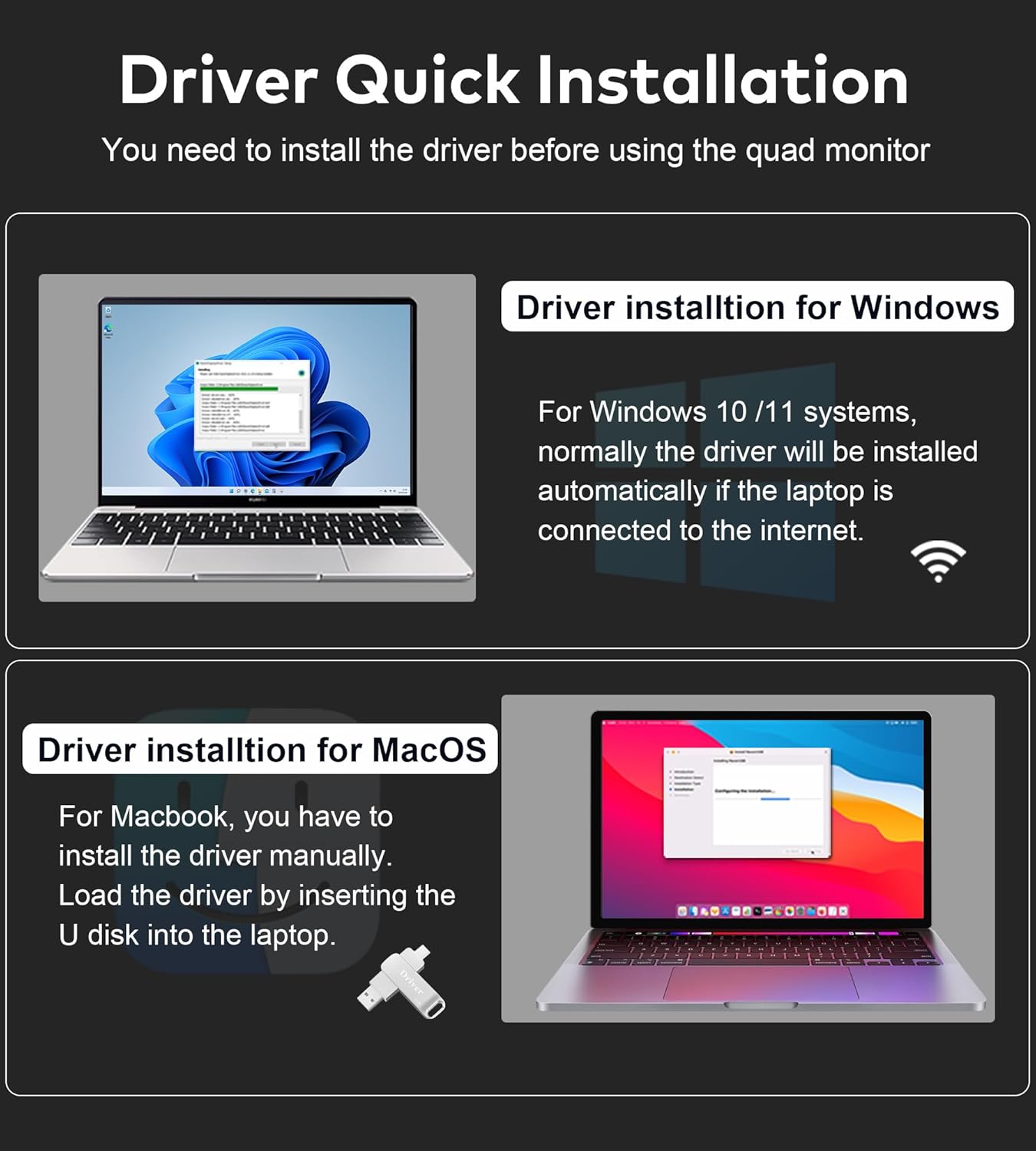
The S888 connects via a single USB-C cable that carries both video and power on compatible devices (DP Alt Mode or Thunderbolt 3/4 required). USB-A connectivity is supported with the included Dual USB-A to USB-C cable and driver installation from the included U disk. For USB-C video requirements, see our USB-C portable monitor guide.
Compatible with Windows 10+ and macOS 2019+ including M1/M2/M3. Not compatible with Microsoft Surface series or Chromebook. The product bullets describe “1 cable for 3 screens” in the context of a quad-monitor setup (laptop + 3 external). PD power is required when running quad-monitor configurations.
Reverse Charging
The S888 supports pass-through charging to the laptop. The included 30W PD adapter powers the extender. For laptop charging through the extender, a 60W adapter (not included) is recommended. With a 60W adapter connected, the extender passes power to the laptop while maintaining its own display operation. For more on portable monitor power setups, see our blog.
Connectivity
| Setup | Cables | Notes |
|---|---|---|
| USB-C (DP Alt Mode / Thunderbolt) | 1x USB-C to USB-C (60cm) | Video + power over single cable. No driver needed. |
| USB-A | 1x Dual USB-A to USB-C | Driver required (U disk included). |
| Quad-monitor | USB-C + PD power | PD power required for stability with multiple external displays. |
What’s in the Box
| Item | Quantity |
|---|---|
| 15.6″ Screen Extender | 1 |
| Power Adapter | 1 |
| Carry Bag | 1 |
| Dual USB-A to USB-C Cable (video + power) | 1 |
| USB-C to USB-C Cable, 60cm (video + power) | 1 |
| USB-C to USB-C Cable, 120cm (power only) | 1 |
| 30W PD Power Supply | 1 |
| U Disk with Driver | 1 |
| Quick Guide + User Manual | 1 each |
A comprehensive cable kit. Three cables cover USB-C, USB-A, and power-only configurations. The carry bag, 30W PD supply, and U disk with driver are included. For a 60W adapter for laptop pass-through charging, you will need to supply your own.
Potential Drawbacks to Consider
| Consideration | Detail |
|---|---|
| 25ms Response Time | Very slow. Most competing monitors offer 1-5ms. Visible motion blur or ghosting in fast content. |
| 8.77 lbs | One of the heaviest single-panel extenders in the category. |
| Brightness Not Specified | Visibility in different lighting cannot be compared. |
| Screen Finish Not Clarified | Listed as “LCD” without specifying matte or glossy. |
| Not Compatible with Surface/Chromebook | Explicitly excluded devices. |
| USB-A Requires Driver | U disk included, but adds a setup step. |
| 60W Adapter Not Included | Needed for laptop pass-through charging. Only 30W PD is in the box. |
Who This Monitor Is Best For
Windows users who need a single-cable multi-screen extender with Mac M-series compatibility: USB-C or Thunderbolt 3/4 connects with one cable and no driver. macOS 2019+ including M1/M2/M3 is supported. The 360° rotation and carry bag support mobile workflows. FOPO has a presence in the extender category; for their other products, see the FOPO 15.6″ Triple Extender review.
Users who need reverse charging through the extender: With a 60W adapter (not included), the S888 passes power to the laptop while running the display. The included 30W PD powers the extender itself. For similar pass-through charging from brand-name portables, see the MSI Pro MP161 review.
Users who need USB-A fallback connectivity: The included Dual USB-A to USB-C cable and U disk driver provide compatibility with laptops that lack USB-C video output. Browse more options at our portable monitors category page.
Who Should Look Elsewhere
Users who need fast response time: 25ms is significantly slower than the 1-5ms offered by most competing portables. For gaming, video editing, or any motion-heavy use, this is a notable limitation.
Weight-sensitive users: 8.77 lbs for a single-panel extender is among the heaviest in the category. Dual-panel extenders at similar weights provide two screens for the same carry weight. Our buying guide covers weight considerations.
Surface and Chromebook users: Explicitly not compatible.
Pros and Cons
| Pros | Cons |
|---|---|
| Single-cable USB-C for video + power | 25ms response time, very slow |
| 72% NTSC (~100% sRGB), 1000:1, 178° | 8.77 lbs, heavy for single-panel |
| 0-360° rotation, auto-sensitive | Brightness not specified |
| Mac M1/M2/M3 compatible | Screen finish not clarified |
| USB-A fallback with included cable + driver | Not compatible with Surface/Chromebook |
| Reverse charging up to 60W pass-through | 60W adapter not included |
| Comprehensive cable kit + carry bag + 30W PD | USB-A requires driver installation |
| Eye care technology | |
| 13.6″ to 17.3″ laptop fit | |
| 1-year warranty |
Final Verdict
FOPO’s S888 provides a single-cable 15.6-inch IPS extender with 72% NTSC color, 178° viewing angles, 360° rotation, Mac M1/M2/M3 compatibility, reverse charging capability, and a comprehensive accessory kit (three cables, carry bag, 30W PD, driver U disk). The broad connectivity (USB-C, Thunderbolt 3/4, USB-A with driver) and 13.6″ to 17.3″ laptop fit range cover most non-Surface, non-Chromebook setups.
The 25ms response time and 8.77 lb weight are the standout concerns. At 25ms, the S888 is significantly slower than the 1-5ms range that dominates the portable monitor category, making it best suited for static productivity tasks rather than motion-heavy content. At 8.77 lbs, it is heavier than many dual-panel extenders that provide two screens. For users who prioritize single-cable simplicity, Mac M-series compatibility, reverse charging, and 360° rotation in a single-panel format, the S888 delivers those features with a complete accessory kit. For users who need faster response time, lighter weight, or Surface/Chromebook compatibility, alternatives with better motion performance and lower weight are available across our comparison hub.
Frequently Asked Questions
What does “1 cable for 3 screens” mean?
In a quad-monitor setup (laptop display + 3 external), a single USB-C cable can carry the signal to all connected screens. PD power must be connected for stability when running quad-monitor configurations. For basic dual-screen use (laptop + 1 FOPO), a single USB-C cable handles video and power without PD.
Why is the response time 25ms?
The Amazon data lists 25ms. Most competing portable monitors offer 1-5ms. At 25ms, fast-moving content (scrolling, gaming, video editing) may show visible motion blur. For static productivity tasks (documents, email, web, spreadsheets), the impact is minimal.
Does it work with MacBook M1/M2/M3?
Yes. macOS 2019 and later including M1/M2/M3 is listed as compatible. Connect via USB-C with DP Alt Mode or Thunderbolt.
Can it charge my laptop?
With a 60W adapter (not included), the extender passes power to the laptop while running the display. The included 30W PD powers only the extender. For effective laptop charging through the extender, you need to supply a 60W adapter.
Why is it 8.77 lbs?
The weight includes the mounting mechanism, 360° rotation hardware, and the 15.6-inch panel. This is heavier than most single-panel portable monitors (typically 1-3 lbs) due to the extender clip-on design and rotation system.
Disclosure: As an Amazon Associate, I earn from qualifying purchases.
End of editorial review · Interactive tools below
FIELD TOOLSFIELD TOOLS
These six tools address the critical decisions every laptop screen extender buyer faces — physical fit, hinge safety, OS display limits, setup complexity, form factor selection, and travel readiness. Each tool is category-level: they work for any extender, not just the one reviewed above. Full buying guide →