
Three portable monitors. Three different jobs.
The ARZOPA Z3FC buys pixels and speed. The ViewSonic VA1653 buys the most detailed published anti‑glare specification and the longest current published U.S. warranty of the three. The SOTSU FlipAction Go 14 buys a smaller footprint and a hinge that turns. There is no winner here:only one of the three is likely to suit your laptop, your bag and the room you work in.
- Sharpest2.5KQHD182 PPI, calculated, and 78% more pixels than either rival
- Longest cover3yearsParts, labour and backlight — the longest published term of the three
- Smallest84sq inActive area, calculated — 19% less than the ViewSonic’s 104
Affiliate disclosure: the product links below are paid Amazon links, including the product images. As an Amazon Associate, ScreenExtendersHub earns from qualifying purchases. Full terms.
-
Sharp + fast
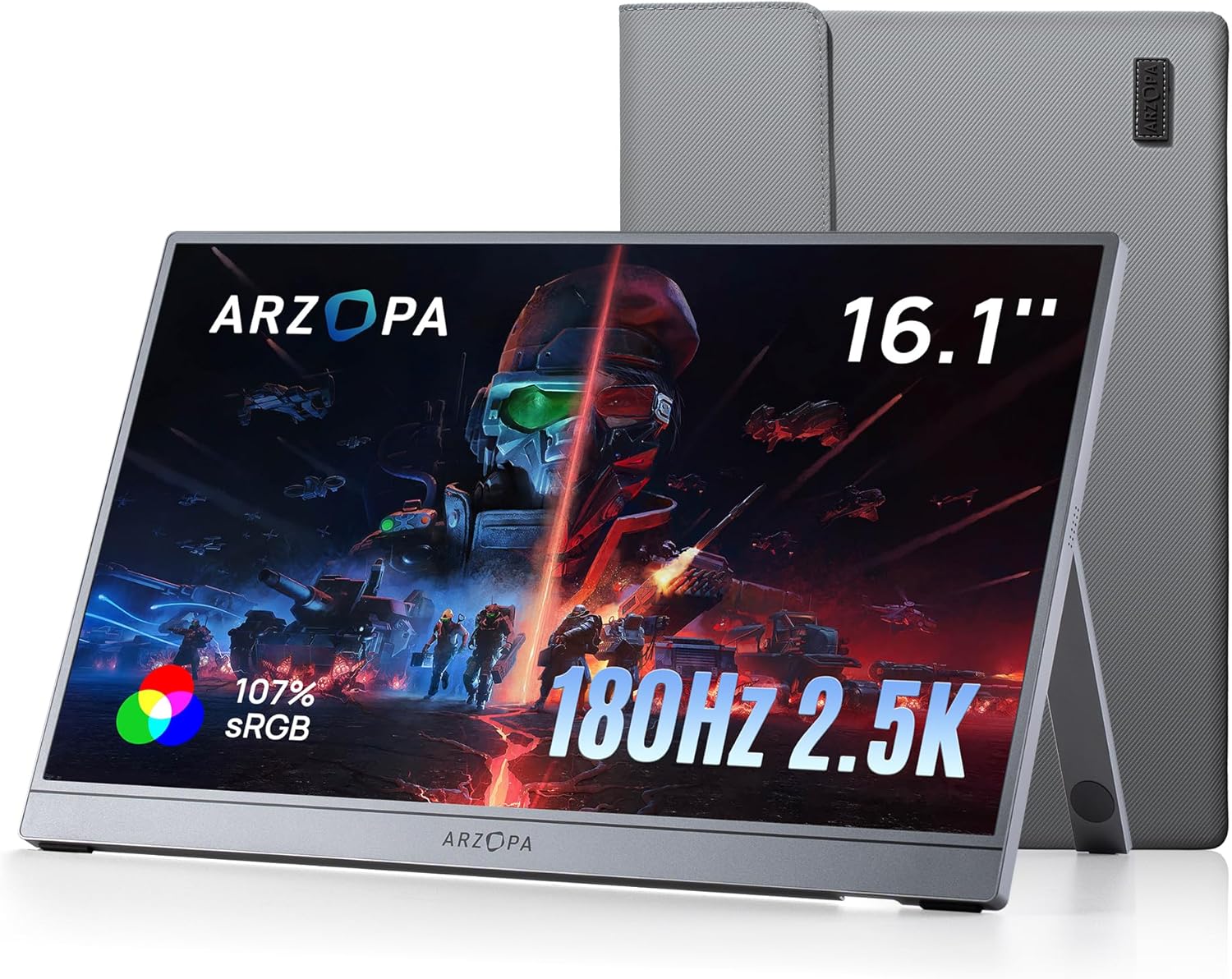
Amazon-hosted product image from the exact linked listing, checked 18 August 2026. Screen artwork is promotional and is not evidence of display performance.
ARZOPA Z3FC16.1″ IPS · 2560 × 1440 · up to 180 HzView on AmazonAffiliate link. Price and availability move, so no price is quoted on this page.
-
Light + plain
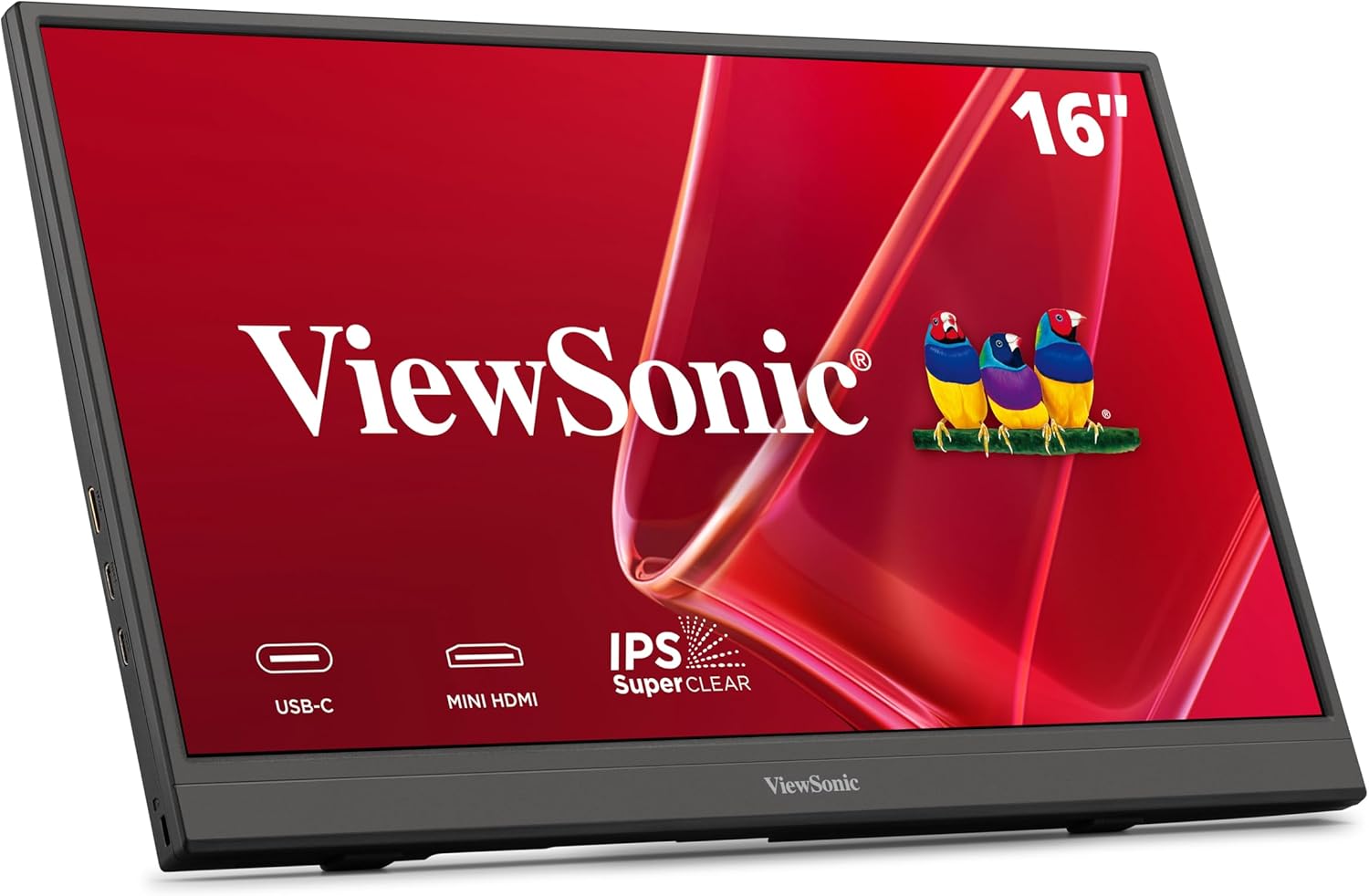
Amazon-hosted product image from the exact linked listing, checked 18 August 2026. Screen artwork is promotional and is not evidence of display performance.
ViewSonic VA165315.6″ viewable IPS · 1920 × 1080 · 60 HzView on AmazonAffiliate link. Price and availability move, so no price is quoted on this page.
-
Compact + pivoting

Amazon-hosted product image from the exact linked listing, checked 18 August 2026. Screen artwork is promotional and is not evidence of display performance.
SOTSU FlipAction Go 1414″ · 1920 × 1080 · 60 Hz · pivotsView on AmazonAffiliate link. Price and availability move, so no price is quoted on this page.
Disclosure. This page contains affiliate links, and we may earn a commission on qualifying purchases at no extra cost to you. ScreenExtendersHub is a participant in the Amazon Services LLC Associates Program, an affiliate advertising program designed to provide a means for sites to earn advertising fees by advertising and linking to Amazon.com. Editorial decisions on this page were made before any link was placed, and no commission rate influenced them. This comparison rests on published manufacturer documentation and on measurements published by named third parties; ScreenExtendersHub did not have these three monitors in hand. Full terms: affiliate disclosure.
Book one
The short answer
What each of the three actually buys you, and the single condition that reverses each choice.
There is no winner here, only three different jobs
Read the card that matches how you actually work. Everything after it shows what that direction costs, and the one condition under which it stops being the right answer.
Power
ARZOPA Z3FC
The only one of the three with QHD resolution and a refresh ceiling above 60 Hz — 78% more pixels than either rival, and up to 180 Hz through the DisplayPort path.[1][2]
What it costsThe most demanding host and cable requirements here, a rated 12.9 W, and colour that two named laboratories found competent rather than accurate.
What reverses itIf your only video output is mini‑HDMI. On that path the panel is documented at up to 144 Hz and needs its own power connection.
Documentation
ViewSonic VA1653
A plain 1080p work screen at about 700 g — the same published weight as the SOTSU — with an anti‑glare hard coat and a three‑year limited warranty — the longest published term of the three.[6]
What it costsA rated 250 cd/m², the dimmest here, at 60 Hz, and no independent measurement of any of it exists in the public record.
What reverses itIf you need portrait on a table too small for a 15.6‑inch panel, or you want more than 1080p.
Rotation
SOTSU FlipAction Go 14
A pivoting hinge that carries the panel through portrait, and the smallest footprint of the three — about 19% less active area than the ViewSonic.[8]
What it costsA tempered‑glass cover whose gloss level nobody has tested, an elevated base sold separately, and the least public evidence of the three.
What reverses itIf you work beside a bright window. Glass reflects the room back at you regardless of the rated 400 nits.
How to read the three claims above
Each headline figure is either arithmetic we performed on published dimensions, or a term the manufacturer publishes in writing. None of them is a performance measurement made by us. Section 02 shows exactly which fields anybody has actually measured, and it is the most important table on this page.
Three instrumented reviews exist for one of these monitors. None was located for the other two.
Before any comparison, a question that usually goes unasked: how much of what you are about to read is a measurement, and how much is a manufacturer describing its own product? Independent test coverage exists for the ARZOPA; published evidence for the ViewSonic and the SOTSU remains more limited. That asymmetry is lopsided enough to change the decision.
Independently instrument-measured Independently observed or verified Calculated by ScreenExtendersHub Manufacturer-documented specification Manufacturer-rated performance claim No qualifying evidence located
Figure 02 · Evidence provenance matrix
Compiled by us| Field | ARZOPA Z3FC | ViewSonic VA1653 | SOTSU Go 14 |
|---|---|---|---|
| Resolution | ARZOPA Z3FC: Independently observed or verified | ViewSonic VA1653: Manufacturer-documented specification | SOTSU FlipAction Go 14: Manufacturer-documented specification |
| Refresh operation | ARZOPA Z3FC: Independently observed or verified | ViewSonic VA1653: Manufacturer-documented specification | SOTSU FlipAction Go 14: Manufacturer-documented specification |
| Pixel density | ARZOPA Z3FC: Calculated by ScreenExtendersHub | ViewSonic VA1653: Calculated by ScreenExtendersHub | SOTSU FlipAction Go 14: Calculated by ScreenExtendersHub |
| Panel technology | ARZOPA Z3FC: Manufacturer-documented specification | ViewSonic VA1653: Manufacturer-documented specification | SOTSU FlipAction Go 14: No qualifying evidence located |
| Surface / coating | ARZOPA Z3FC: Independently observed or verified | ViewSonic VA1653: Manufacturer-documented specification | SOTSU FlipAction Go 14: Manufacturer-rated performance claim |
| Brightness | ARZOPA Z3FC: Independently instrument-measured | ViewSonic VA1653: Manufacturer-rated performance claim | SOTSU FlipAction Go 14: Manufacturer-rated performance claim |
| Contrast | ARZOPA Z3FC: Independently instrument-measured | ViewSonic VA1653: Manufacturer-rated performance claim | SOTSU FlipAction Go 14: Manufacturer-rated performance claim |
| Colour gamut | ARZOPA Z3FC: Independently instrument-measured | ViewSonic VA1653: No qualifying evidence located | SOTSU FlipAction Go 14: Manufacturer-rated performance claim |
| Colour accuracy | ARZOPA Z3FC: Independently instrument-measured | ViewSonic VA1653: No qualifying evidence located | SOTSU FlipAction Go 14: No qualifying evidence located |
| Power draw | ARZOPA Z3FC: Independently instrument-measured | ViewSonic VA1653: Manufacturer-documented specification | SOTSU FlipAction Go 14: Manufacturer-rated performance claim |
| Port arrangement | ARZOPA Z3FC: Independently observed or verified | ViewSonic VA1653: Manufacturer-documented specification | SOTSU FlipAction Go 14: Manufacturer-documented specification |
| Warranty term | ARZOPA Z3FC: Manufacturer-documented specification | ViewSonic VA1653: Manufacturer-documented specification | SOTSU FlipAction Go 14: Manufacturer-documented specification |
| Fields carrying an instrument measurement | 5 of 12 | 0 of 12 | 0 of 12 |
- Independently instrument-measured: A named publication put measuring equipment on this exact model and published the result.
- Independently observed or verified: A named hands-on source directly observed a port, finish, construction feature or working mode without instrument-measuring it.
- Calculated by ScreenExtendersHub: Derived by us, transparently, from published dimensions and resolution. Arithmetic, not measurement.
- Manufacturer-documented specification: A structural fact the manufacturer publishes in a manual or specification sheet: a dimension, a port, a resolution, a warranty term.
- Manufacturer-rated performance claim: A performance number the manufacturer publishes, rated under its own conditions and not independently confirmed for this exact model.
- No qualifying evidence located: No source meeting any standard above was located during this audit, dated 18 August 2026.
The most examined product can look like the most criticised. For two of these three, no independent instrumented review was located in this audit — a larger unknown than any specific complaint about the third.
ARZOPA Z3FC
5 of 12
comparable fields carry an instrument measurement. Three instrumented reviews and one additional hands-on review were located for this exact model: ServeTheHome, PCWorld and Tom’s Hardware measured it; TechRadar worked with it without publishing instrument figures.[2][3][4]
ViewSonic VA1653
0 of 12
No independent instrumented review of this exact model was located in this audit, as of 18 August 2026. Its documentation is unusually complete; its performance figures are entirely self-reported.
SOTSU FlipAction Go 14
0 of 12
No independent instrumented review of this exact model was located in this audit, as of 18 August 2026, and the official record omits the panel technology entirely. Every performance figure on this model is SOTSU’s own.
What this does not mean
An absence of criticism is not evidence of quality, and a long list of measured weaknesses is not evidence of a worse product. The ARZOPA looks flawed in this matrix partly because somebody bothered to look. The correct reading is narrower: on two of these three, you are being asked to take the manufacturer’s word for the picture quality, and there is no way for this page to check it.
The vocabulary in the matrix is used consistently for the rest of the page. If a figure is a manufacturer’s own rating, it is labelled as one. If it came out of a laboratory, the laboratory is named. If we calculated it from published dimensions, the arithmetic is disclosed in section 14 and can be reproduced. Terms used here are defined in the glossary.
Book two
The gate before the purchase
Ports, pixels and physical space — the three checks that decide whether any of these three can do the job at all.
Check your laptop before you check the price
A portable monitor is one half of a connection. Three questions decide whether any of these three will do what its product listing implies, and a wrong answer to the first one invalidates the entire comparison for you.
Figure 03 · How video and power reach a portable monitor
Original diagram- 1USB‑C with DisplayPort Alt Mode: video and some power over a single cable, if the host port supplies enough.
- 2mini‑HDMI: video only. A separate USB‑C power connection is always required on this path.
- +Charger or power bank: needed whenever the host cannot supply the monitor. None of these three has an internal battery.
Scroll the drawing sideways →
Does your USB‑C port carry video?
A USB‑C port only sends a picture if it supports DisplayPort Alt Mode or Thunderbolt. Charging‑only and data‑only ports look identical from the outside. Check the symbol beside the port or your laptop’s specification sheet — our guide to USB‑C port symbols covers the markings, and the glossary defines Alt Mode.
Does your refresh rate need that path?
Only the ARZOPA exceeds 60 Hz: up to 180 Hz through DisplayPort over USB‑C and up to 144 Hz through mini‑HDMI. Over mini‑HDMI the same panel is documented at up to 144 Hz.[1] The other two are 60 Hz panels and no cable changes that. Our frequently asked questions cover what this means for consoles, docks and phones.
Where is the power coming from?
None of the three has an internal battery. If your laptop supplies enough over USB‑C, one cable can do both jobs; if it cannot, a docking station is often the cleaner fix. See how PD wattage works, or run the pre‑purchase compatibility audit.
Plan for two cables rather than being surprised by them
On the mini‑HDMI path you always need a second cable for power. PCWorld, testing the ARZOPA, found an 18‑watt source adequate over USB‑C and noted that no power brick ships in the box.[3] ViewSonic’s own package list also carries no power adapter. Neither observation transfers to the other models; it is a reminder to check the box contents of whichever one you choose.
Three gates, and one honest way to fail them
Three questions. The answer changes with your ports, your priority and your room, and one combination correctly returns “none of these three”, which is the outcome most comparison tools are built to avoid returning.
Interactive · runs in your browser
The three-gate adjudication
It shows its own working. There is no scoring and nothing to tie: three questions, one rule fires, and the rule is printed underneath with the answers that triggered it. Two of the four outcomes withhold a recommendation on purpose.
Answer the three gates above.
One recommendation appears here, together with the rule that produced it. Two of the four possible outcomes decline to recommend anything, which is the point of building it this way.
Start with the ARZOPA Z3FC
It is the only finalist with QHD resolution and a refresh ceiling above 60 Hz, which is exactly the priority you chose. It gives about 182 pixels per inch and 111 square inches of working area — the largest field here — for 80 g more than either rival, and it is the only one of the three whose picture has actually been measured by anyone.
What reverses thisLosing the DisplayPort path. Over mini‑HDMI the panel is documented at up to 144 Hz and needs its own power connection. Colour‑critical work requires calibration and workflow-specific validation: independent findings on colour are mixed rather than accurate.
Check firstThat your USB‑C port carries video, that your graphics hardware can drive 1440p at the rate you want, and that a charger is to hand.
Check the exact listingAffiliate link. See our affiliate disclosure.
Start with the ViewSonic VA1653
It publishes the only coating specification of the three — an anti‑glare hard coat rated 3H at 25% haze — which is what actually helps in a bright room, and its three‑year limited warranty on parts, labour and backlight is the longest published term here.
What reverses thisNeeding more than 1080p at 60 Hz, or portrait on a table too small for a 15.6‑inch panel. Its rated 250 cd/m² is also the dimmest of the three, and no independent instrumented review of this exact model was located in this audit.
Check firstThat your USB‑C port carries video, or that you will run mini‑HDMI with a separate power cable. No power adapter appears on ViewSonic’s package list.
Check the exact listingAffiliate link. See our affiliate disclosure.
Start with the SOTSU FlipAction Go 14
It has the smallest footprint here — about 19% less active area than the ViewSonic and 43 mm narrower than the ARZOPA — which is the point when table space is the binding constraint. It is also the only one whose hinge carries the panel through portrait as a hardware function rather than an improvisation.
What reverses thisWorking in a bright room. A tempered-glass cover is claimed on the listing and glass can reflect the room whatever the rated 400 nits suggests. Wanting independent measurement before spending should also weigh that none was located in this audit for this model.
Check firstThat the seller qualifies under SOTSU’s warranty terms, and that you are not expecting the elevated magnetic base, which is sold separately.
Check the exact listingAffiliate link. See our affiliate disclosure.
Check your video path before choosing a monitor
Without a confirmed video output there is no honest product answer, only a check to run. All three of these monitors need either a USB‑C port carrying DisplayPort Alt Mode or an HDMI output with separate power, and a USB‑C port that only charges looks identical to one that carries video. Settle that first; the answer then changes which of the three is worth reading about, and it may change whether a dock is the better purchase than a monitor.
What reverses thisConfirming the port. Once you know the path, come back and answer Gate 1 again — every one of the three remains eligible on either path.
Check firstYour port situation first. If a Thunderbolt dock is already on your desk it may solve this without changing monitors — our compatibility audit walks the checks, and the docking stations hub covers the hardware.
The evidence you asked for does not exist for that choice
You asked for independent instrument measurements, and the job you chose points at a monitor that has none. No qualifying instrumented review of the ViewSonic VA1653 or the SOTSU FlipAction Go 14 was located in this audit, as of 18 August 2026. This tool will not quietly hand you the ARZOPA instead: you asked for a small footprint or a documented coating and a long warranty, and the ARZOPA is neither of those things. Substituting it would answer a question you did not ask.
What reverses thisEither relaxing the evidence threshold — the manufacturer documentation on both is complete and clearly labelled as self-reported throughout this page — or waiting for a laboratory to publish on the exact model.
Check firstThe evidence matrix, which shows exactly which fields anybody has measured, and the two product files themselves. Both record what is documented and what is merely claimed, field by field.
This tool runs entirely in your browser. It stores nothing, sends nothing, and requires no account. With JavaScript disabled every outcome above stays visible and readable.
What the adjudication does not tell you
Every interactive tool on this site carries this panel. The answer above is only as good as the evidence underneath it, and the evidence has edges worth naming precisely.
-
It does not test anything.
Every figure behind it is a manufacturer rating or a measurement published by a named third party. ScreenExtendersHub did not have these monitors in hand.
-
It cannot see your hardware.
It takes your word on whether your USB‑C port carries video. It cannot check your graphics hardware, your cable, your dock or your operating system.
-
It does not rank the incomparable.
Brightness, colour and power draw use different definitions from different manufacturers, and no shared laboratory test of all three exists.
-
Its rules are editorial judgements, printed in full.
There are no weights and no score, so nothing is hidden in the arithmetic. Three rules run in order. R1: if you cannot confirm a video output, the tool returns a compatibility check and no product. R2: if you require independent instrument measurements and the job you chose points at the ViewSonic or the SOTSU, it returns an evidence gap — it will not hand you the ARZOPA instead, because that would answer a question you did not ask. R3: otherwise the job you chose in Gate 2 decides, and Gate 1 only adjusts the ARZOPA’s refresh ceiling and whether a second cable is mandatory. Which job maps to which monitor is an editorial judgement; the mapping itself is not a measurement.
-
It does not rank bright-room performance.
An earlier version of this tool let a bright room decide the outcome. It should not have: ViewSonic publishes the most detailed coating specification of the three, but no same-method reflectance test of all three was located, so a documentation advantage was being read as a demonstrated one. Lighting now changes nothing in the rules.
-
It ignores everything that moves.
Price, stock, seller identity and warranty channel change day to day and are deliberately absent from this page.
-
It is a starting point, not a purchase decision.
Read the file for whichever model it returns before acting on it. A three-question tool cannot carry a purchase on its own.
The largest limit of all
For two of these three monitors, no independent instrumented review of the exact model was that sells them. No weighting scheme can repair that, and this tool does not pretend to. If the adjudication returns the ViewSonic or the SOTSU, it is returning the best documented fit for your stated constraints — not a verdict on picture quality, because no such verdict is available at any price.
A diagonal describes the panel. Your desk holds the object.
Two panels can share a resolution and feel completely different to read, because a diagonal and a pixel grid are separate axes. Each square below is the same physical size — four millimetres of panel — filled with the number of pixels each monitor actually fits into it.
Figure 04 · Four millimetres of panel, at three densities
Calculated by ScreenExtendersHubThat is the whole QHD argument made visible: about 182 pixels per inch against 141 and 157, and 78% more pixels overall on the ARZOPA. Density buys sharper letterforms. Whether it also buys usable workspace depends on the interface scaling you choose — run a dense 16‑inch panel at a comfortable scale and part of that resolution goes to clarity rather than to room.
Note the ordering underneath. The smaller SOTSU is about 11% denser than the larger ViewSonic, because the same 1080p grid is packed into a shorter diagonal. Physical size and sharpness are separate axes, and these three sit at three different points on both.
A check on our own arithmetic
The same model that produces those densities derives a pixel pitch of 0.1799 mm for the VA1653. ViewSonic publishes 0.179 mm.[6] Agreement to the third decimal is not proof the model is right, but a disagreement would have been proof that it was wrong, and it is the kind of check that is cheap to run and expensive to skip.
What each one actually occupies
Drawn to one scale from published width and height. This is the figure the product names deliberately do not give you: a “14‑inch” and a “16.1‑inch” monitor differ by 43 mm of table, not by 2.1 inches of anything.
Figure 05 · Three chassis, one scale
Manufacturer-documented specification- ARZARZOPA Z3FC · 366 × 228 × 9.3 mm · 780 g
- VIEViewSonic VA1653 · 359 × 226 × 16.5 mm · 700 g
- SOTSOTSU FlipAction Go 14 · 323 × 203 × 12.7 mm · 700 g
Scroll the drawing sideways →
Usable screen area
Calculated by ScreenExtendersHub16:9 active area, calculated from the diagonal. The two larger panels sit close together — the ARZOPA offers about 7% more area than the ViewSonic. The SOTSU is about 19% smaller than the ViewSonic and about 24% smaller than the ARZOPA.
Mass
Manufacturer-documented specificationPublished weights. Only 80 g separates the largest from the other two, and the largest screen is also the thinnest, at 9.3 mm against 16.5 and 12.7.
Which way round the percentage runs
Percentages of area are stated with the larger object as the base and the direction named in words, because the same pair of numbers produces two different figures depending on which is the denominator. The SOTSU is about 19% smaller than the ViewSonic; the ViewSonic is about 24% larger than the SOTSU. Both are true of the same two panels, and quoting one while implying the other lets a comparison mislead without ever stating anything false.
Physical footprint is also the axis the category hubs organise around. If a smaller body is the binding constraint, the portable monitors hub covers the wider field; if the real problem is that a laptop cannot drive the screen at all, start instead with laptop screen extenders or docking stations.
Book three
The three files
One file per monitor: what the manufacturer documents, what anybody has actually measured, and where the record runs out.
ARZOPA Z3FC
The only finalist with QHD resolution and a refresh ceiling above 60 Hz. Almost everything else about it follows from that, including its demands and its compromises.
16.1″ IPS · 2560 × 1440 · up to 180 Hz · 366 × 228 × 9.3 mm · 780 g · ASIN B0FDL2VR2C
ARZOPA Z3FC
View on Amazon
Manufacturer-documented specification
ARZOPA documents an IPS panel at 8‑bit, a rated 400 cd/m² and 1000:1 contrast, a 107% sRGB claim, two USB‑C 3.1 connections carrying power delivery and DisplayPort output, one mini‑HDMI 2.0, two 1 W speakers, an integrated kickstand that supports portrait as well as landscape, no VESA mounting, and a 366 × 228 × 9.3 mm manufacturer‑listed aluminium‑alloy chassis at 780 g.[1] Tom’s Hardware, reviewing its own sample, confirmed that port configuration and described the aluminium‑alloy chassis as stiffer than the plastic bodies typical of the category.[4]
- Native grid2560×144078% more pixels than either rival
- Refresh ceiling180 HzDisplayPort path only — 144 over mini‑HDMI
- Density, calculated182 PPIthe densest panel of the three
Figure 06 · Frames delivered in one sixth of a second
Calculated by ScreenExtendersHub- 30ARZOPA Z3FC over DisplayPort through USB‑C: a 180 Hz ceiling
- 24ARZOPA Z3FC over mini‑HDMI: documented at up to 144 Hz
- 10ViewSonic VA1653 and SOTSU FlipAction Go 14, either path: 60 Hz panels
Scroll the drawing sideways →
The evidence, and exactly where it stops
Independently instrument-measured
Three instrumented reviews and one additional hands‑on review were located for this exact model. Their brightness and gamut results vary materially by sample, picture mode and methodology, so each is reported separately below rather than averaged into a consensus that nobody actually measured.
ServeTheHome
Instrumented · Datacolor SpyderPro · purchased unit
ServeTheHome measured 99% sRGB, 78% AdobeRGB and 79% of DCI‑P3, with an average Delta E of 1.20 and one cyan error above 6. Stepping brightness against power draw, it recorded 409 nits at 100% drawing 11.8 W, and 232 nits at 50% drawing 9.8 W. It also noted that the two supplied USB‑C cables are not interchangeable — only one carries video, identified by a right‑angle connector — and that its purchased sample arrived without an HDMI cable.[2]
PCWorld
Instrumented · review sample
PCWorld measured brightness close to 400 nits in SDR, gamut at 99% sRGB and 78% of both DCI‑P3 and AdobeRGB, gamma on target at 2.2, and a colour temperature of 6300 K against the 6500 K reference. It placed contrast towards the bottom of the IPS portable field, reported noticeable blue and cyan errors, and found an 18‑watt USB‑C source adequate to drive it.[3]
Tom’s Hardware
Instrumented · review sample
Tom’s Hardware reached a maximum of 287.7 nits in the tested default mode and 322.6 nits in FPS mode — well short of the rated 400 — while its instrumented colour tests returned 115.7% of sRGB and 82% of DCI‑P3. It also confirmed the two USB‑C 3.1 DisplayPort Alt Mode ports and the single mini‑HDMI 2.0 input on its own sample.[4]
TechRadar
Hands‑on · no instrument figures published
Working with its own sample, TechRadar reported a fiddly on‑screen menu, warmth during long sessions, a lightly padded sleeve, the need for external power when driving a console over HDMI, and washed‑out HDR on at least one console source. It published no instrument measurements, so it is classified here as hands‑on rather than instrumented.[5]
Three instruments, three different answers on brightness: 287.7, close to 400, and 409 nits. Reporting any one of them as the figure would be choosing a result rather than reading the evidence.
Why the gamut figures do not line up
ServeTheHome and PCWorld both report about 99% of sRGB. Tom’s Hardware reports 115.7%. These are not in conflict so much as differently defined: a figure at or below 100% is normally coverage — how much of the sRGB space the panel reaches — while a figure above 100% is normally volume or gamut area relative to sRGB, which a wider backlight can exceed while still missing corners of the space. No publication states the two conventions in the same words, so this page does not convert between them and does not average them.[2][3][4]
What the colour results do and do not settle
Independent findings are mixed. ServeTheHome measured an average Delta E of 1.20 with a cyan error above 6; PCWorld reported noticeable blue and cyan errors and a warm 6300 K white point against a 6500 K reference. Colour‑critical suitability remains unproven without calibration, profiling and workflow‑specific validation.[2][3]
What the HDR10 label actually buys
HDR10 on this panel describes a signal format the monitor will accept, not a picture quality it delivers. PCWorld, having measured the contrast and brightness behind it, recommends staying in SDR because the HDR image looks different rather than better.[3] That is a limitation of the portable IPS category rather than a fault peculiar to ARZOPA, and it is the reason no HDR claim appears in the comparison tables later on this page.
Best fit
One travel screen for text‑heavy work and gaming, on a laptop or handheld with a video‑capable USB‑C port, where a second power cable is acceptable and sharpness matters more than black level.
Who should skip it
Anyone doing colour‑critical work, anyone relying on HDR, anyone whose device outputs 60 Hz only, and anyone needing full‑size HDMI, VESA mounting, an internal battery or a hard case.
Warranty
ARZOPA’s published warranty policy lists a one-year limited warranty running from the original purchase date, with eligibility and authorised-channel conditions attached.[10] That policy, not a marketplace listing, is the source used here. ARZOPA also advertises an extended programme; until channel eligibility for the storefront you buy from is confirmed in writing, one year is the figure to plan around.
Check the exact Z3FC listingAffiliate link. See our affiliate disclosure. Price and availability change, so we do not quote them here.
ViewSonic VA1653
The quiet one. Nothing about it is exciting, and that is precisely the argument for it — provided you understand that its documentation is complete while its performance is entirely self‑reported.
15.6″ viewable IPS · 1920 × 1080 · 60 Hz · 359.3 × 226.3 × 16.5 mm · 700 g · ASIN B0DS1NQBDQ
ViewSonic VA1653
View on Amazon
Manufacturer-documented specification
ViewSonic documents a 15.6‑inch viewable IPS panel at 1920 × 1080 and 60 Hz, an anti‑glare hard coating rated 3H with 25% haze, a rated 250 cd/m² and 1000:1 static contrast, 16.7 million colours through 6‑bit plus frame rate control, a 7 ms typical grey‑to‑grey response, two 0.8 W speakers, and a built‑in stand tilting through roughly 30 to 62 degrees that supports portrait as well as landscape. It weighs about 700 g, and its rated draw is 7.6 W typical and 9.6 W maximum.[6]
- Warranty3 yearsparts, labour and backlight — longest here
- Coating hardness3Hthe only published surface specification of the three
- Mass and area700 gin 104 sq in of active area, calculated
Two USB‑C shaped receptacles, but only one of them carries video
ViewSonic’s marketing copy describes “dual USB Type‑C ports”, which reads as two equivalent inputs. The user guide does not: it states that the DC IN port is for power supply only, and that a video signal must arrive over Type C or HDMI.[7] Under the source order this page follows, the manual outranks the product page, so the arrangement is recorded as one Type‑C connection carrying video, audio, data and power; one DC IN connection carrying power only; and one mini‑HDMI video input. If you were counting on a second full‑function Type‑C input, there is not one.
Why the quiet one earns its place
Two reasons, neither of them performance. It publishes the most detailed surface specification of the three — an anti‑glare hard coat rated 3H at 25% haze — which is more than either rival documents about its own finish. That is a documentation advantage, not a demonstrated one: no same‑method reflectance test of all three was located, so it does not establish better bright‑room performance. And ViewSonic publishes a three‑year limited warranty on parts, labour and backlight — the longest term here, from a manufacturer with a documented support path and a market presence that makes the term worth something.
The honest limitation runs the other way. No independent instrumented review of this exact model was located in the public record. An absence of criticism is not evidence of quality, and this page will not present it as such. Every performance number above — the 250 cd/m², the 1000:1, the 7 ms — is ViewSonic describing its own product.
Figure 07 · What ViewSonic lists in the box
Manufacturer-documented specification- ✓The monitor
- ✓One USB‑C cable
- ✓Protective sleeve
- ✓Quick‑start guide
- —No power adapter on the published package list
- —No HDMI cable on the published package list
Best fit
A cost‑conscious traveller or home‑office buyer who wants a light 1080p second screen, values a long written warranty over a headline specification, and works in rooms where reflections are the real problem.
Who should skip it
Anyone working outdoors or beside a bright window who needs more than a rated 250 cd/m², anyone wanting high refresh or wide colour, and anyone expecting strong speakers, touch, a battery or VESA mounting.
Warranty
Three years on parts, labour and backlight — the current published U.S. term, subject to ViewSonic’s conditions. Coverage with conditions, and terms vary by market — read the regional policy rather than assuming the US term applies where you are.
Check the exact VA1653 listingAffiliate link. See our affiliate disclosure. Price and availability change, so we do not quote them here.
SOTSU FlipAction Go 14
Bought for where the screen can go, not for what the screen can do. It is the smallest object here by a wide margin, and it carries the least public evidence of any product on this page.
14″ · 1920 × 1080 · 60 Hz · 322.6 × 203.2 × 12.7 mm · 700 g · ASIN B0D4MJL4VF · silver
SOTSU FlipAction Go 14
View on Amazon
Manufacturer-documented specification Manufacturer-rated performance claim
SOTSU documents a 14‑inch 16:9 panel at 1920 × 1080 and 60 Hz, with a rated 400 nits, 1200:1 contrast and a 100% sRGB claim, a four‑key on‑screen menu, USB‑C and mini‑HDMI connectivity, a rated 5 W maximum draw, and a 322.58 × 203.2 × 12.7 mm body at 700 g.[8] Every one of those performance figures is the manufacturer’s own rating. No independent laboratory has published a measurement of this model.
Figure 08 · The pivot, drawn to scale
Manufacturer-documented specification- LLandscape: 323 mm wide, 203 mm tall
- PPortrait: 203 mm wide, 323 mm tall. The same panel, turned.
Scroll the drawing sideways →
One field this page leaves blank on purpose
Panel technology is not something we will state for this model. SOTSU’s official record gives no label safe enough to build a claim on, and inferring IPS from a viewing‑angle marketing line would be inventing a specification. The SKU SFA14PMSV is marketplace identity for the silver variant on the exact ASIN, not an official SOTSU designation, so it cannot be used to close the gap either.
- Active area84 sq in19% less than the ViewSonic, calculated
- Hinge range180°documented pivot through portrait
- Mass700 gin the smallest body of the three
Why footprint is the whole argument
Its active area is about 19% smaller than the ViewSonic’s and about 24% smaller than the ARZOPA’s, and its body is 43 mm narrower than the ARZOPA’s. On a café table, a train tray or a hot desk, that is the difference this model is built around — alongside a hinge that repositions the screen as a hardware function rather than an improvisation with a stack of books.
The costs are equally concrete. A tempered‑glass cover is claimed on the exact Amazon listing; gloss level and reflectivity have not been independently tested, so this page does not rank it against the other two surfaces. Glass room; that consequence is our editorial inference from the described finish, not something anyone has measured on this unit. The elevated magnetic base is a separate product. And the two‑year warranty covers the original purchaser only when the monitor is bought from SOTSU or an authorised seller, which turns seller identity into a warranty question rather than only a delivery one.[9]
The trade this model actually asks you to make
You are buying documented geometry — a smaller footprint and a hinge that moves — and accepting undocumented optics. Both halves of that sentence are firm. The dimensions are published and can be measured against your desk before the box is opened; the 400 nits and the 1200:1 cannot be checked by anyone outside SOTSU until a laboratory publishes on this model.
Best fit
A traveller, writer, developer, analyst or presenter who genuinely switches between portrait and landscape, works on small or shared tables, and prioritises compact hardware with compact hardware with a documented hinge.
Who should skip it
Anyone who needs a documented matte surface, anyone who wants independent measurement before spending, and anyone assuming the elevated magnetic base is included.
Warranty
Two years for the original purchaser, but only when bought from SOTSU or an authorised seller. Confirm the storefront qualifies before ordering, and keep the receipt.
Check the exact FlipAction Go 14 listingAffiliate link. See our affiliate disclosure. Price and availability change, so we do not quote them here.
Book four
The comparison
Where the three are measured the same way they are charted. Where they are not, the definitions are written out instead.
Where the three actually differ
Bars appear only where the three are measured the same way. Where the manufacturers use different definitions, the figures are written out with those definitions attached — a bar chart across them would imply a comparison nobody has performed.
Pixel density — comparable, so charted
Calculated by ScreenExtendersHubDerived from published diagonals and resolutions by identical arithmetic in all three cases, which is what makes a bar legitimate here.
Active area — comparable, so charted
Calculated by ScreenExtendersHub16:9 active area from the diagonal. Same method, same assumption, all three.
Refresh ceiling by path
Manufacturer-documented specification- ARZOPA · DisplayPort180 Hzover USB‑C
- ARZOPA · mini‑HDMI144 Hzdocumented ceiling on this path
- The other two, either path60 Hzno cable changes this
A ceiling, not a guarantee. Reaching it needs a source that can produce the frames, a cable that can carry them, and the rate actually selected in your display settings.
Rated brightness and surface — not comparable
Manufacturer-rated performance claim- ARZOPA400 cd/m²rated · matte finish · measured close to 400 nits SDR by PCWorld[3]
- ViewSonic250 cd/m²typical · anti‑glare hard coat, 3H, 25% haze · not independently measured
- SOTSU400 nitsrated · tempered glass claimed, gloss untested · not independently measured
Each figure comes from a different manufacturer measuring under its own conditions, and one of the three has been checked by a laboratory while the other two have not. These are not directly comparable, and none of them proves outdoor readability.
Power — three different definitions
Manufacturer-documented specification- ARZOPA12.9 Wrated
- ViewSonic7.6 / 9.6 Wtypical / maximum
- SOTSU5 Wmaximum
These cannot be ranked as experienced battery cost. Rated, typical and maximum are not the same measurement, and actual draw varies with brightness, refresh rate, connection path, audio and power arrangement.
Warranty
Manufacturer-documented specification- ARZOPA1 yearas listed on the exact Amazon record
- ViewSonic3 yearsparts, labour and backlight
- SOTSU2 yearsauthorised sellers only[9]
Term length is comparable; what the term covers is not. Read the covered-parts list and the seller condition, not only the number of years.
Independent measurement
No qualifying evidence located- ARZOPA3 + 1three instrumented reviews (ServeTheHome, PCWorld, Tom’s Hardware) plus one hands-on (TechRadar)
- ViewSonicnone locatedno instrumented review of this exact model
- SOTSUnone locatedno instrumented review of this exact model
The most examined product can look like the most criticised. Two of these three have no independent instrumented review located in this audit, which is a larger unknown than any specific complaint about the third.
Every documented field, side by side
Supporting detail. The comparison above does not depend on it, and nothing in it changes a recommendation, but if you want to check our arithmetic or settle a specification argument, it is all here in one place.
Open the complete specification record22 fields × 3 monitors. Calculated fields are marked as calculated; unresolved fields are marked in red rather than filled with a guess.
| Field | ARZOPA Z3FC | ViewSonic VA1653 | SOTSU FlipAction Go 14 |
|---|---|---|---|
| ASIN | B0FDL2VR2C | B0DS1NQBDQ | B0D4MJL4VF (silver) |
| Diagonal | 16.1″ | 15.6″ viewable | 14″ |
| Panel | IPS, manufacturer‑stated | IPS, manufacturer‑stated | Not stated by the manufacturer — omitted here |
| Resolution | 2560 × 1440 | 1920 × 1080 | 1920 × 1080 |
| Pixel density (calculated) | 182.4 PPI | 141.2 PPI | 157.4 PPI |
| Pixel pitch (calculated) | 0.1392 mm | 0.1799 mm | 0.1614 mm |
| Active area (calculated) | 110.8 sq in | 104.0 sq in | 83.8 sq in |
| Refresh | 180 Hz DisplayPort / 144 Hz mini‑HDMI | 60 Hz | 60 Hz |
| Rated brightness | 400 cd/m² — measured close to 400 nits SDR by PCWorld | 250 cd/m² typical — not independently measured | 400 nits — not independently measured |
| Rated contrast | 1000:1 — placed low in the IPS portable field by PCWorld | 1000:1 static — not independently measured | 1200:1 — not independently measured |
| Colour | 107% sRGB claimed; about 99% sRGB and average Delta E 1.20 measured by ServeTheHome; 99% sRGB and 78% DCI‑P3 measured by PCWorld | 16.7 M via 6‑bit + FRC — no gamut measurement located | 100% sRGB claimed — no measurement located |
| Surface | Matte | Anti‑glare hard coat, 3H, 25% haze | Tempered glass claimed on the listing; gloss untested |
| Body | 366 × 228 × 9.3 mm | 359.3 × 226.3 × 16.5 mm | 322.6 × 203.2 × 12.7 mm |
| Weight | 780 g / 1.72 lb | 700 g / 1.54 lb | 700 g / 1.54 lb |
| Connectivity | 2 × USB‑C 3.1 (PD + DisplayPort), 1 × mini‑HDMI 2.0 | 1 × USB‑C (video, audio, data and power) + 1 × DC‑IN (power only) + 1 × mini‑HDMI | USB‑C + mini‑HDMI |
| Rated power | 12.9 W rated | 7.6 W typical / 9.6 W maximum | 5 W maximum |
| Speakers | 2 × 1 W — described as weak by PCWorld | 2 × 0.8 W | Not stated — not claimed here |
| Battery | None | None | None |
| Stand | Integrated kickstand, landscape and portrait; no VESA | Built‑in stand, about 30°–63° | Pivot support included; elevated magnetic base sold separately |
| In the box | Sleeve, 2 × USB‑C cable (only one carries video), HDMI‑to‑mini‑HDMI cable, guide; no power brick | Monitor, USB‑C cable, sleeve, guide; no power adapter listed | Verify against the exact live offer |
| Warranty | One year on the exact record | Three years, parts / labour / backlight | Two years, authorised sellers only |
| Independent testing | ServeTheHome, PCWorld, Tom’s Hardware and TechRadar on this exact model | None located | None located |
Two fields in that table are deliberately empty
The SOTSU’s panel technology and the SOTSU’s speaker specification are recorded as unresolved because the official record omits them. Filling them from a marketplace listing or a sibling model would make the table look complete and make it less true. The Amazon title’s “5W Speakers” phrasing is not usable here either: SOTSU’s own 5 W figure is a maximum power consumption rating, not an established speaker output. A third field, ViewSonic’s port arrangement, was unresolved in an earlier version of this page and has since been settled from the user guide — see section 09. Our corrections policy forbids presenting a vendor specification as a measurement, and the same logic applies to presenting an inference as a specification.
Book five
The record
The verdicts, the method behind them, every source that was actually read, and where to go when this page runs out of usefulness.
Three conditional verdicts, and one refusal
Every verdict here begins with “if”. That is not hedging — it is the accurate shape of the answer when three products are built for three different jobs and only one of them has been independently measured.
- PowerChoose the ARZOPA Z3FC
if your laptop or handheld outputs DisplayPort video over USB‑C and you want the panel itself to be the upgrade — accepting a rated 12.9 W, a probable second cable, contrast that measures low for the category, and colour that two laboratories found competent rather than accurate. It is the only one of the three where you are buying a known quantity.
- ConfirmedChoose the ViewSonic VA1653
if you want the screen to be uneventful — the only published coating specification here, the longest published warranty, and unusually complete documentation — accepting 1080p at 60 Hz, a rated 250 cd/m², an unresolved port count, and the fact that no independent instrumented review of the exact model was located in this audit.
- RotationChoose the SOTSU FlipAction Go 14
if table space and orientation are the real constraints — accepting an untested glass surface, an elevated base sold separately, a warranty tied to seller identity, and performance figures that are entirely the manufacturer’s own.
- No evidence locatedBuy none of the three
if you need colour you can defend to a client, a screen readable outdoors, or a monitor for a laptop with no video‑capable USB‑C port and no willingness to run two cables. That is a legitimate outcome of this comparison and not a failure of it.
If none of the four fits, the constraint is probably upstream of the monitor. Start with what your laptop can actually drive, then the portable monitors hub for the wider field, or our other side-by-side comparisons.
How this was researched, and what we did not do
The shortest useful summary of this page: nothing here was measured by us, everything here is attributed, and two claims were withheld rather than guessed.
Method
Manufacturer manuals, specification sheets and warranty pages first; exact ASIN records only to establish product identity; then instrumented reviews of the exact model by named publications. Nothing was carried across from a sibling — the ARZOPA Z1FC, the ViewSonic VA1655 and the SOTSU FlipAction Pro 16 are separate products with separate panels. Full editorial methodology.
What we did not do
ScreenExtendersHub did not have these three monitors in hand. No colorimeter, no photometer, no long-term use. Brightness, contrast, colour accuracy, uniformity, coating behaviour in real light, speaker quality, hinge durability and thermal behaviour are unverified by us. Where a named publication measured something, it is credited to that publication and its sample. Errors are handled under our corrections policy.
Where the numbers came from
Pixel densities, pixel pitches, active areas, frame counts and every scale drawing are arithmetic performed on published diagonals, resolutions and millimetre dimensions. The same model drives both the printed figures and the drawn geometry, so a drawing cannot disagree with the number beside it. As an external check, it derives a pixel pitch of 0.1799 mm for the VA1653 against ViewSonic’s published 0.179 mm.
How percentages of area are stated on this page
Every ratio is written with the direction named in words and the larger object as the base, because the same pair of measurements yields two different percentages depending on which is the denominator. The SOTSU is about 19% smaller than the ViewSonic; the ViewSonic is about 24% larger than the SOTSU; the SOTSU is about 24% smaller than the ARZOPA; the ARZOPA is about 32% larger than the SOTSU. All four sentences describe the same three panels.
Source ledger
Every source below was opened and read. Each entry records what it supports on this page, what kind of evidence it is, and the event that would require it to be rechecked.
- ARZOPA: Z3FC product page and published specificationshttps://www.arzopa.com/products/arzopa-z3fc-16-1-180hz-2560x1440-qhd-portable-gaming-monitorSupportsPanel type and bit depth, resolution, refresh ceilings by path, rated brightness and contrast, the 107% sRGB claim, port configuration, speakers, stand, body dimensions and weight.StandingManufacturer primary source. Performance figures are ARZOPA’s own ratings.Recheck onAny product-page revision, or a change to the published refresh or port specification.
- ServeTheHome: measured colour on a purchased ARZOPA Z3FChttps://www.servethehome.com/arzopa-z3fc-16-1in-180hz-2-5k-portable-monitor/2/Supports99% sRGB, 78% AdobeRGB and 79% DCI-P3; average Delta E 1.20 with one cyan error above 6; a brightness-against-power sweep reaching 409 nits at 100% while drawing 11.8 W; the observation that only one of the two supplied USB-C cables carries video; and that its purchased sample arrived without an HDMI cable.StandingNamed third party, instrumented with a Datacolor SpyderPro, on a unit it purchased. Its sample, its conditions, its instrument.Recheck onPublication of a retest, or a hardware revision of the Z3FC.
- PCWorld: instrumented review of the ARZOPA Z3FChttps://www.pcworld.com/article/2915268/arzopa-z3fc-review-a-portable-monitor-with-a-180hz-refresh-rate.htmlSupportsSDR brightness close to 400 nits, 99% sRGB and 78% DCI-P3, gamma 2.2, colour temperature 6300 K, contrast low within the IPS portable field, an 18 W source adequate over USB-C, no power brick in the box, and the recommendation to stay in SDR.StandingNamed third party, instrumented, on its own sample. Agrees with ServeTheHome on sRGB coverage; its brightness figure sits between the other two instrumented results.Recheck onPublication of a retest, or a hardware revision of the Z3FC.
- Tom’s Hardware: instrumented review of the ARZOPA Z3FChttps://www.tomshardware.com/monitors/portable-monitors/arzopa-z3fc-16-1-inch-portable-monitor-reviewSupportsMaximum 287.7 nits in the tested default mode and 322.6 nits in FPS mode; 115.7% of sRGB and 82% of DCI-P3 in its instrumented colour tests; confirmation of the two USB-C 3.1 DisplayPort Alt Mode ports, the single mini-HDMI 2.0 input, and 180 Hz over USB-C against 144 Hz over HDMI.StandingNamed third party, instrumented, on its own sample. Its brightness and gamut figures differ materially from the other two instrumented reviews; all three are reported separately on this page rather than averaged.Recheck onPublication of a retest, or a hardware revision of the Z3FC.
- TechRadar: hands-on observations on an ARZOPA Z3FC samplehttps://www.techradar.com/pro/arzopa-z3fc-portable-monitor-reviewSupportsOn-screen menu behaviour, warmth in long sessions, sleeve padding, the need for external power when driving a console over HDMI, and washed-out HDR on a console source.StandingNamed third party, hands-on rather than instrumented. Reported as observation, not measurement.Recheck onPublication of a revised review, or a firmware change affecting the on-screen menu.
- ViewSonic: VA1653 official US product page and specificationshttps://www.viewsonic.com/us/products/monitors/portable-monitors/va1653-15-6-portable-1080p-ips-monitor-with-usb-c-and-mini-hdmi.htmlSupportsViewable diagonal, resolution and refresh, anti-glare hard coat at 3H and 25% haze, rated brightness and contrast, colour depth via 6-bit plus FRC, response time, speakers, stand tilt range, weight, rated power, published pixel pitch, package contents and warranty term.StandingManufacturer primary source for structural specifications. Its marketing copy describes “dual USB Type-C ports”, which the user guide does not support; the guide is treated as authoritative on the port arrangement.Recheck onAny specification-table revision, or a change to the published warranty term.
- ViewSonic: VA1653 user guide (PDF)https://www.viewsonicglobal.com/public/products_download/user_guide/display/VA1653/VA1653_UG_ENG.pdfSupportsThe port arrangement: the DC IN connection is for power supply only, and a video signal must arrive over Type C or HDMI. Also the published pixel pitch of 0.17925 mm, the anti-glare hard coating at 3H and 25% haze, and the physical dimensions.StandingManufacturer technical documentation. Under the source order this page follows, a manual outranks a product page wherever the two conflict.Recheck onPublication of a revised guide, or a hardware revision changing the connections.
- SOTSU: FlipAction Go 14 product page and published specificationshttps://www.sotsu.com/products/flipaction-go-14SupportsDiagonal, aspect, resolution and refresh, rated nits and contrast, the 100% sRGB claim, menu controls, connectivity, rated maximum draw, hinge rotation range, surface material, body dimensions and weight.StandingManufacturer primary source. Panel technology is absent from the official record and is therefore left blank on this page rather than inferred.Recheck onPublication of a panel-technology specification, or any dimension revision.
- SOTSU: returns and warranty policyhttps://www.sotsu.com/pages/returns-and-warranty-policySupportsTwo-year term, original-purchaser condition, and the requirement that the unit was bought from SOTSU or an authorised seller.StandingManufacturer standing policy. Seller eligibility is a condition of cover, not a formality.Recheck onAny change to the published warranty term or the authorised-seller condition.
- ARZOPA: warranty policyhttps://www.arzopa.com/pages/warrantySupportsThe published one-year limited warranty term running from the original purchase date, and the eligibility and authorised-channel conditions attached to it.StandingManufacturer standing policy, and the primary source for the warranty term. A marketplace listing is not used to establish warranty cover.Recheck onAny change to the published term or to the authorised-channel conditions.
- Amazon: product records for ASINs B0FDL2VR2C, B0DS1NQBDQ and B0D4MJL4VFMarketplace records, consulted directly. Not linked here, because a citation should not also be a monetised link.SupportsProduct identity only: ASIN, exact variant, and the warranty term shown on the ARZOPA record. Used to fix which physical product each file describes.StandingMarketplace record. Used for identity and the listed warranty term, never as a specification source and never for price.Recheck onAny ASIN change, variant substitution, or listing consolidation.
- ScreenExtendersHub: editorial methodologyhttps://screenextendershub.com/methodology/SupportsHow a recommendation is reasoned, what evidence is required before a claim is published, and what must be disclosed.StandingInternal standing policy.Recheck onAny change to the published methodology.
- ScreenExtendersHub: corrections and updates policyhttps://screenextendershub.com/corrections-updates-policy/SupportsHow an error is reported, logged, dated and corrected in writing, and the rule against presenting a vendor specification as a measurement.StandingInternal standing policy.Recheck onAny change to the published policy.
The page that answers your actual blocker
This comparison ends at the buying decision. These six pick up where it stops.
For the wider hardware context rather than this three-way question: laptop screen extenders, desktop screen extenders, and the blog for the rest of our analysis. Terms are defined in the glossary, and common questions are answered in the frequently asked questions.
About the author
This page, counted
- Sources in the ledger
- 13
- Citations in the prose
- 29
- Specification fields recorded
- 22
- Figures drawn from the data
- 10
These four figures are counted from this page when it is built, not typed in. They describe how much of it is sourced and drawn, and nothing about the monitors themselves.
ScreenExtendersHub · Editorial
The interesting problem in a three-way comparison is not which product wins. It is what happens to the comparison when the three candidates carry wildly unequal amounts of evidence. One of these monitors has been on four laboratory benches; the other two have been on none. A conventional side-by-side quietly launders that difference — it prints 400 nits beside 400 nits and lets the reader assume both numbers mean the same thing. They do not, and the evidence matrix in section 02 exists to stop this page doing it.
Two claims were withheld here rather than guessed: the ViewSonic’s USB-C port count, where ViewSonic’s own overview and specification table contradict each other, and the SOTSU’s panel technology, where no official label exists. Both gaps are marked in red in the specification record instead of being filled from a marketplace listing. What survived that discipline is the comparison above — connection paths, surfaces, footprints and warranty terms, which is where these three genuinely differ — rather than a ranking assembled from ratings that were never measured the same way.
If a figure on this page is wrong, the correction matters more than the page does. Write to us through the contact page and it will be handled under the published corrections and updates policy, with the change logged rather than quietly made. What this site does and does not claim to be is set out in about ScreenExtendersHub.
Affiliate disclosure. ScreenExtendersHub is a participant in the Amazon Services LLC Associates Program, an affiliate advertising program designed to provide a means for sites to earn advertising fees by advertising and linking to Amazon.com. We may earn a commission on qualifying purchases made through links on this page, at no extra cost to you. No commission rate influenced any judgement above, and one of the four possible outcomes of the adjudication in section 04 recommends buying nothing at all. Read the full affiliate disclosure, our editorial methodology, and our corrections and updates policy.