
ROYY Laptop Screen Extender Triple Monitor review
ROYY 14” Screen Extender Review: Benchmark 14-inch 1080p IPS panel performance, 300 nits brightness, 100% sRGB color gamut, USB-C DP Alt Mode, and laptop frame load stability.
The ROYY Laptop Screen Extender is marketed as a 14-inch FHD attachment for adding display space to a compatible laptop. This review examines the advertised display, connection options and compatibility restrictions.

ROYY Laptop Screen Extender Triple Monitor - 14" Portable Monitor FHD 1080P Attachment Extra Screen Compatible with Windows Mac Dex Chrome Travel Work Fits 13-17" Laptops
Productivity Claim: What the Listing Says
ROYY advertises a 300% productivity increase. That is a marketing claim, not a result measured for this review. Extra display space can keep documents, communication tools and reference material visible together, but the benefit depends on the task, software and laptop. The listing does not establish a universal productivity gain.
Who’s It For?
The advertised format may suit programmers, analysts and remote workers who need several windows visible at once. Its usefulness depends on the laptop supporting the intended external displays and on the applications used.

Plug and Play Convenience
The listing describes USB-C or HDMI plus USB-A connections and plug-and-play operation on supported systems. The required cables and any driver or hub requirements depend on the laptop. Check the connection instructions before buying.
The Catch with Mac Laptops
The reviewed listing describes an H4 hub and driver requirement for certain Apple M-series configurations. Confirm the requirements for your exact Mac model and the number of displays you need before buying.
| Type of Mac | Requirement Described in the Listing |
|---|---|
| Apple M1/M2/M3 configurations | H4 hub and driver described; confirm your exact model |
| Other laptops | Check video ports, display limits and connection instructions |

Converter Requirements
The listing describes an H5-T converter as an option for computers without an HDMI output. Check the converter documentation for supported host ports, driver requirements and operating systems. A matching connector alone does not establish compatibility.
Advertised Display Specifications
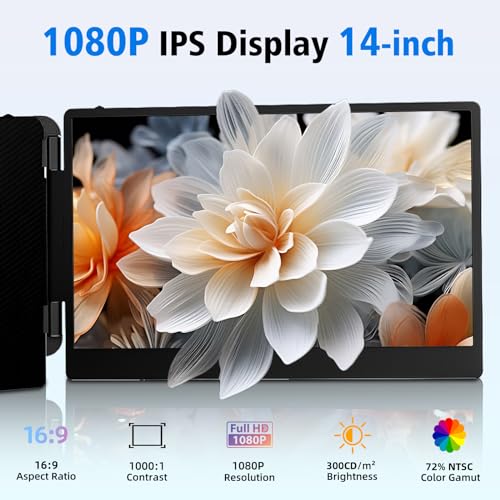
The advertised display specifications are a 14-inch FHD IPS panel, 1920 x 1080 resolution and a 1000:1 contrast ratio. These are listing specifications, not measurements taken for this review.
What Does This Mean for You?
The listing describes adjustable display settings. Color accuracy, sharpness, glare and comfort during long sessions have not been measured or observed with a unit in hand, so the specifications should not be read as a verified assessment of image quality.
Compatibility
ROYY advertises support for Windows, ChromeOS, Linux and some Mac configurations. The advertised H4 hub requirement applies to some Mac setups. Check the exact laptop, operating system and hub documentation rather than assuming all models with the same chip family work identically.

Advertised Display Modes
The listing describes mirror, extension, presentation and portrait modes. Available modes depend on the host system and connection.
Travel and Portability
The advertised design folds through 0–180 degrees and includes a carrying bag. Those features may make packing easier. Check the unit’s dimensions and weight against your bag and laptop, and use the recommended support arrangement to limit strain on the laptop lid.
Possible Uses
An extended desktop can separate working documents from reference material, while mirror mode can duplicate content for a presentation. Choose the mode that suits the task and is supported by your laptop.
Final Thoughts
On its advertised features, the ROYY may suit buyers looking for additional laptop display space. The main decision is whether the exact laptop can drive the intended screens with the required ports, hubs and drivers. The listing alone does not establish real-world build quality, display performance or setup reliability.
Before purchasing, confirm laptop fit, connection requirements, box contents and the return policy against the current listing. Treat the productivity percentage as advertising and the display figures as stated specifications.
Disclosure: As an Amazon Associate, I earn from qualifying purchases.
End of editorial review · Interactive tools below
FIELD TOOLSFIELD TOOLS
These six tools address the critical decisions every laptop screen extender buyer faces — physical fit, hinge safety, OS display limits, setup complexity, form factor selection, and travel readiness. Each tool is category-level: they work for any extender, not just the one reviewed above. Full buying guide →